How to create a fillable PDF form?

You send out a fillable PDF and everyone has to download it, fill it in and send it back. It is hard to fill on a phone, and the answers stay inside each file, so you copy them out by hand. A Google Form is free and fills well on a phone, but it can't keep the look of your document. Formesign reads your PDF and builds a web form from it that people fill in on any device, and each response is kept as a PDF for your records. You share one short link and every response comes back to one place, not one file at a time.
Let's start. Create your form and follow the steps below.
How to create a fillable PDF form?
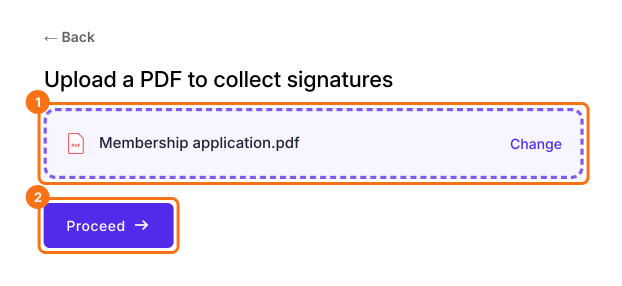
- Click on Create your form, upload your pdf document and click Proceed
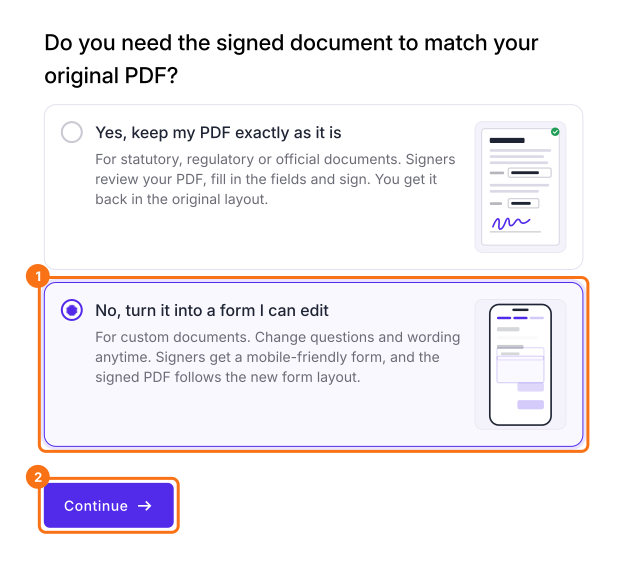
- Select "No, turn it into a form I can edit" and click Continue
- On Your signing link is ready, click Edit form
- Review the form and make edits as needed
- Click on "Share" tab

- Click Link, copy the short link and share it with your users to collect responses. They get a mobile-friendly form and the signed PDF follows the new form layout.
Fillable PDFs are great for creating simple, professional forms that make it easy to collect information, but they also have limitations such as poor mobile usability, limited ability to edit responses and a lack of real-time analytics, automatic data storage and collaboration features.
You can also set up your form to automatically generate a response PDF and sync it to your google drive or email it as an attachment. Click here to learn more.
Summary
If your users have to download a PDF, fill it out and send it back, collecting responses is slow and prone to errors. With Formesign, you upload your PDF, it is converted into an interactive web form and you share the short link to collect responses. Create your form and complete the steps above.
Last updated: