How to Build an Extraction Model with Promptrepo?
"I need to extract the name that's in each cell"- Google Docs Editors Community
The details you need are buried in free text in Google Sheets: names in a column written in different formats, ingredients and nutrition values in food descriptions. Copying them out by hand is slow, a formula can't find them when every row is written differently, and a general AI model doesn't return them in the same shape each time. With Promptrepo, you build an extraction model from your examples, and it returns the same fields every time. Your training data stays in Google Sheets, so the people who know the data can build the model without code.
Let's start. Create your AI model and follow the steps below.
Step 1: Prepare your training data
- Nutrition per serving: The nutritional values per serving
- Web page content: The contents of the web page
- Web page title: Title of the page
- Ingredients: The extracted list of ingredients
- Nutritional category: Categories such as beverage, red meat, etc
- Serving size (grams or mL): The food amount per serving
Each row is one example with these columns. You can start with one, as below, and add the rest to its Google Sheet later.
Step 2: Creating the model in Promptrepo
- Click Create your AI model
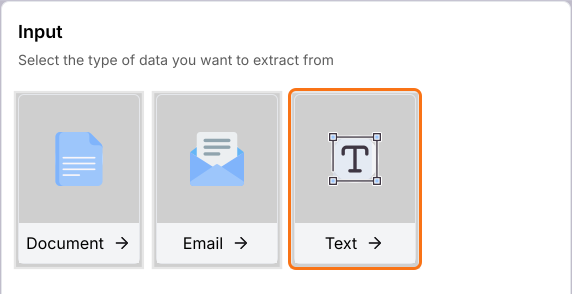
- Under Input, click Text. You can also click Document or Email.
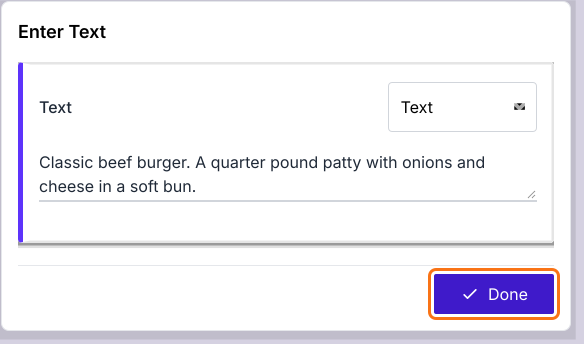
- Enter one example in the box: a web page title and its content, such as "Classic beef burger. A quarter pound patty with onions and cheese in a soft bun."
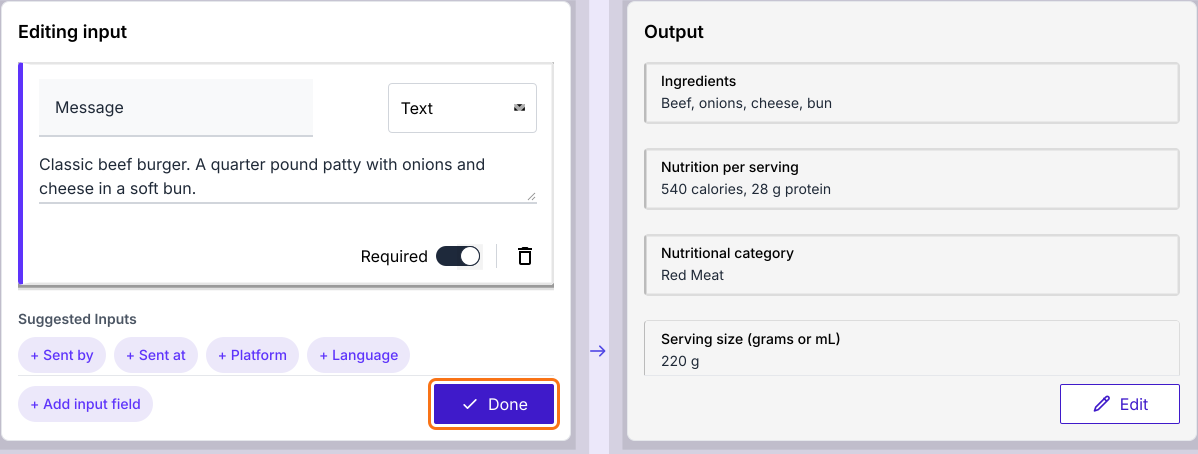
- Click Done. AI fills in the Output on the right.
- Under Editing input, click + Add input field if you need another input.
- Click Done
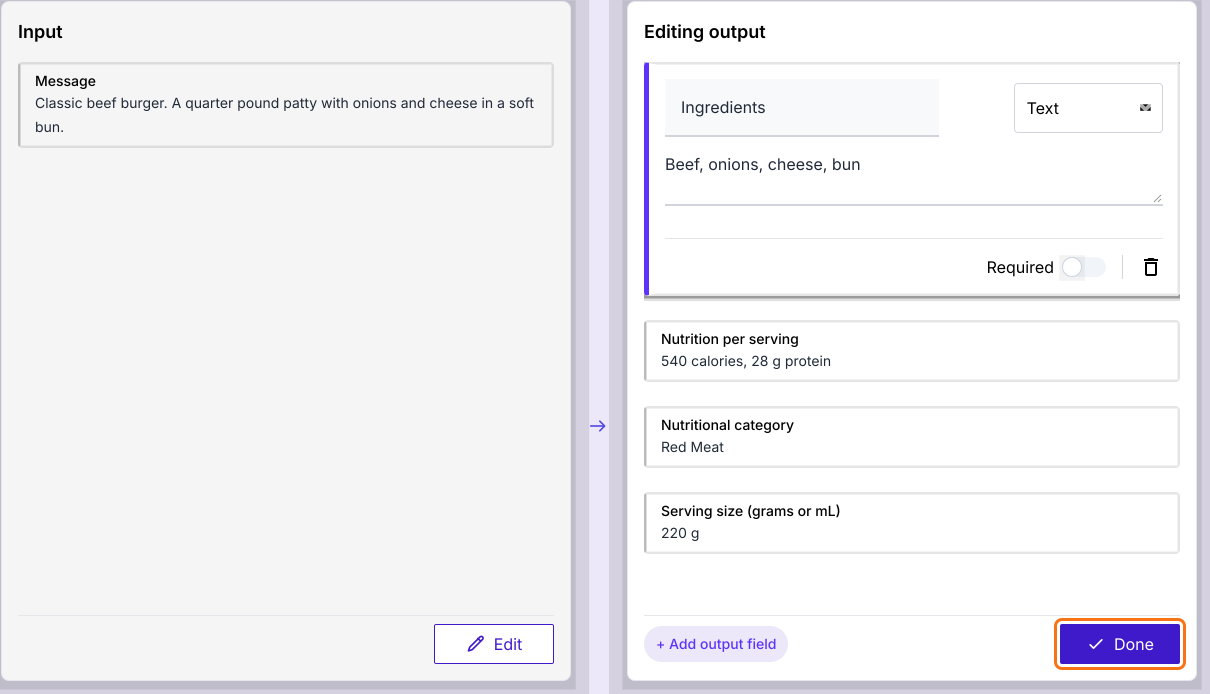
- Under Editing output, check that the output fields are the ones you need, such as Ingredients and Nutrition per serving. Click + Add output field for any that is missing.
- Click Done
- Click Publish
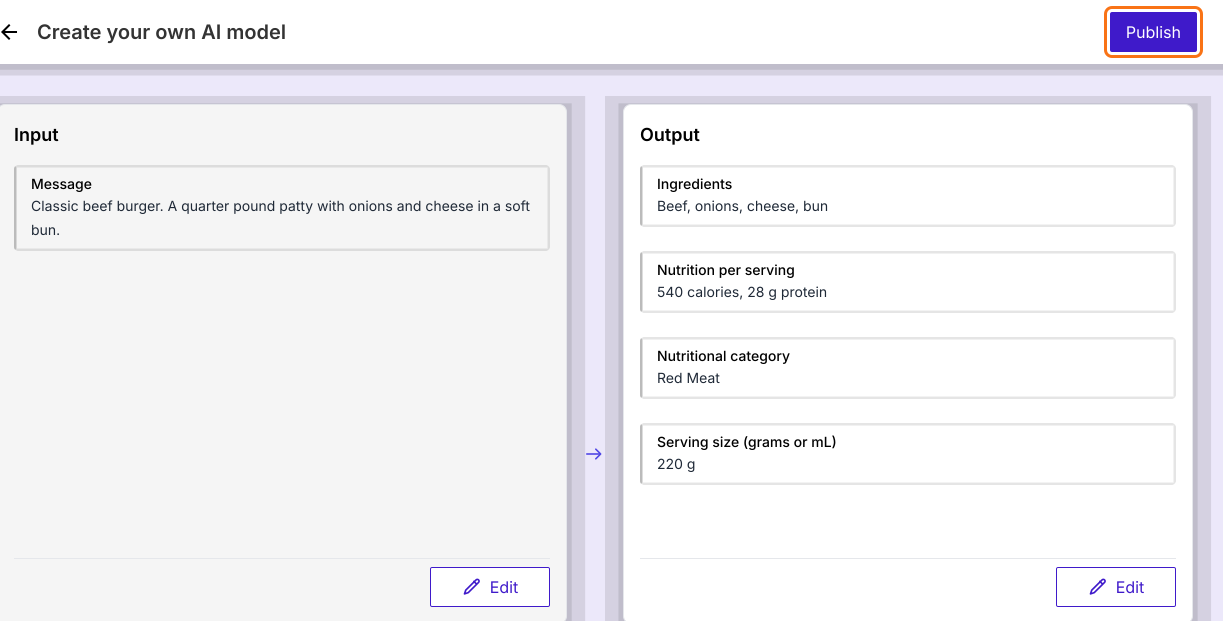
- Enter the AI model name and click Publish Now
- When it says Model is ready!, click Proceed.
Step 3: Training & Testing the Model
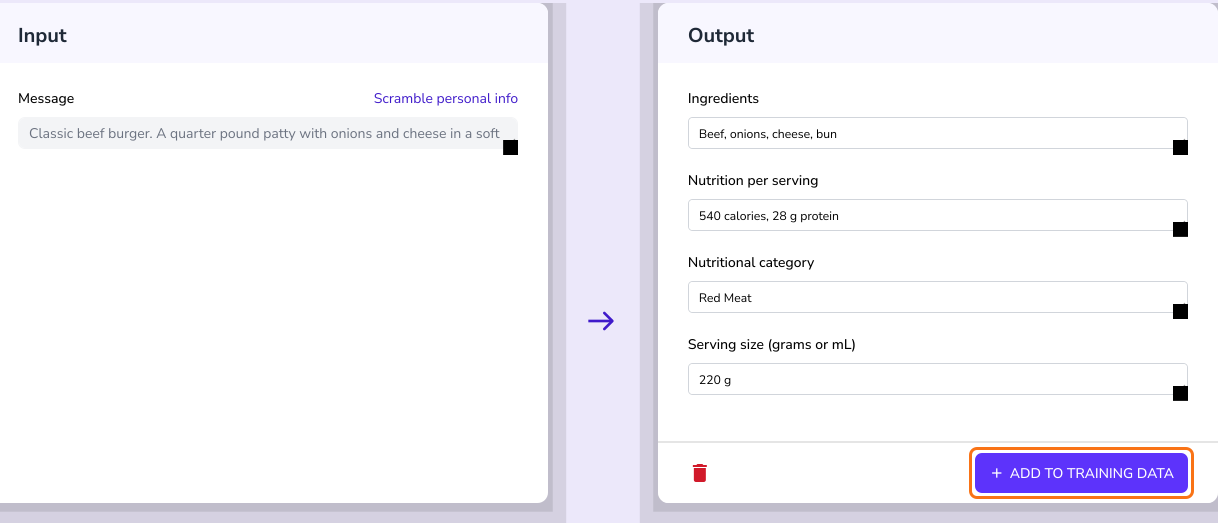
- Click PREVIEW

- Enter a food name and its description and click PROCEED.
- The model should extract structured data (ingredients & nutrition) from the text
- Click ADD TO TRAINING DATA on a result you like, to teach the model with one more example
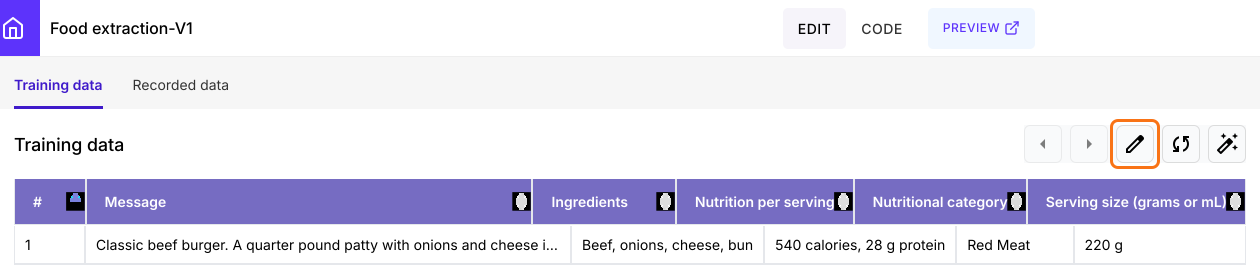
To add many examples at once, on the model page, click on the edit icon on the Training data tab. Its Google Sheet will open and you can add rows there.
Extraction models enable AI to understand and process textual data. Now, let's move on to generative models to create new data based on learned patterns.
Summary
When the details you need are buried in free text, copying them out is slow and a formula can't find them. With Promptrepo, you enter an example, check the output fields and publish an extraction model that returns the same fields every time. Create your AI model and complete the steps above. If you have any questions, write to support.
Last updated: