Linear scale
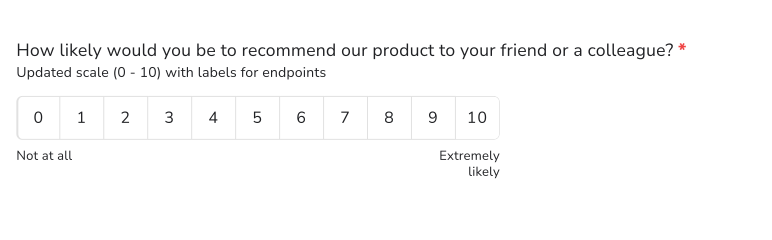
Ask people to rate your product in their own words and you get good, fine and 4 out of 5, which you can't compare. A linear scale question asks for a number on a scale you set, with a label at each end, such as 1 to 5 from Extremely dissatisfied to Extremely satisfied. In Formfacade you add it from the Edit tab, and the same question set from 0 to 10 gives you the standard NPS question.
Create your form and follow the steps below.
How to add a linear scale question?
- Click on Create your form, name your form, click Build form and click Proceed.
- Click on the "Edit" tab

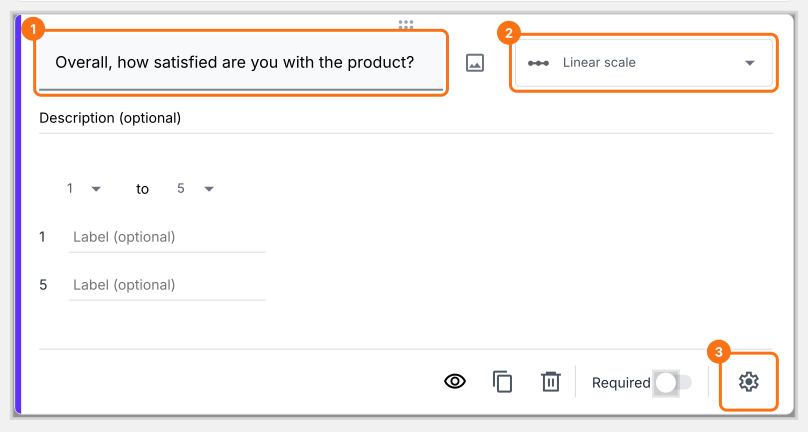
- Click on the + icon (Add field) in the toolbar on the right and enter your question
- Select Linear scale in the question type list
- Update the scale if required & add labels for each end of the scale
- Enable Required toggle button to make this a mandatory question as shown below
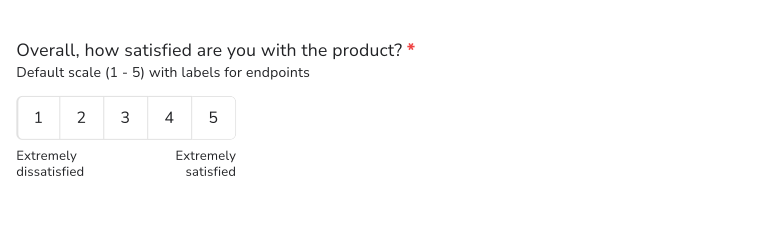
What your users see
Linear scale question allows users to provide a numeric response to a statement or a question. The end points of the linear scales can be named to provide a reference for the users. You can create a linear scale that starts from either 0 or 1 and ends on a whole number from 2 to 10 with labels for each end of the scale.
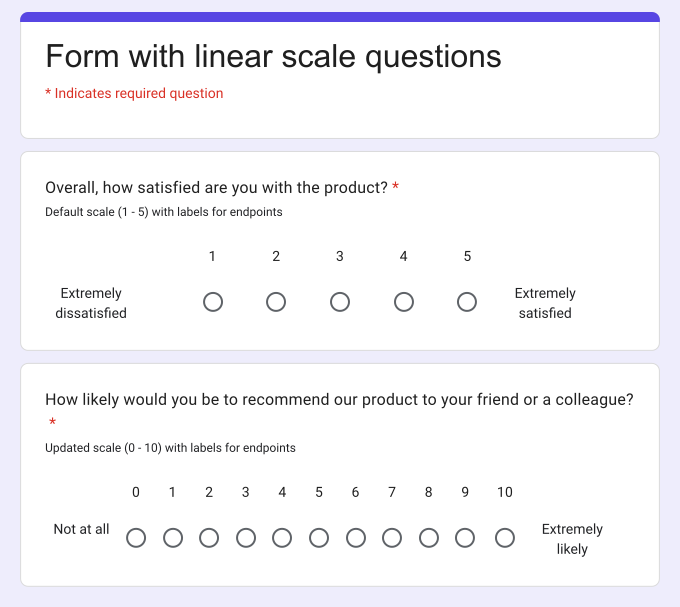
Linear scale questions are typically used for questions related to satisfaction, likelihood to recommend, opinions on service, feature etc. For example, you can use the linear scale question to ask your users to rate their ordering experience on a scale of 1 to 5, ask the standard NPS question to your users and give them the option to rate on a scale of 0 to 10 etc.
How to create a NPS survey question?
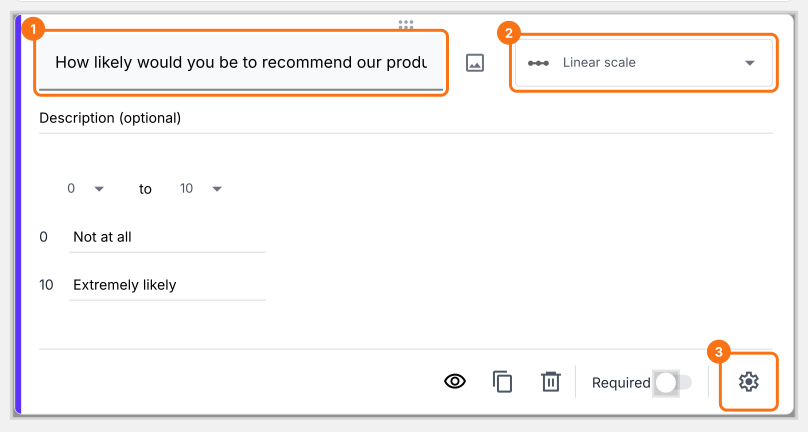
- Click on the + icon (Add field) in the toolbar on the right
- Select Linear scale in the question type list
- Update the scale to start from 0 and end on 10
- Add labels for each end of the scale
- Enable Required toggle button to make this a mandatory question as shown below
Summary
If you want users to rate something on a scale, written answers are hard to compare. With the linear scale question in Formfacade, users pick a number from a scale you set and you can name each end of the scale. Create your form and complete the steps above.
Last updated: