How to add a verbal assessment based on the calculated score?
"a way to change the message the user sees based on the overall score"- Google Docs Editors Community
A score on its own doesn't tell anyone much. If your Google Form is a stress check or a happiness questionnaire, each person needs a few words on what their number means and what to do next. Google Forms has one confirmation message, so everyone reads the same words, and 12 people on Google's forum have asked how to change that message by score. A Google Sheet or a script can work out a result, but only after the response is in, and the person who filled the form never sees it. In Formfacade, the message after submit says "Your total score is" with the score, and you can replace it with a different message for each score range. Each person reads the one for their score as soon as they submit, or goes to a different page if you prefer.
Let's start. Create your form and follow the steps below.
How to assign points?
- After you click "Create your form", name your form, click Create form and click Proceed on the page that opens.

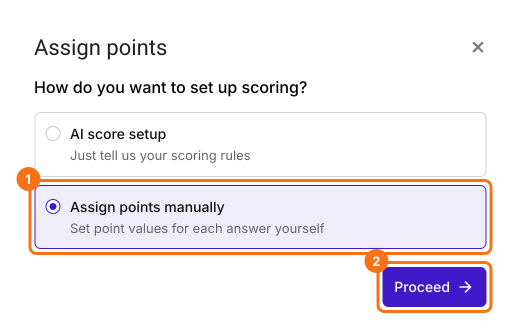
- In the Assign points dialog, under "How do you want to set up scoring?", select "Assign points manually" and click Proceed.
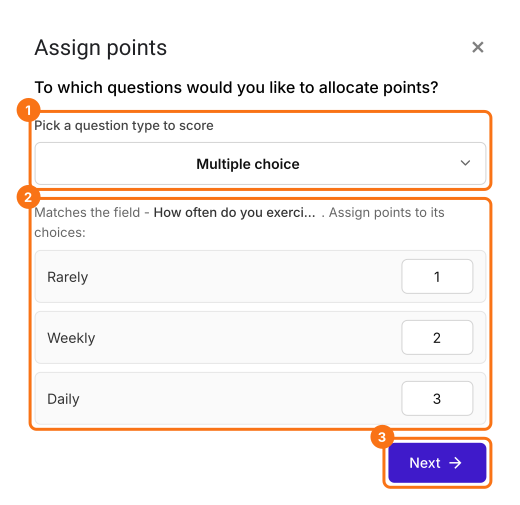
- Pick Multiple choice as the question type to score, assign points to its choices and click Next. The same points go to every multiple choice question in your form.
- Under "How do you want to show the score?", leave both options ticked and click Next.
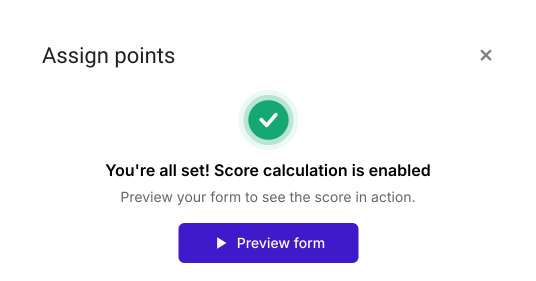
- Click the × on "You're all set" to go back to the "Edit" tab.
- Click on the question, then click on the gear icon
- Click Answer. Assign points for the different answer choices and click Save.
- Do this for all the questions in your form
How to show conditional message based on score?
- In the Edit page, scroll down to the end of the form and click on the gear icon on the last "After page" row, above the Submit button. It says "After page 1" on a form with one page.
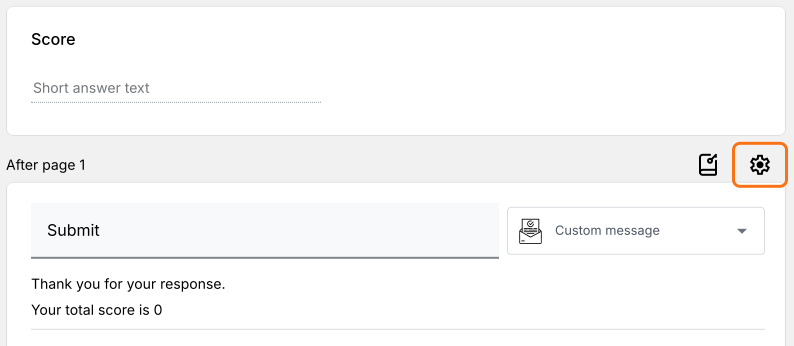
- Click On submit.
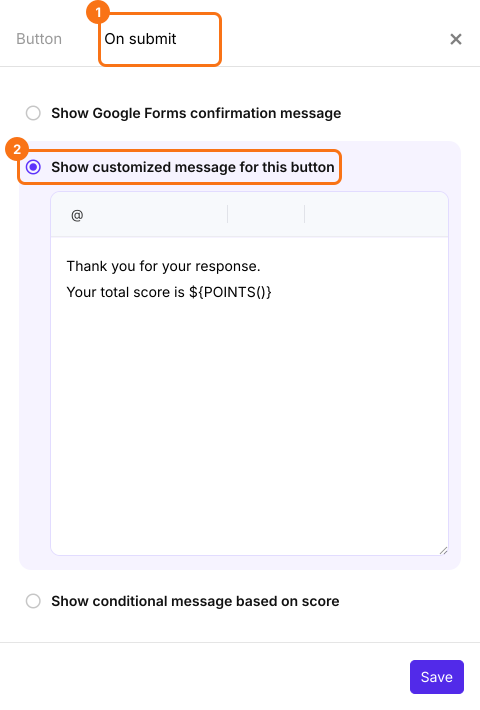
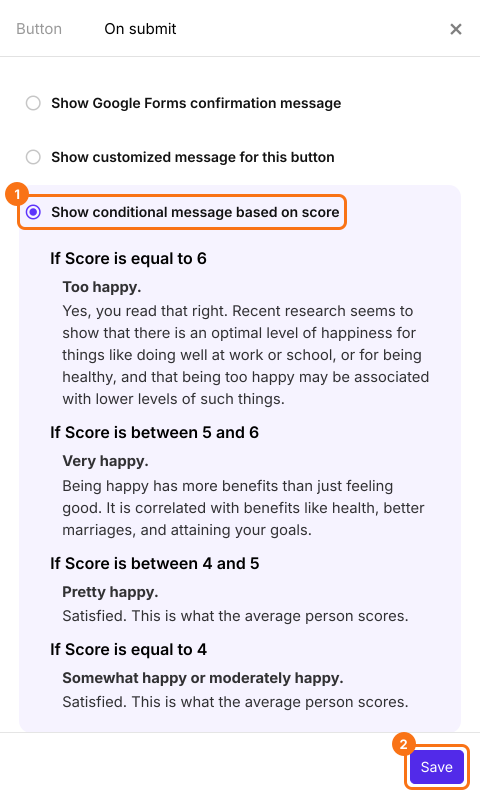
- Select Show conditional message based on score. Select the score field. Click Create.
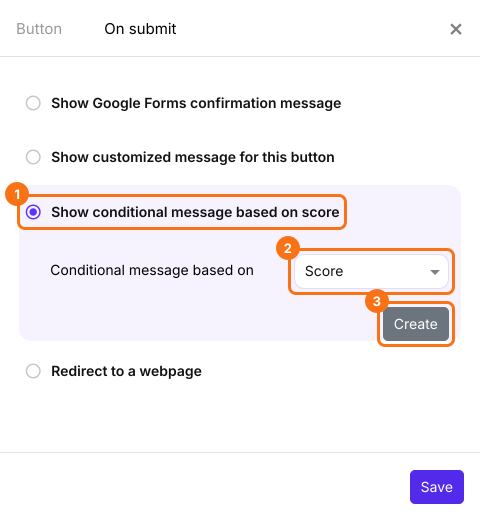
- Click on the first condition to edit the condition and update the message.
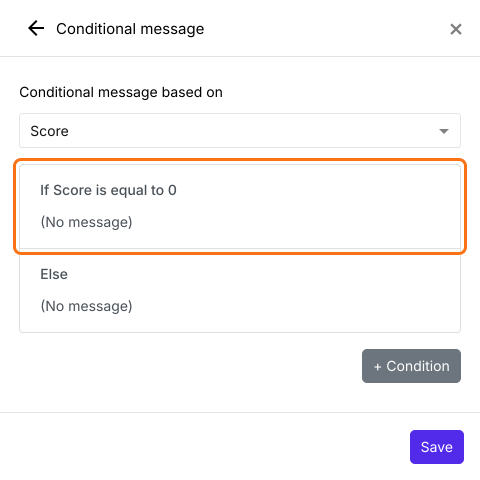
- Update the condition, enter a customized message and click Save.
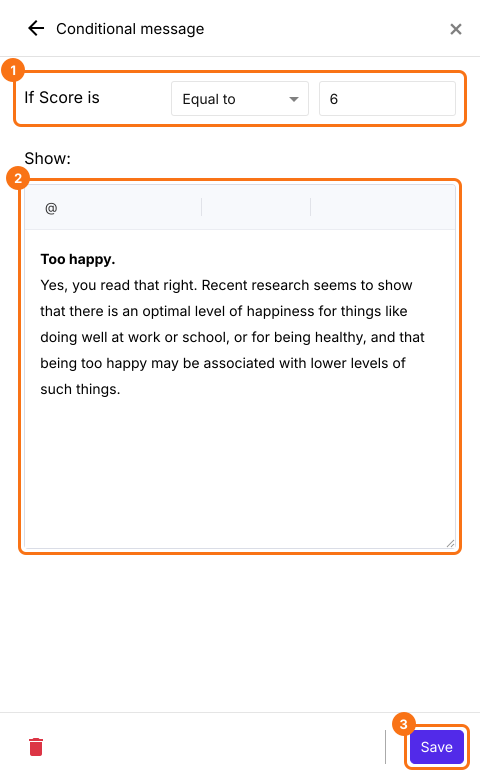
- Click on + condition button to add another conditional message.
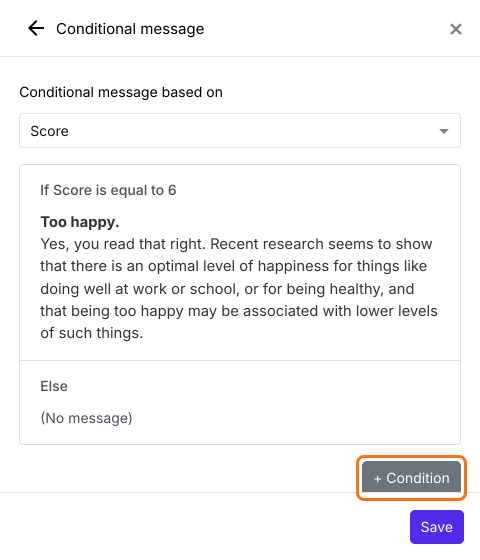
- Update the condition, enter a customized message and click Save.
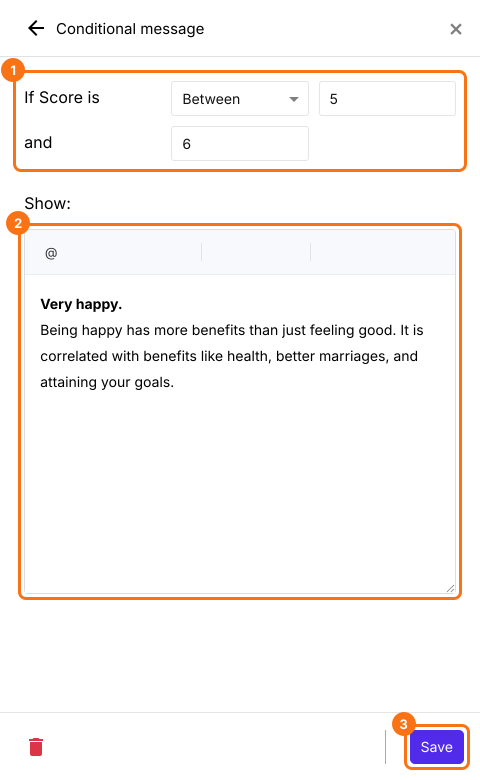
- Once you have added all the conditional messages, click Save.
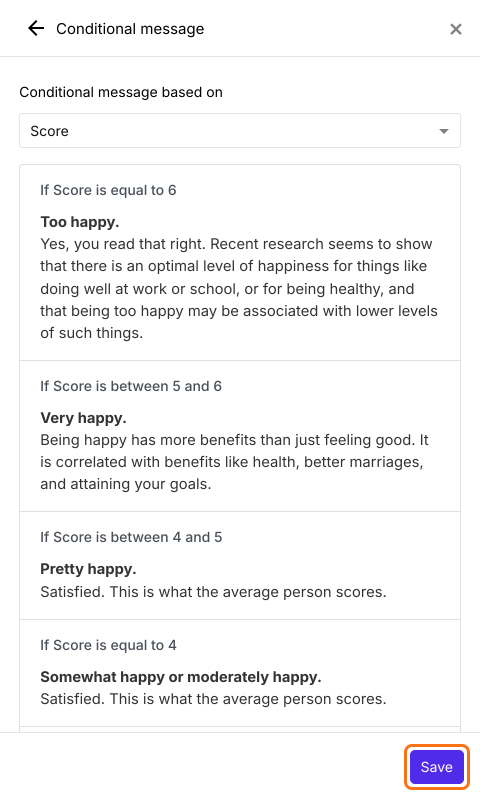
- Check the summary of your conditions and messages and click Save.

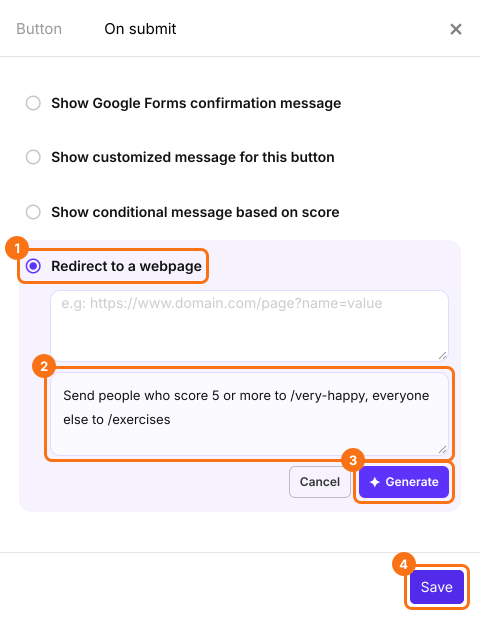
How to send users to a different page based on score?
Example: Oxford Happiness Questionnaire
Interpreting the score, by Stephen Wright
Summary
Last updated: