How to assign points for a grid question?
"I have a quiz of 20 questions, each with multiple choice grid of five options."- Google Docs Editors Community
A multiple choice grid keeps a long questionnaire short: ten statements, one set of columns. Scoring it is another matter. A Google Forms quiz can mark a right answer on each row, but it can't give each column its own points, like -1 for Left, +1 for Right and 0 for Both, so the total ends up worked out by hand. With Formfacade, you give each column of the grid its own points and every row is scored with them. People see their score on the form as they answer, and when they submit the message tells them their total. If some rows need different points, the GRIDSCORE function handles that.
Let's start. Create your form and follow the steps below.
How to assign points and calculate scores using Formfacade?
- On the page that opens, name your form, click Create form and click Proceed.

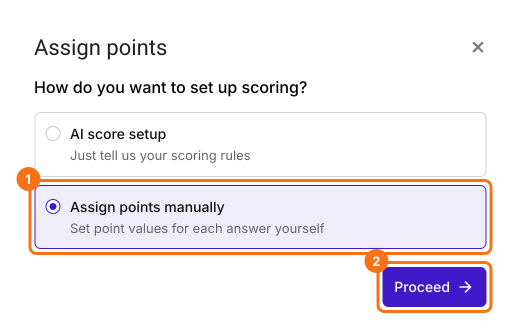
- In the Assign points dialog, under "How do you want to set up scoring?", select "Assign points manually" and click Proceed.
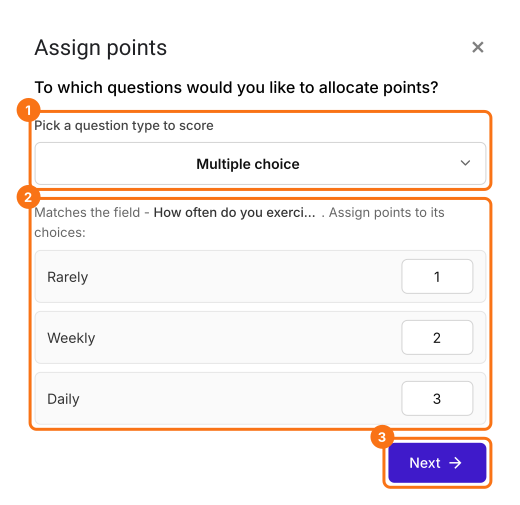
- Pick Multiple choice as the question type to score, assign points to its choices and click Next. The same points go to every multiple choice question in your form.
- Under "How do you want to show the score?", leave both options ticked and click Next.
- Click the × on "You're all set" to go back to the "Edit" tab.
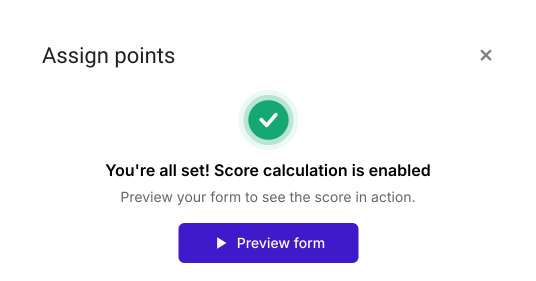
Your form now has a Score question and the same points on every multiple choice question. The steps below give each question its own points.
Let's change this form into the Dutch Handedness Questionnaire to measure the extent of left or right handedness. This questionnaire contains one question about the hand you preferentially use for writing and ten questions about your hand preference for other activities.
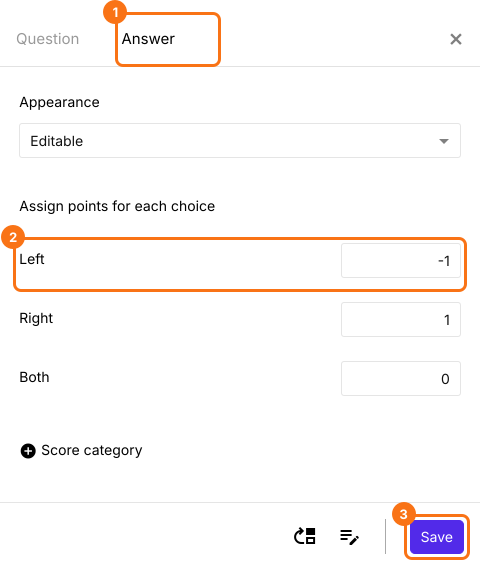
We will use the multiple choice question to record the hand preference for writing and a multiple choice grid question with ten statements about the hand preference for other activities. Left, Right and Both are the three answer choices for the statements in multiple choice grid question. The points must be assigned as follows: Left = -1, Right = +1, Both = 0.
You can use this option if all the statements in the multiple choice grid question have the same points. Otherwise, you can use the GRIDSCORE function.
- Click on a question and change it to Multiple choice grid in the list of question types. Enter the statements under Rows and Left, Right and Both under Columns. Delete the questions you do not need.
- In the Edit page, click on the multiple choice grid question, then click on the gear icon.

- Click Answer. Assign points for the different answer choices and click Save.
Click on "Share" tab, copy the link and open it to fill the form. The Score changes as you answer. When you submit, you will see "Your total score is" followed by your score.
Summary
Google Forms can't give the columns of a grid question their own points, so a grid questionnaire has to be scored by hand. With Formfacade, you assign points to each answer choice in the grid and the score is calculated as people fill in the form. Create your form and complete the steps above.
Last updated: