How to fix ReferenceError: Computation failed message in email notifications
"Computation failed for Warehouse Team"- Support forum
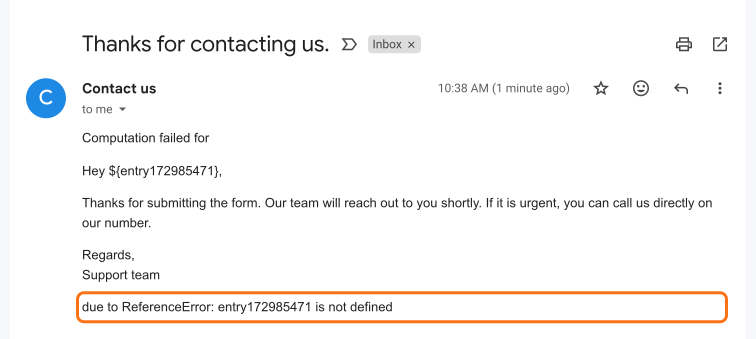
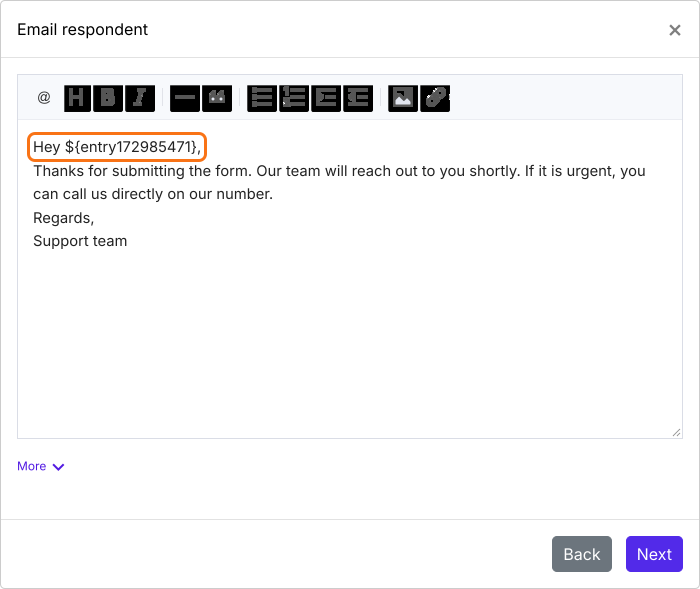
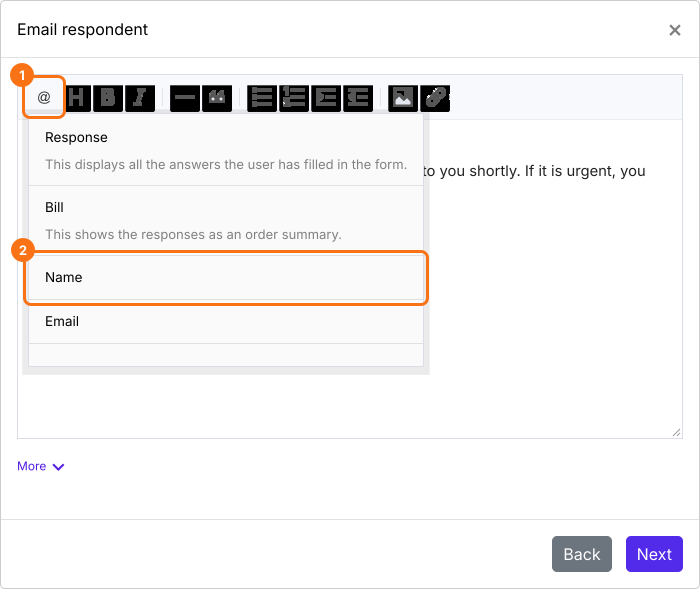
You changed your form after setting up email notifications, and now the emails start with "Computation failed" and a ReferenceError instead of the person's name. It happens when the message still uses a field you've since deleted from the form. Remove that field's entry#id from the message and use the @ option in the message editor to put in the field you want.
In this email, the message used the entry#id of a name field that was deleted from the form, so the email shows Computation failed in its place.
How to fix it
- In your form's dashboard, click Responses.

- Click Kanban board, click the three dots ⋮ on Submitted and click Notify respondent or Notify collaborators, whichever you set up.
- Click Next until you reach the message.
- Delete the entry#id named in the error.
- Click the @ option and pick the field you want instead.
- Click Next.
- Click "Click here", fill in the form and submit it. When the email arrives, click YES.
Summary
If your email notification shows a computation failed message, the email still refers to a field you have deleted. With Formfacade, you remove that entry#id from the message and use the @ option to include the required field. If you have any questions, write to support.
Last updated: