Form changes are not reflected in the embedded form. How can I fix this?
"I created a google form and some questions won't show in user's view"- Google Docs Editors Community
This is a common question, and 53 people on Google's forum have asked it: the questions were changed, but the form on the website doesn't show them. Reloading, clearing your browser's cache or pasting the embed code again doesn't bring the new ones, and people keep filling the old form. A Formfacade form doesn't read your Google Form each time someone opens your page. It reads it when you open the form in Formfacade's editor. If you imported your form, your page also uses Formfacade's copy, not your original. To fix it, make your change in the form your page uses, open it in Formfacade's editor and reload your page.
1. Open the form your page uses
Your page may not be using the form you changed. If you imported your form, Formfacade made a copy of your form and your page uses the copy. A change in your original form doesn't reach it. To open the form your page uses, open your form in Formfacade and click EDIT. Click the form's title, click the ⚙️ icon on the title card, click the Advanced tab and click Launch next to Edit this form with Google Forms. Make your change in the form that opens.
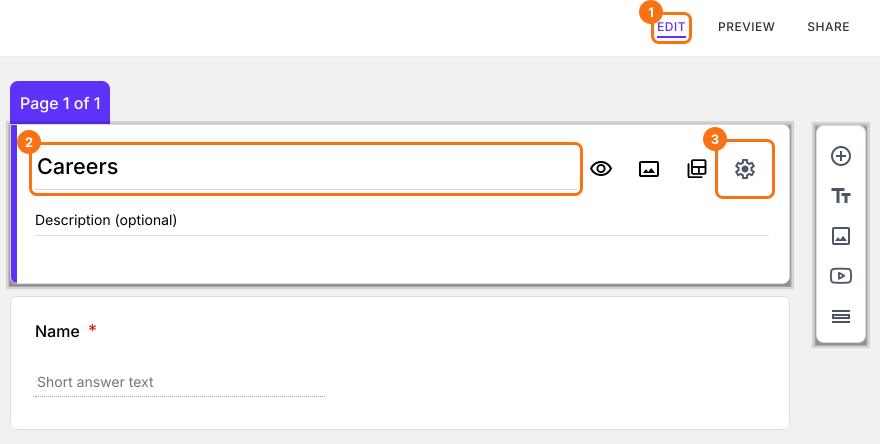
2. Open the form in Formfacade's editor
Your page shows the questions Formfacade saved from your Google Form. Formfacade doesn't read your Google Form each time someone opens your page. It reads it when you open the form in its editor. In Formfacade, click EDIT, or reload the page if it is already open. Your change is now on the screen. Reload your page to see it there too.
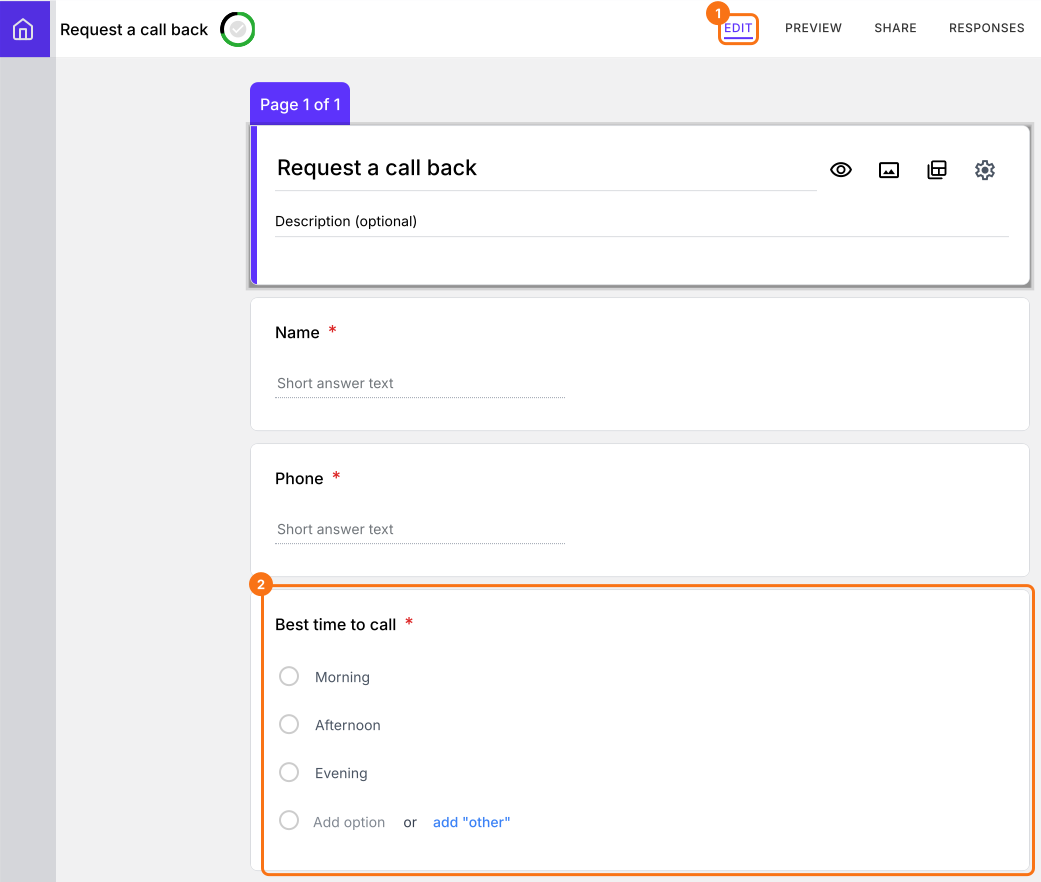
3. Check the embed code on your page
If your page still shows the old form, it may be using a different form. Each time you import a form, you get a new copy with its own embed code. Click SHARE, then Embed and choose your website. Compare this code with the code on your page. If they are different, paste this code in place of the old one.
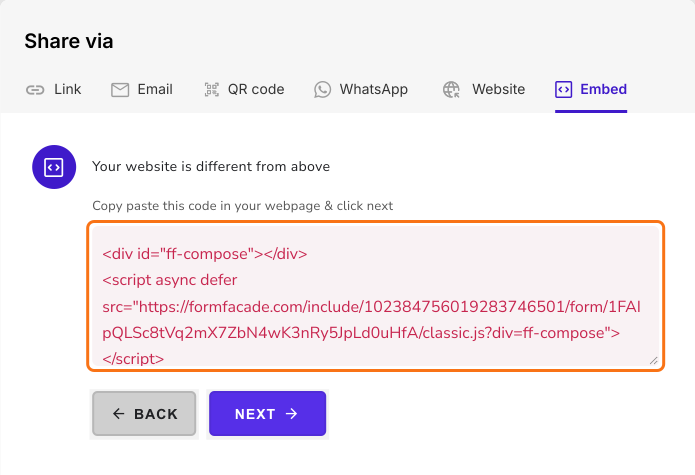
Summary
If you change a form that is on your website, your visitors need to see the change and reloading or clearing your cache won't bring it. With Formfacade, make your change in the form your page uses, open it in Formfacade's editor and reload your page. A change you make in Formfacade's editor reaches your page with no extra step. If you have any questions, write to support.
Last updated: