How to allow users to upload multiple files in the form?
"How Can upload more than 10 files to Forms"- Google Docs Editors Community
Some forms need several files from each person: a portfolio of images, a set of receipts, every page of an application. Google Forms' upload question takes up to 10 files, and 56 people on Google's forum have asked how to go past that. It also makes everyone sign in to Google before they can upload anything. With Formfacade, you set the maximum number of files on the upload question with a slider that goes up to 100, and people add them all in the same question without signing in. A required question asks for at least one file, and an optional one can be left empty.
Let's start. Create your form and follow the steps below.
How to allow multiple files?
- On the page that opens, name your form, click Create form and click Proceed.
- If it asks "Do you want to preview this form?", click No.

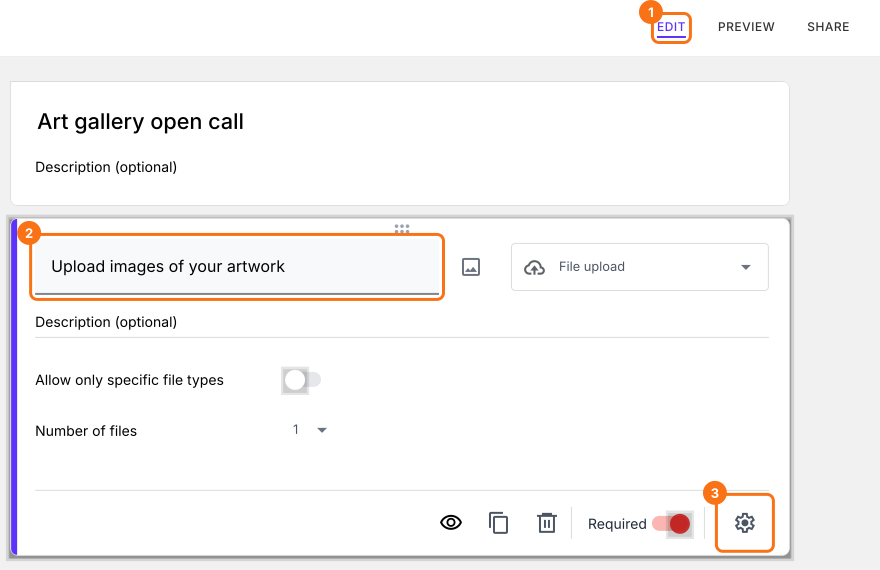
- In the Edit page, click on the file upload question, then click on the gear icon.
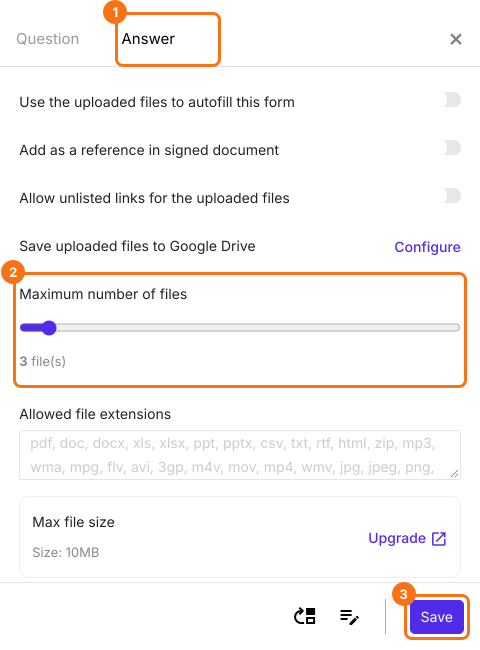
- Select the answer tab. Use the slider scale to change the maximum number of files allowed and click on the Save button.
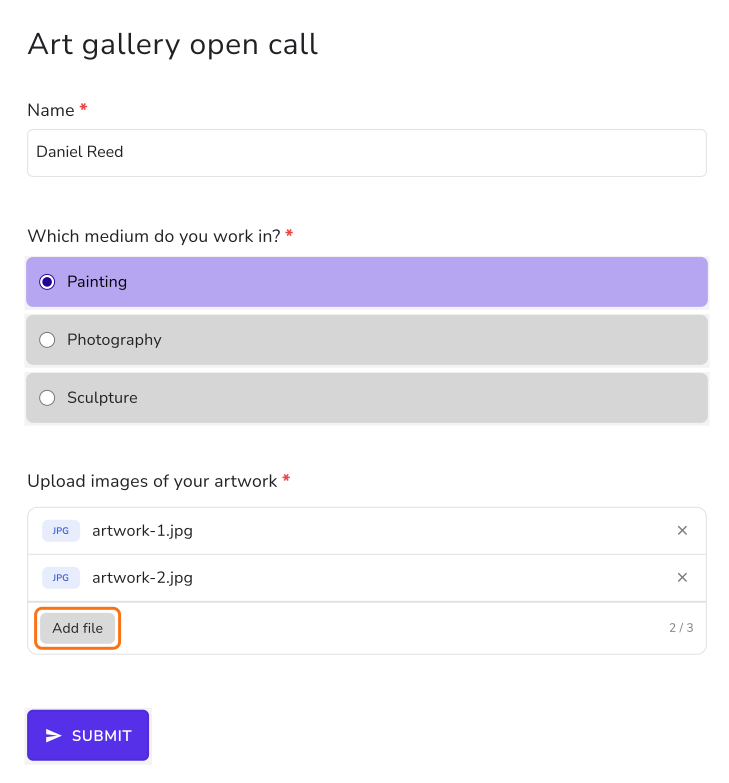
Users will be able to upload multiple files in the same file upload question. If you set the maximum number of files to 3, users will be able to upload between 1 to 3 files for a required file upload question and between 0 to 3 files for an optional file upload question.
Summary
Google Forms' upload question stops at 10 files and asks everyone to sign in to Google. With Formfacade, you set the maximum number of files for the upload question and people upload them without signing in. Create your form and complete the steps above.
Last updated: