How to customize the add file button text?
A file upload question that asks for a resume or a photo of a receipt still shows a button that says Add file, and on a long form people skip past it or upload the wrong thing. Google Forms doesn't let you change the words on its upload button. With Formfacade, you type your own caption for the upload button, like Upload resume, in the question's settings. People see your words on the button and know what to add, and they upload with no Google sign-in.
Let's start. Create your form and follow the steps below.
How to change the button text?
- On the page that opens, name your form, click Create form and click Proceed.
- If it asks "Do you want to preview this form?", click No.

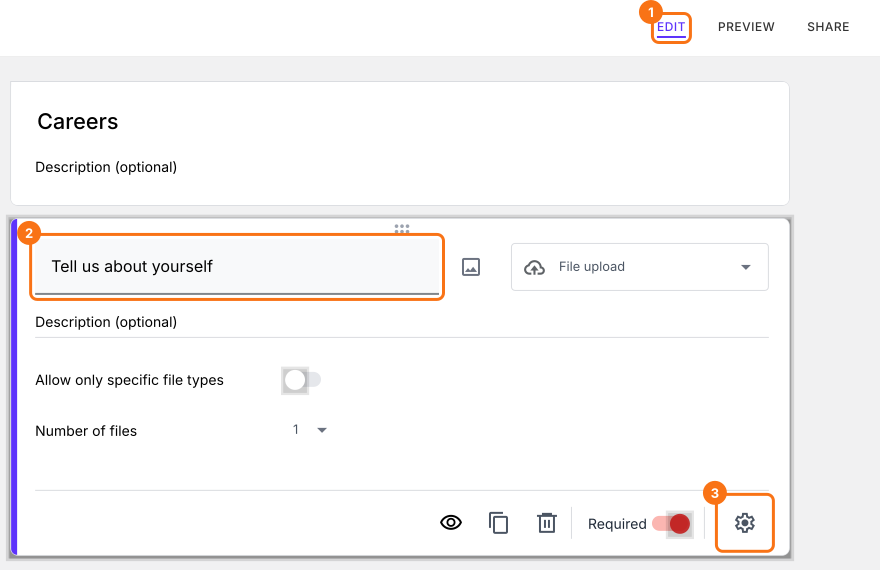
- In the Edit page, click on the file upload question, then click on the gear icon.
- Click Placeholder, enter the caption for the upload button and click on the Save button.
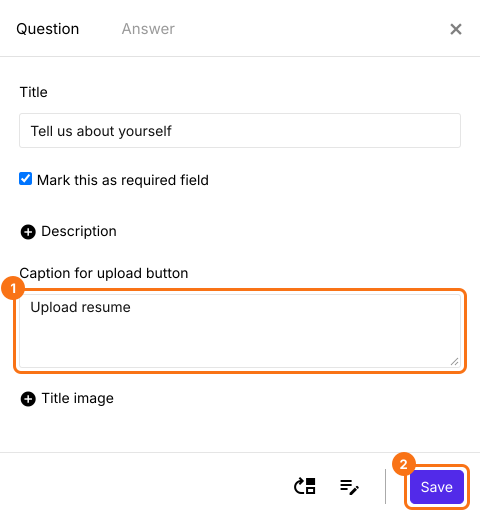
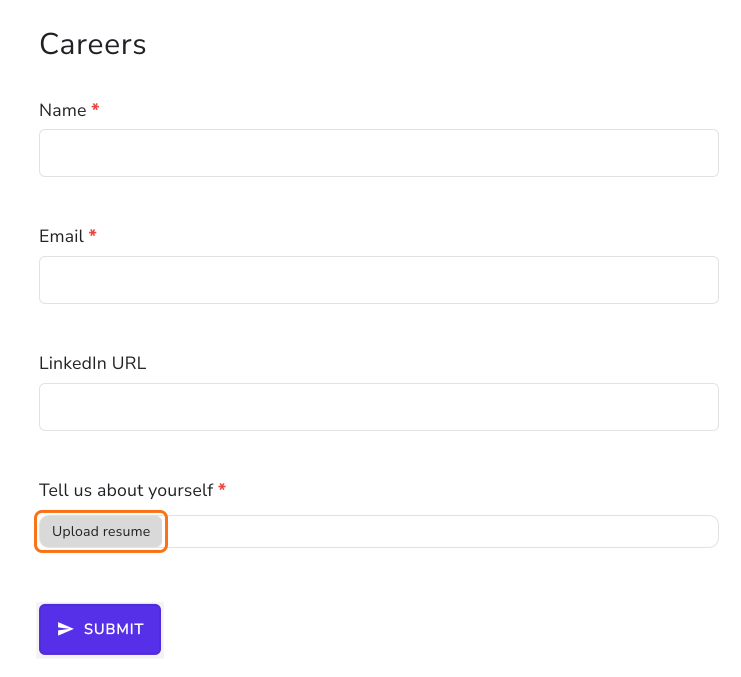
Default "Add file" button text will be replaced with the caption added in the Field settings screen. Form with a customized button text "Upload resume" for file upload question.
Summary
Google Forms' upload button always says Add file, which doesn't tell people what to upload. With Formfacade, you enter your own caption for the upload button in the question's settings and it replaces Add file on your form. Create your form and complete the steps above.
Last updated: