Built-in version control
Each time you add examples and retrain an AI model, you get a new version, and someone has to know which one is live. If you fine-tune on OpenAI or Gemini directly, you train, deploy and track each version yourself, which is work that has nothing to do with your task. Promptrepo does it for you: a new model starts at version 1, and the Promptrepo add-on in Google Sheets shows the live version and its history.
Let's start. Create your AI model and you will see its version in its name.
Promptrepo trains, deploys and numbers each version of your model, so you can spend your time on the examples that make it more accurate.
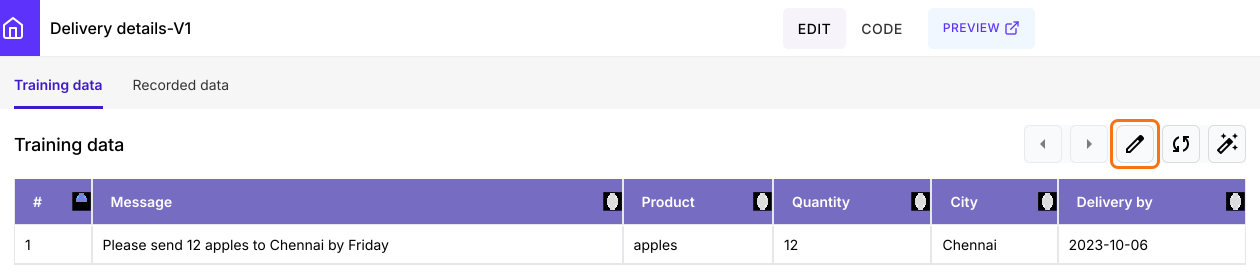
A new model starts at version 1. Its name shows that, as in Delivery details-V1.
Version history
- Open your model's Google Sheet. On the model page, click the edit icon on the Training data tab.
- The first time, click Extensions > Add-ons > Get add-ons, search for "Promptrepo" and click Install
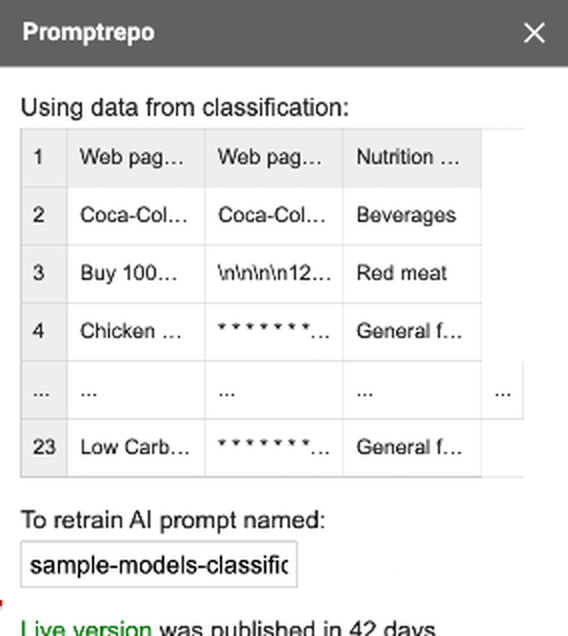
- Click Extensions > Promptrepo > Train AI. The sidebar shows the live version.
- Click More to see the version history.
Summary
When you keep improving a model, keeping track of which version is live adds work. With Promptrepo, each version is trained and deployed for you, and the live version and its history are shown in Google Sheets. Create your AI model and you will see its version in its name. If you have any questions, write to support.
Last updated: