How to add ingredients and nutrition to your menu?
"How to input menu description under each option in Google Form"- Google Docs Editors Community
A choice in Google Forms is a line of text with nothing under it. Customers ordering food want to know what's in a dish, and anyone with an allergy has to ask before they can order, so the same questions arrive by message every week. Squeezing the ingredients into the choice's name makes the list hard to read. In Neartail, each product on your Google Form has its own description, and a form made from a food template adds rows for ingredients, allergens and nutrition. Customers tap a dish and read it before they add it to the cart.
To try it, create your order form and follow the steps below.
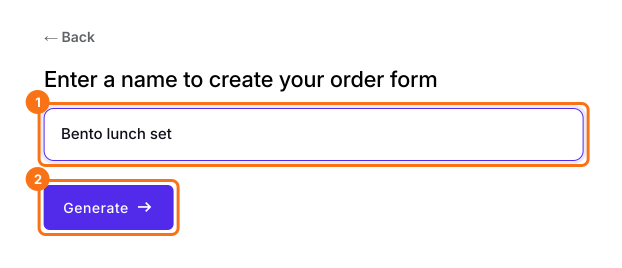
1. Name your order form
On the page that opens, click Enter your form name, type your form's name and click Generate. Check the outline it suggests and click Proceed. Your form opens on the Edit tab.
2. Write what's in each dish
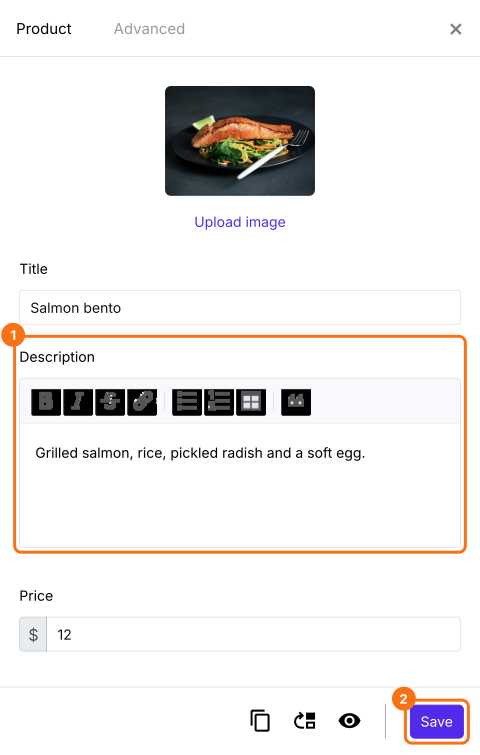
In the EDIT tab, click a dish, then click the gear at the bottom of its card. Click Description, list what's in it and click Save.
3. Add ingredients, allergens and nutrition
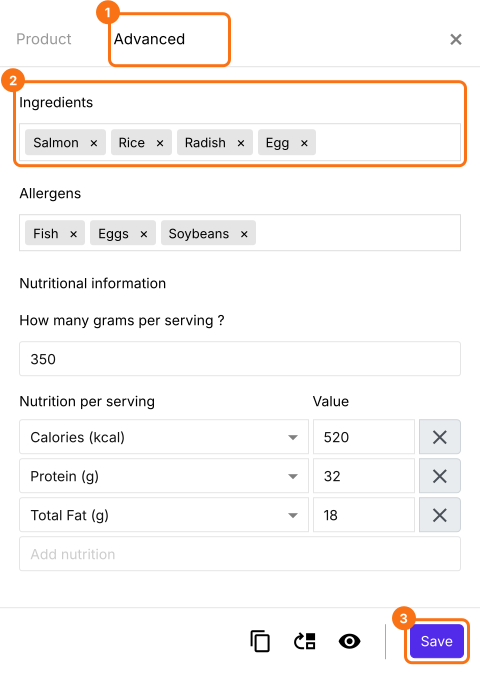
A form made from a food template, such as the Meal prep order form, has more boxes. To use one, open that page, click Try it free and click Proceed. Click a product, click the gear at the bottom of its card and open Advanced. Click Ingredients, Allergens or Nutritional Information, fill them in and click Save.
4. Customers read it before they order
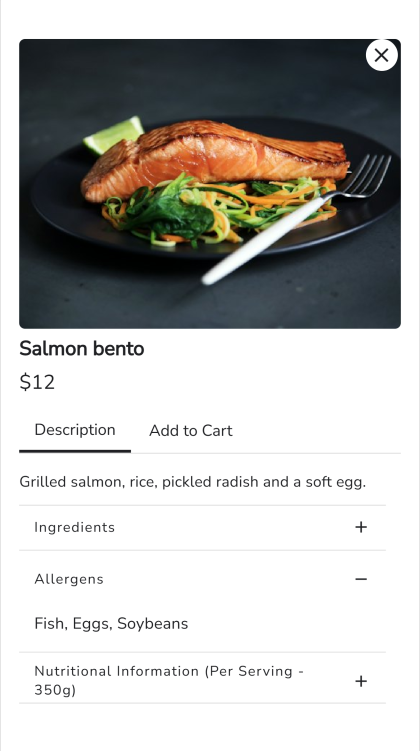
On your form, customers tap a dish and read its Description. They open a row for the details, then order from Add to Cart.
Summary
Google Forms has no place under a choice to say what's in it, so customers have to ask before they order. With Neartail, each product has a description, and food templates add ingredients, allergens and nutrition that customers read on the form. Create your order form and complete the steps above.
Last updated: