How to add products with limited stock?
"some items to become unavailable once a certain amount of the item has been ordered"- Google Docs Editors Community
Say you have 10 jars of jam and an 11th order comes in. Google Forms keeps taking orders for an item after you've sold out. It can't count down what is left, so you watch the responses, close the form by hand or write to a customer to say sorry. In Neartail, you turn on inventory for a product and enter how many you have. Each order takes its quantity off the stock, and when the stock reaches zero the product moves to an Out of stock list, so nobody can order it. This works for products sold by quantity, by weight or with variants, where each variant has its own stock.
Let's start. Create your order form and follow the steps below.
How to set the stock of a product?
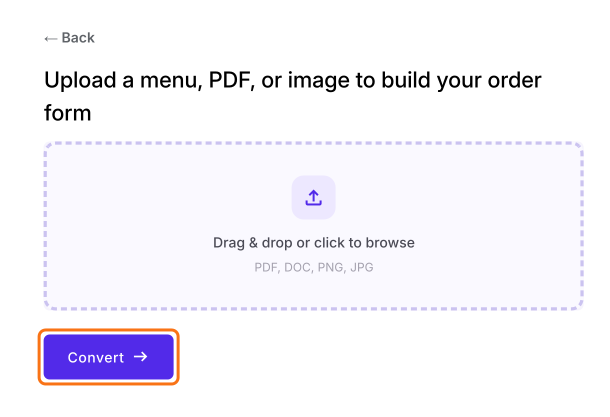
- On the page that opens, upload your menu, a PDF or an image and click Convert. If you don't have one, click Back, click "Enter your form name", type your form's name, click Generate and then Proceed.
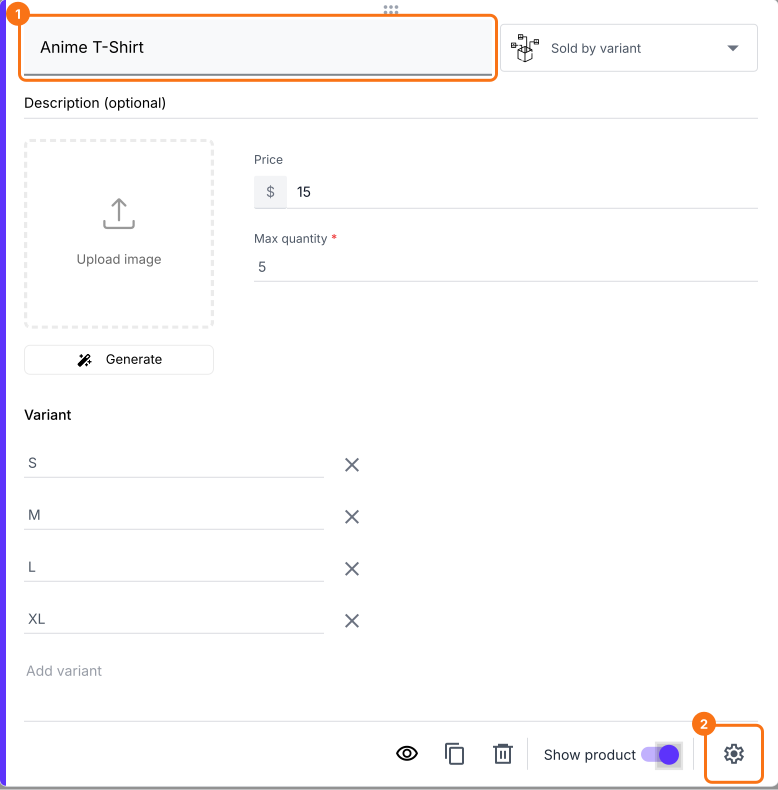
- You land on the form's "Edit" tab. If it asks "Do you want to preview this form?", click No.

Click the product, then click the gear icon.
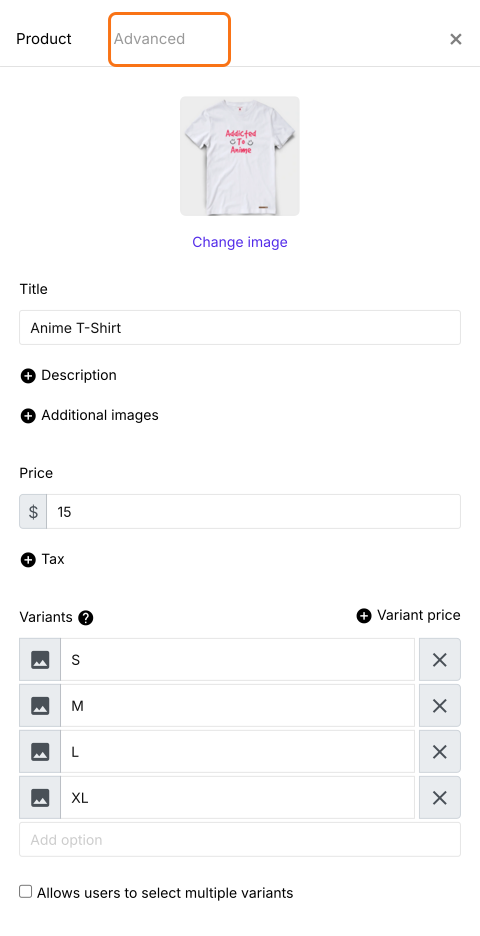
Click Advanced.
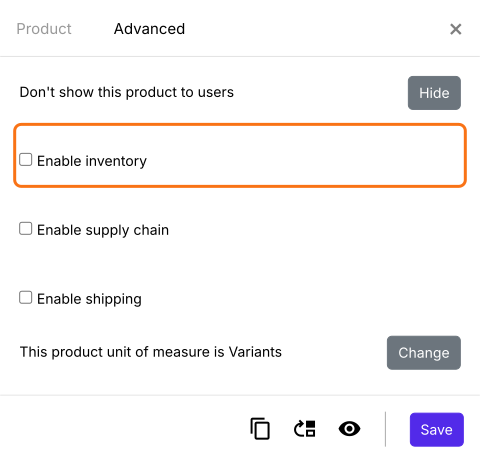
Check Enable inventory.
Update the available stock and click Save. A product with variants asks for the stock of each variant as shown below. Any other product has one box, Quantity you have in stock.
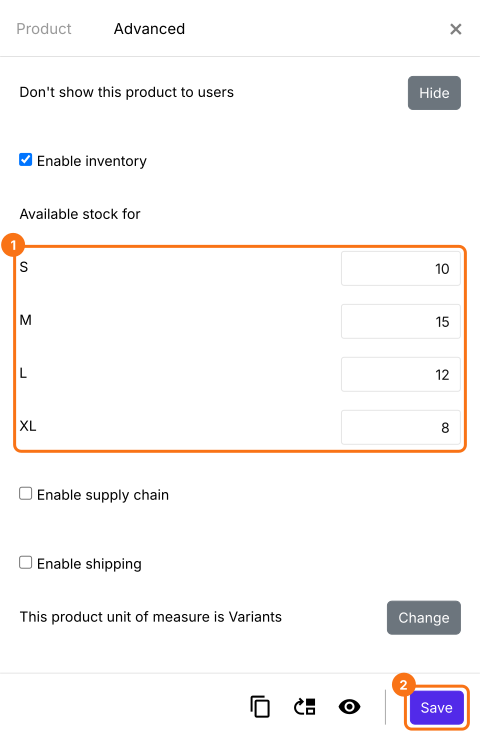
Your customers can only order what you have in stock. When the stock of a product reaches zero, it moves to an Out of stock list at the end of your products.
Summary
When stock is limited, Google Forms keeps taking orders after an item runs out. With Neartail, you turn on inventory and set the stock, each order counts it down and a product at zero moves to Out of stock. Create your order form and complete the steps above.
Last updated: