How to create your website?
"How do I create a shop with Google Sites?"- Google Sites Community
This is a common question: 520 people on Google's forum have asked how to create a shop with Google Sites, with a cart and a checkout. Google Sites has no cart. You can add a payment link or button for each product, but someone buying two things pays twice, and you still have to ask for their address. With Neartail, the order form you already take orders with becomes a website in one click. Customers click Order Now, pick products, see the total and enter their address in the same form, so you get the whole order at once. You can take payment online, or take the order first and collect the money later.
Let's start. Create your site and follow the steps below.
How to create the website from your order form?
- If you made your site with the link above, it says "Your website is live" with its link, so go to the last step. Otherwise log in to Neartail, click Forms and click the form you want to use.
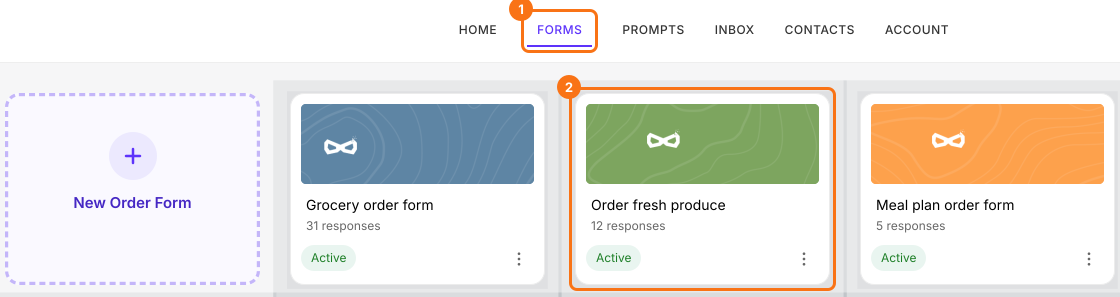
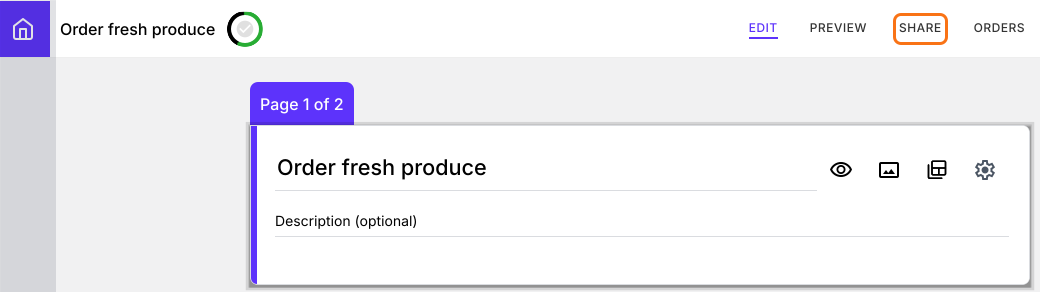
- Click SHARE.
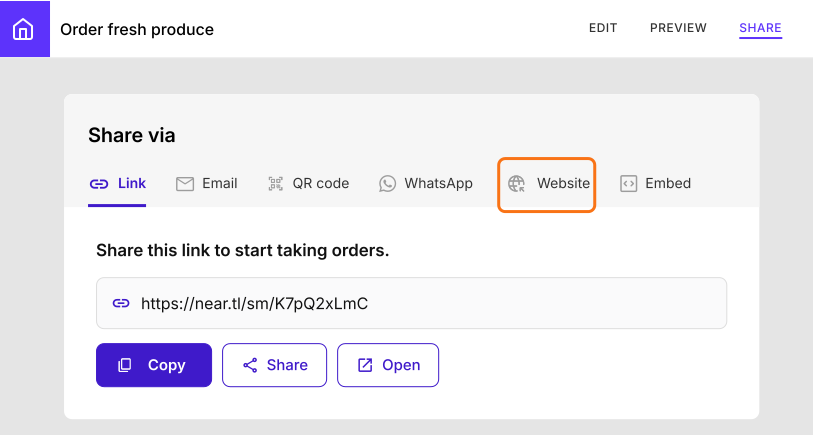
- Click Website.
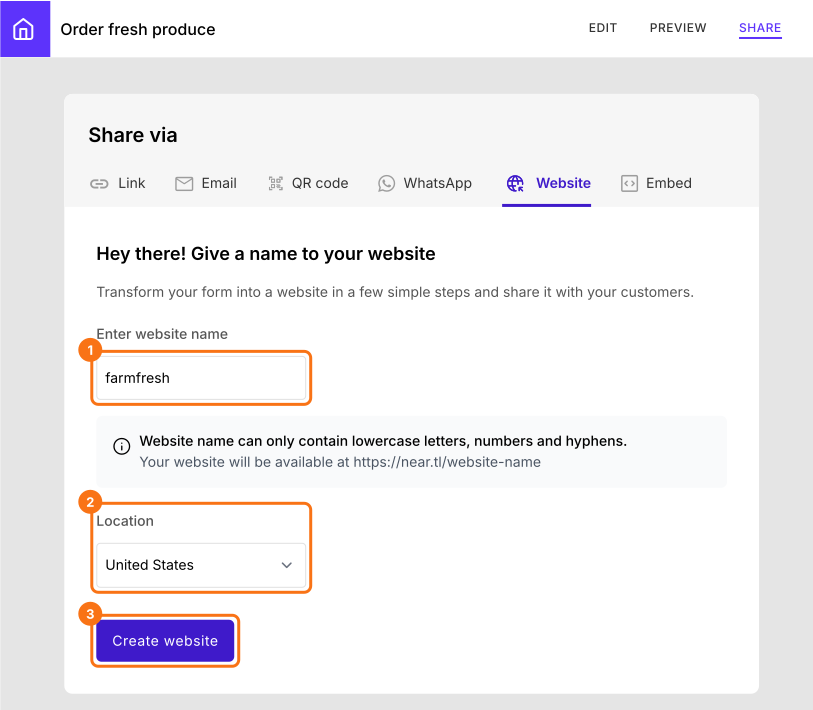
- Enter your store or brand name, with at least 8 characters, and click Create website. If you need to, change the country in Location. You can't change this link once the website is created.
- Copy the link to your website and share it with your customers.
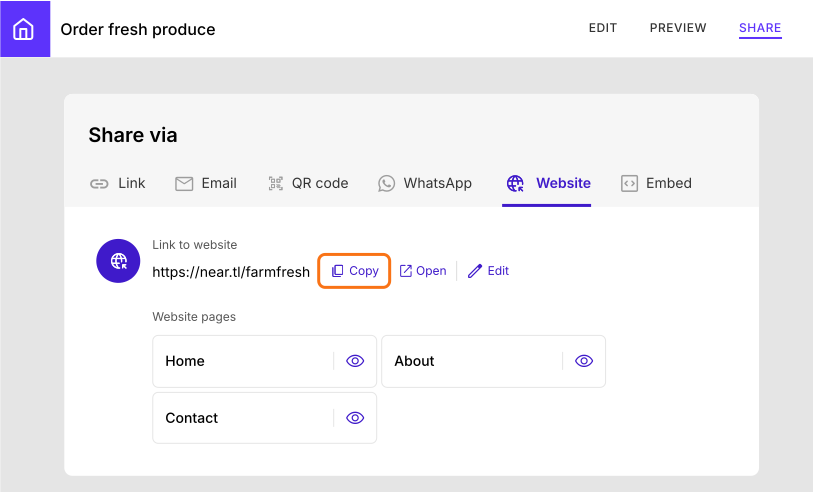
Share page > Website tab
The Website tab of the Share page has 3 options.
- Link to the website (home page)
- Website pages (Home, About, Contact)
- Link to the mobile app
When you create the website, it automatically adds a home page and products page. You can edit the website to add a Posts, About and Contact page to the website. You can click here to learn about the different components of the website and how you can customize it.
How will customers order from your website?
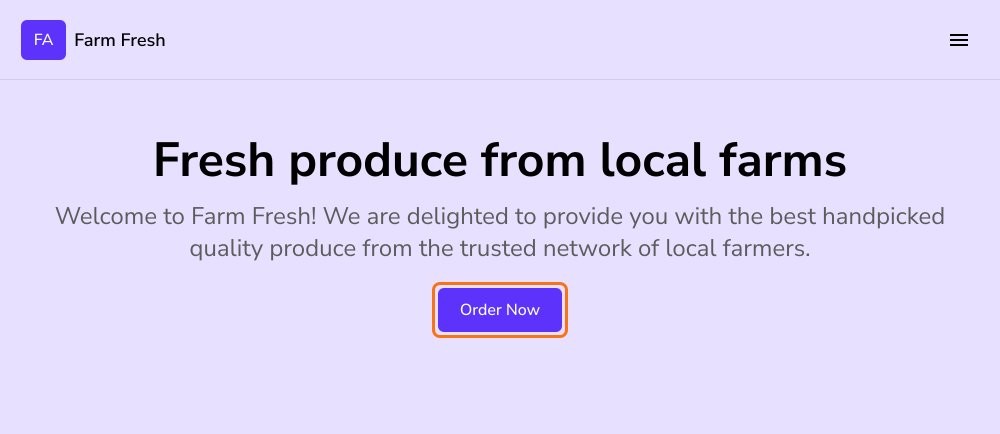
When customers open your website and click Order Now, your order form opens on it.
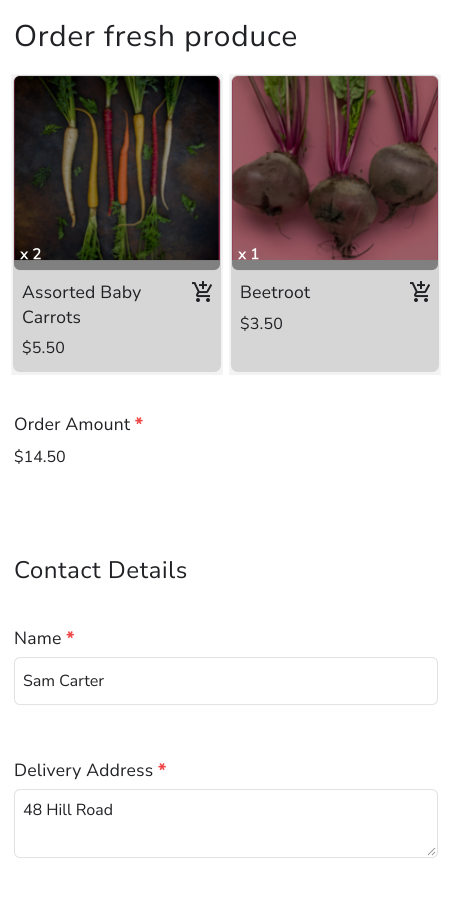
They can select the products, view the total amount and enter their name and address in the same form, so you receive the whole order at once.
Summary
Google Sites has no cart, so a payment link for each product makes customers pay item by item and you still ask for their address. With Neartail, your order form becomes a website where customers pick products, see the total and enter their address at once. Create your site and complete the steps above. If you have any questions, write to support.
Last updated: