How to automatically fill today's date in the form?
"Google forms: Set Date type to a default (like today's date)"- Google Docs Editors Community
A date question in Google Forms always starts empty. When every response needs today's date, such as the date of a request or a visit, people have to type it, and some skip it or pick the wrong day. 44 people on Google's forum have asked how to make today's date the default. Google Forms has no default for a date question. It records a Timestamp with each response, but your users never see it on the form. With Formfacade, you write TODAY() in the date question's Calculate option and the form opens with today's date filled in.
Below are three ways to get today's date into each response, and where each one falls short.
1. Use the Timestamp that Google Forms records
Every response in Google Forms comes with a Timestamp, the date and time it was submitted, and it shows in the Google Sheet linked to your form. It needs no setup, but the date question on the form still starts empty, so your users never see the date or confirm it.
2. Share a pre-filled link with the date
In Google Forms, click the ⋮ More icon, select Pre-fill form, type the date in the date question and click Get link. The date is fixed when you make the link, so it is only right on that day and you need a new link every day.
3. Fill it in with Formfacade
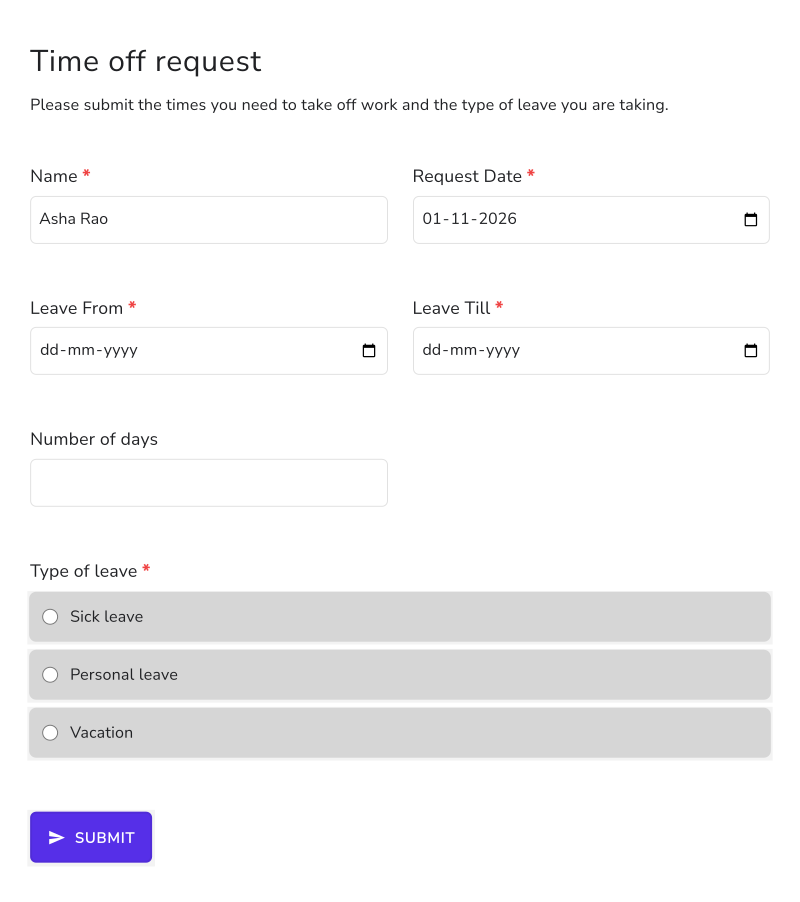
A date question in Formfacade can calculate its own answer. In this example, a leave request form fills in the Request Date by itself.
- Click Create your form, name your form, click Build form and click Proceed.
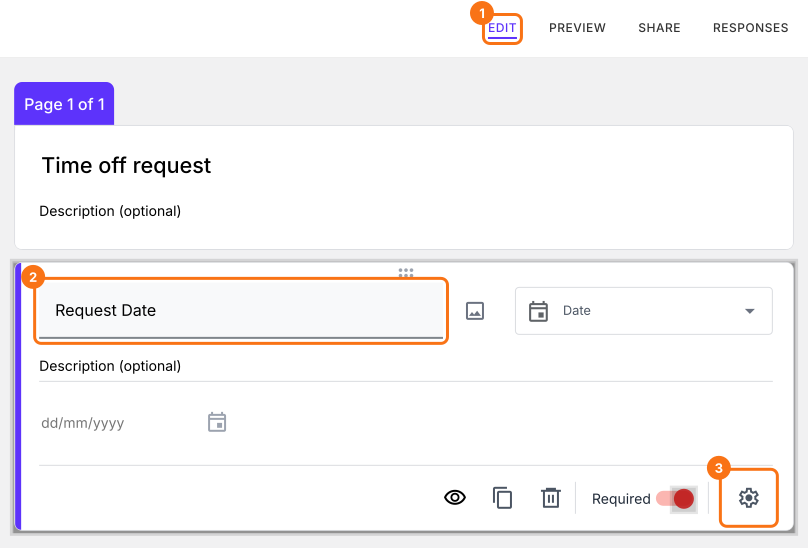
- Click on the "Edit" tab.

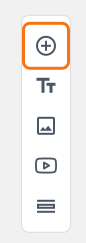
- Click on the + icon (Add field) in the toolbar on the right.
- Enter "Request Date" as the question and select Date in the question type list.
Click on the ⚙️ icon at the bottom right of the question.
Select the "Answer" tab.
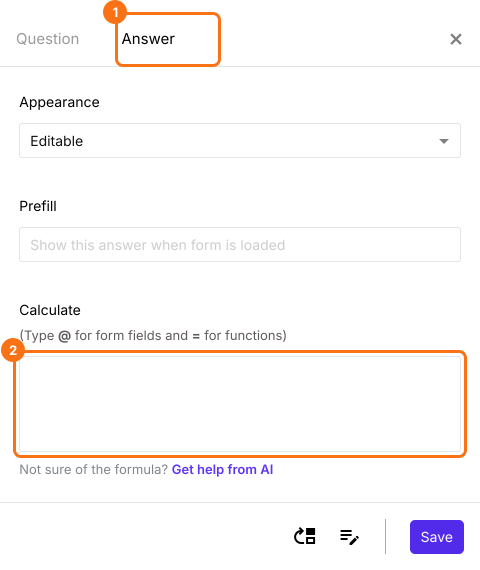
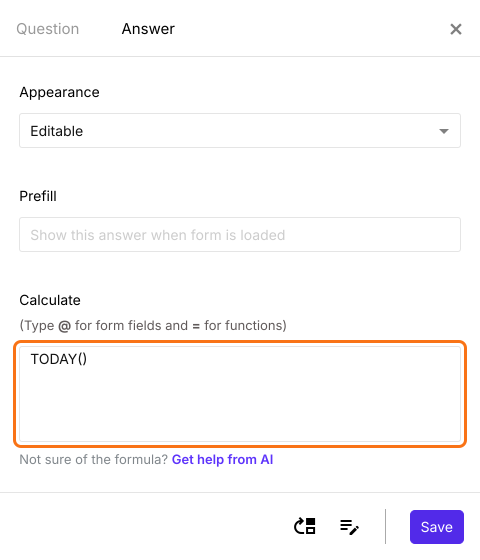
Write the TODAY() formula in the Calculate option as shown below. Click Save.
When the form opens, the request date already shows today's date. Your users cannot change it, because a question with a formula turns read only by itself.
Summary
A date question in Google Forms always starts empty, and the Timestamp it records is never shown to your users. With Formfacade, you write TODAY() in the Calculate option of a date question and the form fills in today's date by itself. Create your form and complete the steps above.
Last updated: