Can I add a file upload option in my forms?
"Embed Google Form into website with file upload question"- Google Docs Editors Community
If your form sits on your website and asks for a file, Google Forms gets in the way. Its file upload question makes every user sign in to a Google account first, and 305 people on Google's forum have asked how to embed a form that has one. A user without a Google account can't submit, and you lose that response. Yes, with Formfacade you can add a file upload question that works without signing in. Users click Add file, upload their file and submit, and you open each response on your Kanban board to view or download it.
Create your form and follow the steps below.
Adding a file upload question
- On the page that opens, name your form, click Build form and click Proceed.
- Click on the "Edit" tab.

- Click on the + icon (Add field) in the toolbar on the right.
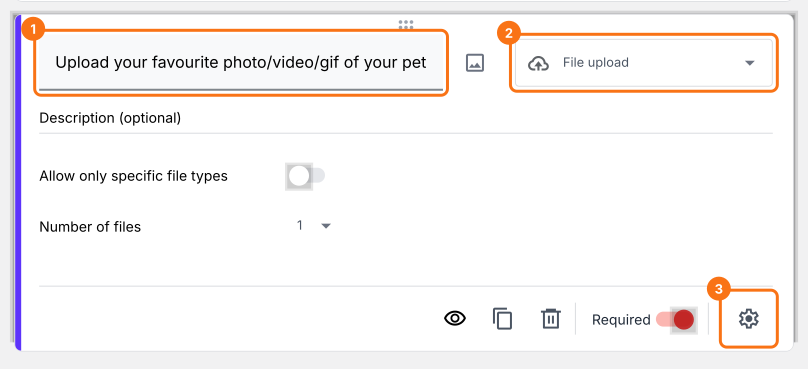
- Enter "Upload your favourite photo/video/gif of your pet" as the question and select File upload in the question type list.
- If it must be answered, make it required.

To let your users upload multiple files, click on the ⚙️ icon at the bottom right of the question, select the "Answer" tab and set the Maximum number of files. Click Save.
Using Formfacade form to collect responses
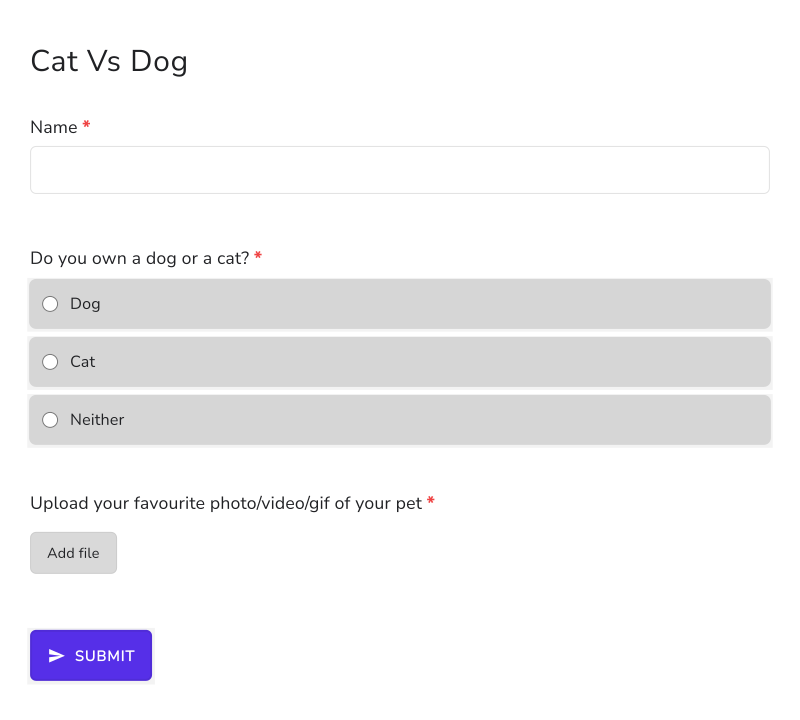
Your users see an Add file link. They upload their file and submit the form, with no sign-in.
Viewing form responses with file upload questions
- Click on the "Responses" tab.
- Click on Kanban board, then click on the response.
- Click the file name in the answer to view or download the file.

Summary
Google's file upload question makes users sign in to a Google account, so anyone without one can't submit your form. With Formfacade, you add a file upload question that works without signing in, and you view or download each file from its response. Create your form and complete the steps above.
Last updated: