How to change the placeholder text in Google Forms?
"How to change placeholder text in Google Forms"- Google Docs Editors Community
This is a common question, and 345 people on Google's forum have asked it. Every short answer and paragraph box in Google Forms says Your answer, and Google Forms has no setting to change it. People filling in a phone number, an ID or a date in your format still have to guess what you want. A description under the question helps, but it is more text to read, and the box still says Your answer. With Formfacade, you type your own placeholder in the field settings, so the hint sits inside the box, right where people type.
Below are three ways to tell people what to type, and where each one falls short.
The default placeholder text for Short Answer & Paragraph type questions is "Your answer". Here's a screenshot of a Google Form with default placeholder "Your answer".
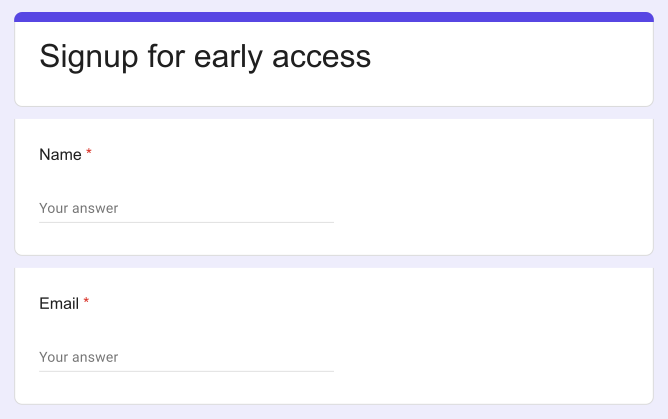
3 ways to tell people what to type
1. Add a description under the question
In Google Forms, click the ⋮ icon on the question, select Description and type the hint, such as the format you need.
Where it falls short: it is one more line of text to read on every question, and the box itself still says Your answer.
2. Put an example in the question
Write the example into the question, such as Phone number (e.g. 555 0100).
Where it falls short: the question gets longer, and the box still says Your answer.
3. Change the placeholder with Formfacade
- Click on Create your form, name your form, click Build form and click Proceed.
- Click on the "Edit" tab

- Click on the field, then click on the ⚙️ icon to open field settings screen. If your form does not have the field, click on the + icon in the toolbar on the right to add it.
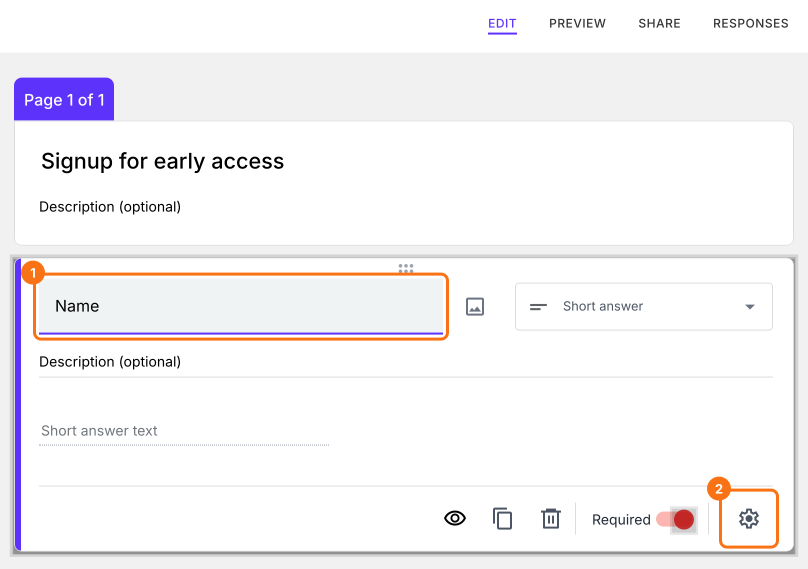
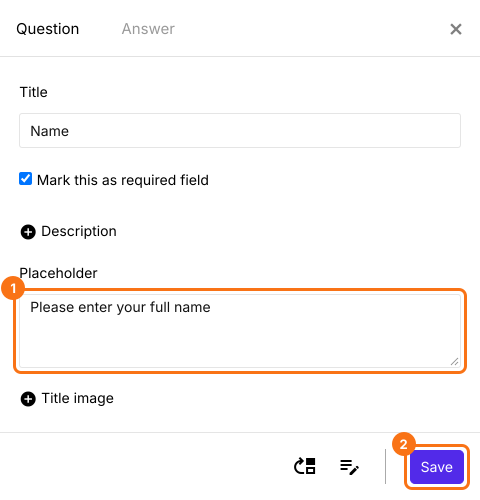
- Click on "+ Placeholder"
- Enter the placeholder text and click on the "Save" button
Your users see the placeholder text in the box
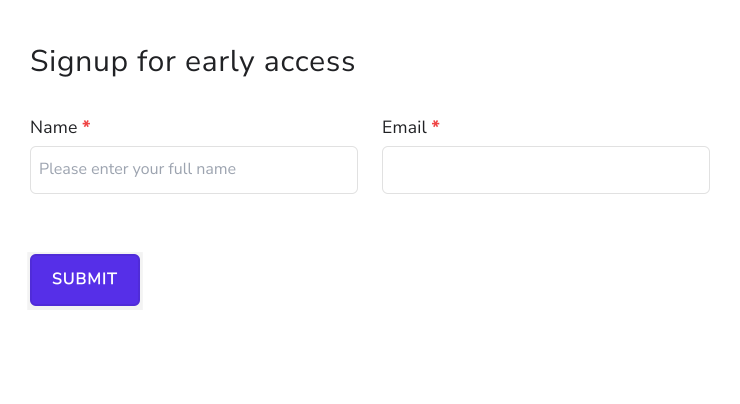
Summary
Google Forms shows Your answer in every text box and has no setting to change it, so people have to guess what to type. With Formfacade, you enter your own placeholder text in the field settings and it shows inside the box. Create your form and complete the steps above.
Last updated: