How to add date validations in google forms?
"restrict selectable dates on Google Forms to at most 3 days prior to current date"- Google Docs Editors Community
Leave requests, bookings and orders often need notice: a date at least a few days from today. Google Forms has response validation for short answers but not for date questions, so a request for tomorrow gets through and you catch it by hand. 19 people on Google's forum have asked how to restrict the dates people can pick. With Formfacade, a date question has its own validation rules. Choose Allow only future dates with lead time, enter 7, and the form won't accept a date sooner than 7 days from today.
Create your form and follow the steps below. The example is a leave request that must come in 7 days in advance.
How to allow users to submit only if it is 7 days in advance?
- On the page that opens, name your form, click Build form and click Proceed.
- Click on the "Edit" tab.

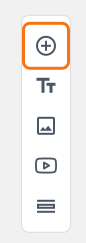
- Click on the + icon (Add field) in the toolbar on the right.
- Enter "Leave From" as the question and select Date in the question type list.
- Click on the ⚙️ icon at the bottom right of the question.
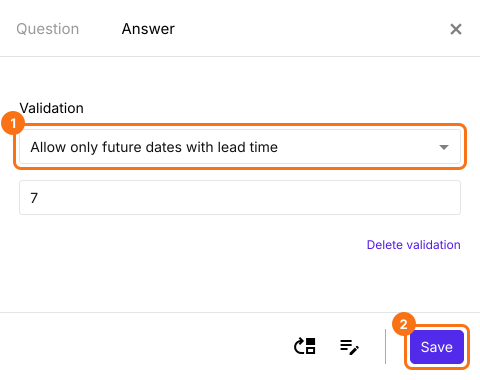
- Select the "Answer" tab and click Configure under Validation.
- Select "Allow only future dates with lead time" and enter 7 in the number of days.
- Click Save.
On your form, the date picker starts 7 days from today. If a user types an earlier date, the form shows "Invalid date selection. Please choose a date that is at least 7 days from today." under the box and the request cannot be submitted.
Other date validations
The same list has Allow only past dates, Allow only future dates, Allow between two dates, Allow specific days of the week and Exclude specific dates.
Summary
If a date in your form has to follow a rule, Google Forms cannot validate it. With Formfacade, you can add a validation to the date question and the form will not accept a date that does not meet the rule. Create your form and complete the steps above.
Last updated: