Likert scale
"How can I ask a rated question?"- Google Docs Editors Community
A yes or no doesn't tell you how strongly people feel. For that you need a scale, from Very satisfied to Very unsatisfied, asked the same way for every topic. Google Forms has no Likert question, and repeating the same choices in question after question makes a long survey. In Formfacade you build it as a multiple choice grid, with the topics as rows and the scale as columns, or as a multiple choice question for a single topic. Requiring a response in each row makes sure no topic is left blank.
Create your form and follow the steps below.
How to create a Likert scale question?
- Click on Create your form, name your form, click Build form and click Proceed.
- Click on the "Edit" tab

Google Forms does not have a separate question type for Likert scale. You can use a multiple choice grid with require a response in each row option enabled to create a Likert scale question.
- Click on the + icon (Add field) in the toolbar on the right and enter your question
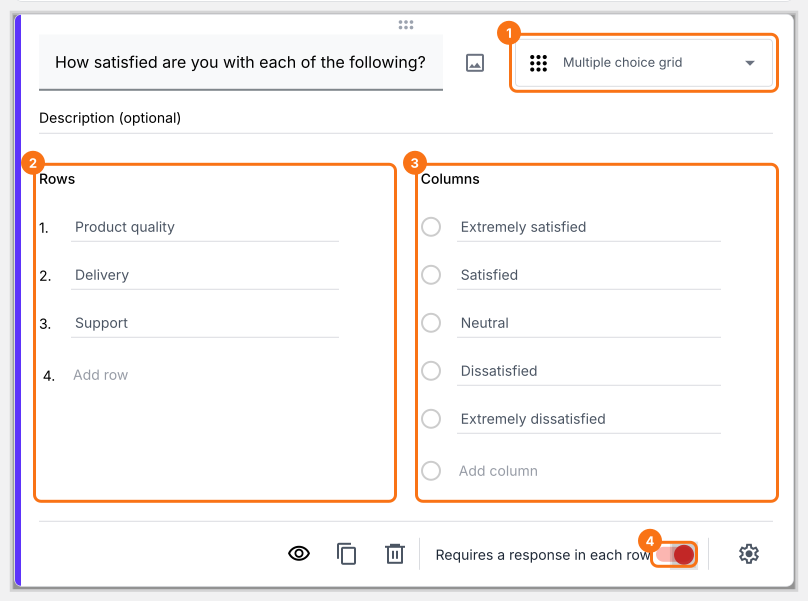
- Select Multiple choice grid in the question type list
- Add statements or questions in Rows
- Add Likert scale as answer choices in Columns
- Enable Requires a response in each row toggle button as shown below
What your users see
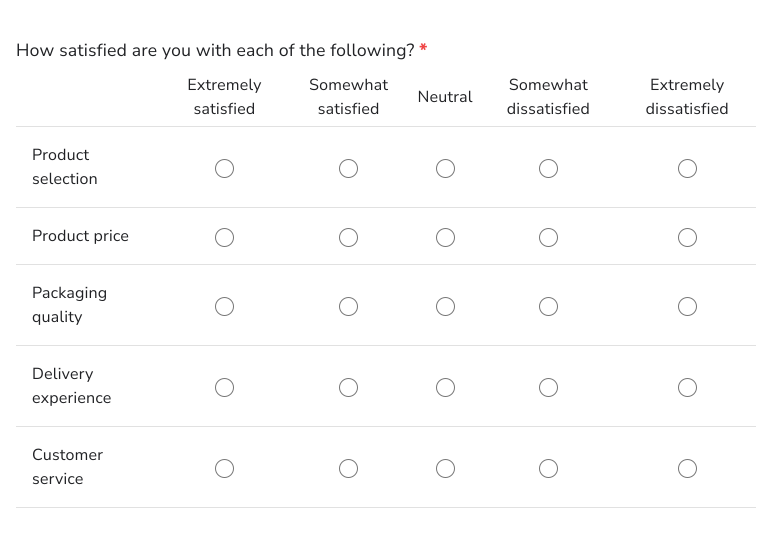
Likert scale questions can be used to measure people's attitudes and opinions to any statement or topic. You can create a Likert scale question using multiple choice or multiple choice grid questions. Here's an example below.
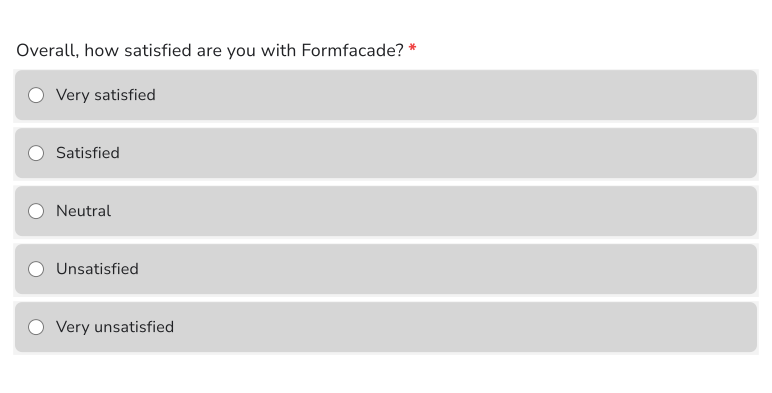
You can also use a multiple choice question with Likert scale as answer choices.
- Click on the + icon (Add field) in the toolbar on the right
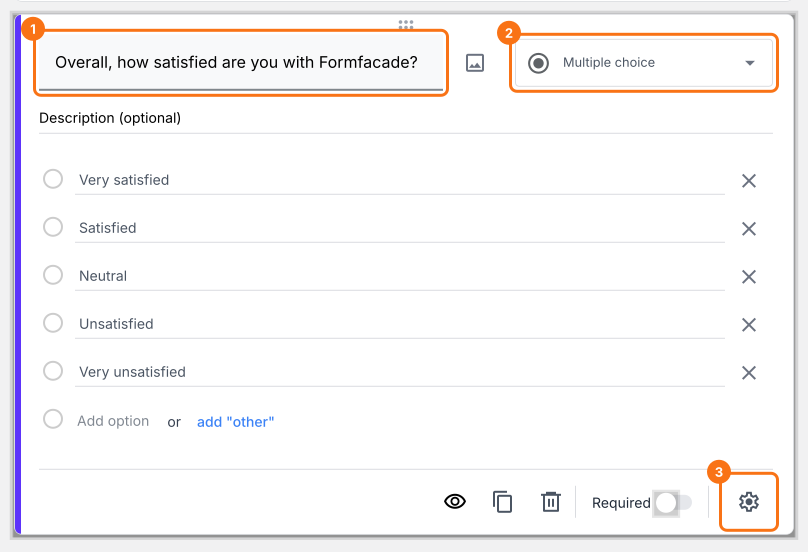
- Select Multiple choice in the question type list
- Type the first answer choice in the first box, then click Add Option and type the next one. Do this for each answer choice.
- Enable Required toggle button to make this a mandatory question as shown below
Summary
If you want to measure people's attitudes and opinions, Google Forms does not have a Likert scale question. With a multiple choice grid or a multiple choice question in Formfacade, you add the Likert scale as the answer choices and you can compare the answers for each topic. Create your form and complete the steps above.
Last updated: