Ranking scale
"allows people to rank their preference of shirt styles"- Google Docs Editors Community
This is a common question, and 89 people on Google's forum have asked about it: how do you let people rank a list, so that each choice gets its own place? Google Forms has no ranking question. If you ask for the order in a short answer, you read and count every response by hand, and in a plain grid two choices can share the same rank. In a Formfacade form you build the ranking as a multiple choice grid, with the choices as rows and the ranks as columns, and turn on Limit to one response per column in Google Forms so no two choices share a rank.
Create your form and follow the steps below.
How to create a ranking question?
- Click on Create your form, name your form, click Build form and click Proceed.
- Click on the "Edit" tab

If you want your users to rank a list of choices in the order of importance or priority, you can use the multiple choice grid question type to create a ranking question. For example, you can create a ranking question with a list of features and ask your users to rank them so that you can prioritize what's important.
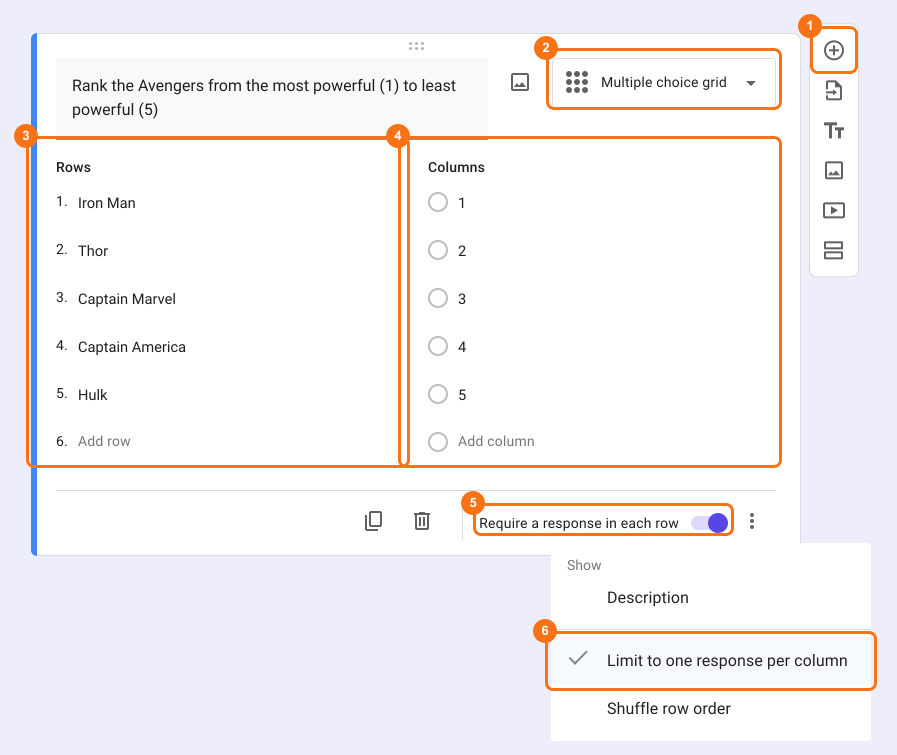
- Click on the + icon (Add field) in the toolbar on the right and enter your question
- Select Multiple choice grid in the question type list
- Add choices to be ranked in Rows
- Add ranking scale as answer choices in Columns
- Enable Requires a response in each row toggle button
- This option is only in Google Forms. Click on the form's title, click on the ⚙️ icon, select the "Advanced" tab and click Launch next to "Edit this form with Google Forms"
- In Google Forms, click on the ⋮ icon on the question and select Limit to one response per column
- Reload the form's "Edit" tab in Formfacade, so that your form picks up the change.
What your users see
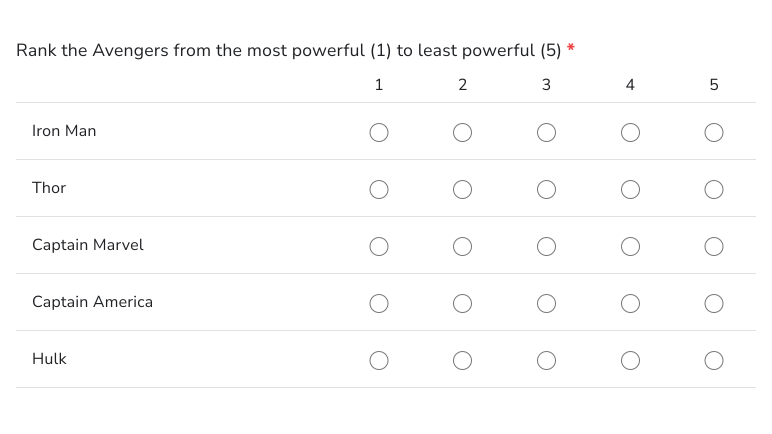
Ranking question allows users to rank a list of choices in the order of importance or priority. You can add a multiple choice grid question and enable both Require a response in each row & Limit to one response per column option to create a ranking question. Here's an example below.
Summary
If you want users to rank a list of choices, Google Forms does not have a ranking question. With a multiple choice grid in Formfacade, you enable Requires a response in each row, then Limit to one response per column in Google Forms and each choice gets its own rank. Create your form and complete the steps above.
Last updated: