How to calculate scores for each section in Google Forms?
"How can I calculate section-wise scores and total scores for a quiz with multiple sections"- Google Docs Editors Community
Your quiz in Google Forms has sections, say general knowledge, maths and English, and you want a mark for each one as well as the total. Google Forms adds every point in the form into one score, so a strong maths result and a weak English one look the same. You can split the totals in a Google Sheet, but that takes a formula per section, and the person who took the quiz still sees only one number. With Formfacade, you add a score question to each section, and its POINTS(SECTION) formula adds up only that section's answers, with the points you set on each question. People see each section's score as they go, and the Score question can add them into an overall total.
Let's start. Create your form and follow the steps below.
How to calculate individual scores for each section?
- On the page that opens, name your form, click Create form and click Proceed.

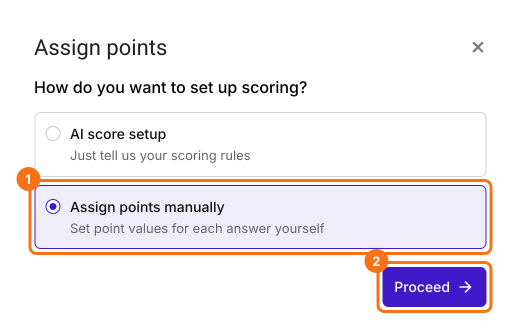
- In the Assign points dialog, under "How do you want to set up scoring?", select "Assign points manually" and click Proceed.
- Pick Multiple choice as the question type to score, assign points to its choices and click Next. The same points go to every multiple choice question in your form.

- Under "How do you want to show the score?", leave both options ticked and click Next.
- Click the × on "You're all set" to go back to the "Edit" tab.
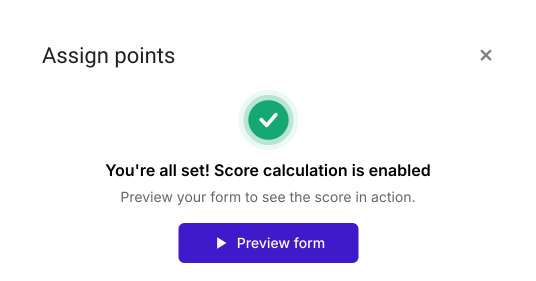
Your form now has a Score question and the same points on every multiple choice question. The steps below give each question its own points.
Assign points
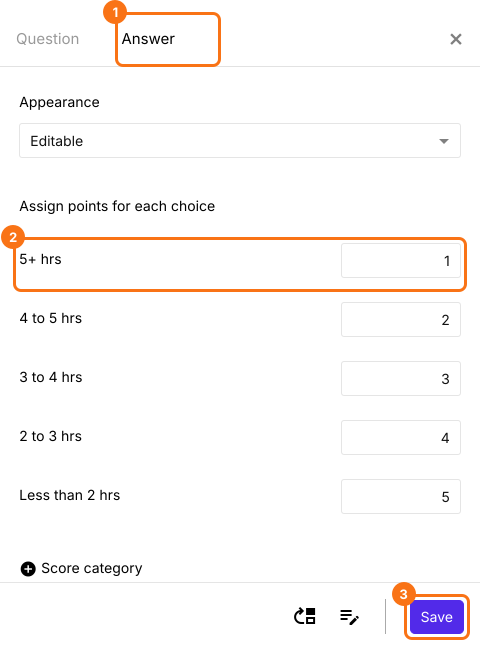
You can assign different points for answer choices in dropdown, multiple choice, checkbox, linear scale & grid questions. You have to repeat these steps to assign points for all the questions in your form.
- In the Edit page, click on the question, then click on the gear icon.

- Click Answer. Assign points for the different answer choices and click Save.
Add a score question in each section
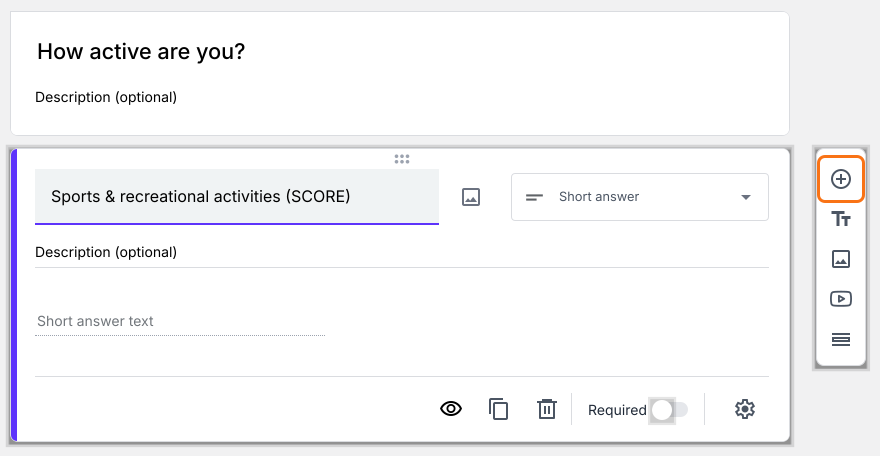
- Click on the last question of a section, then click on the Add page icon on the right. The questions below it move to a new page. Type the name of the next section in the page title.
- Click on a question in each section, then click on the Add field icon on the right. It adds a Short answer question after it. Type the section's name as its title.
If you would like to calculate the overall score, use the Score question your form already has.
Calculate section score
- Click on the section score question, then click on the gear icon.
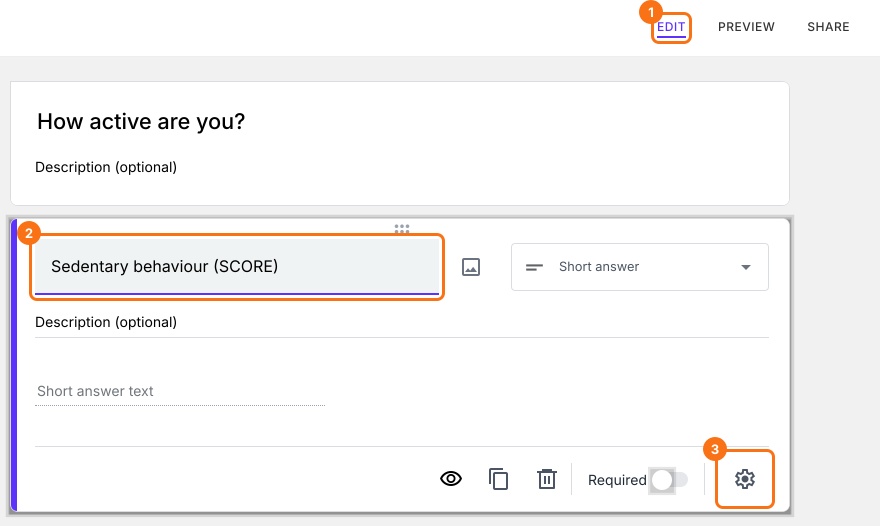
- Click Answer, add the POINTS(SECTION) formula in the Calculate option and click Save.
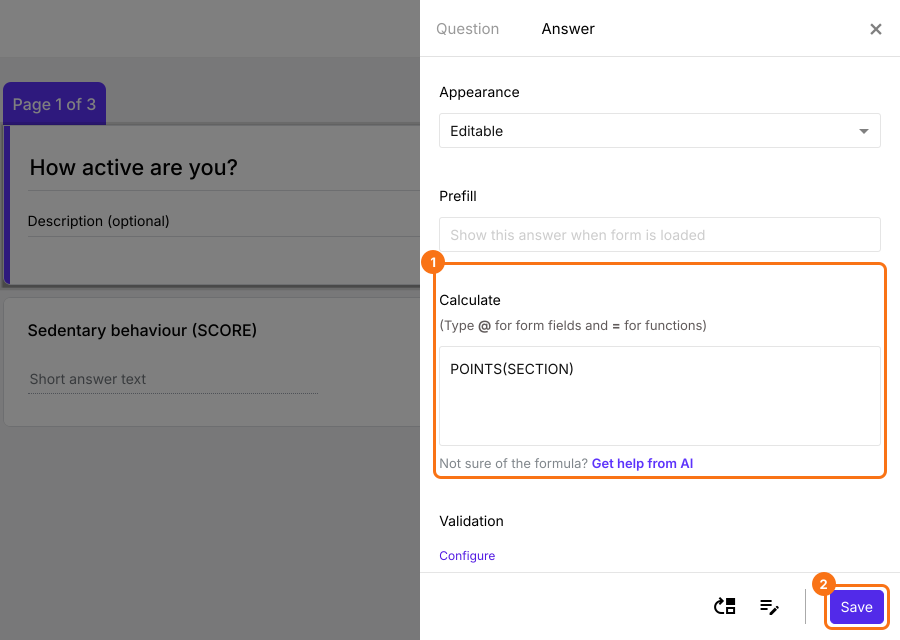
- Similarly, click on section score question in second section, then click on gear icon. Click Answer, add the POINTS(SECTION) formula in the Calculate option and click Save.
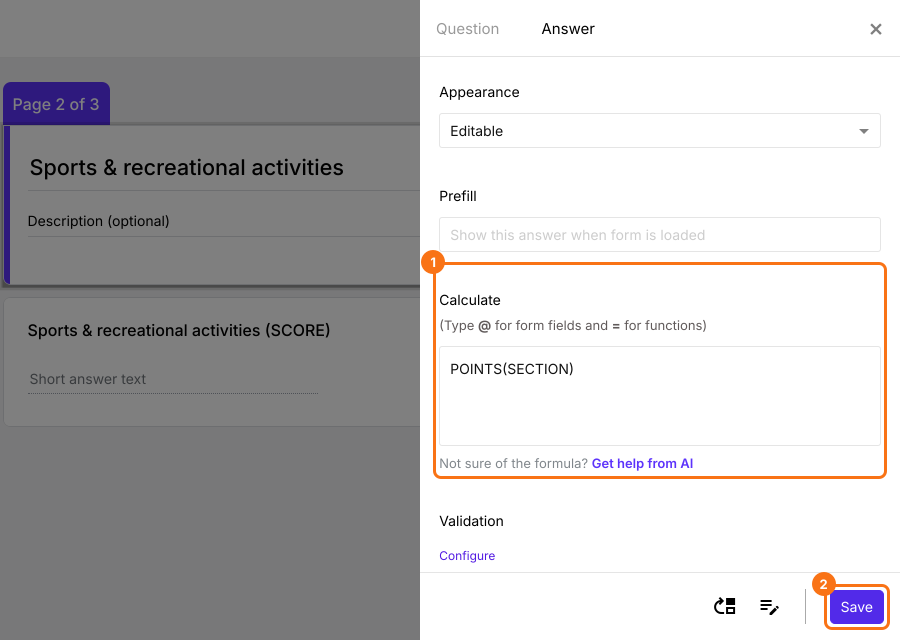
- Similarly, click on section score question in third section, then click on gear icon. Click Answer, add the POINTS(SECTION) formula in the Calculate option and click Save.
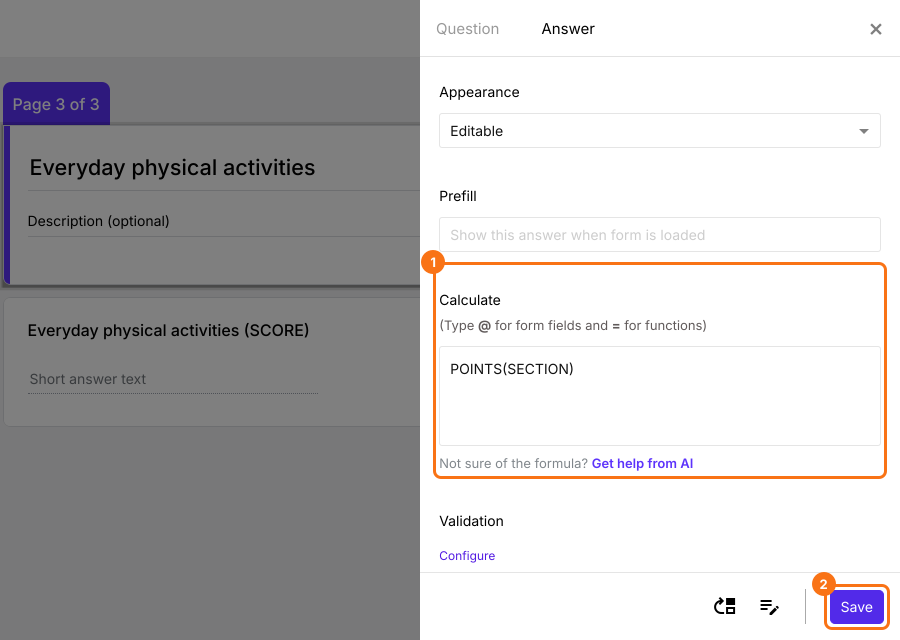
Overall score
You can use the SUM() formula to add the section scores and calculate the overall score.
- Click on the Score question in the last section, then click on gear icon. Click Answer, delete POINTS() in the Calculate option, add the SUM formula (as shown below) and click Save. To add each section score to the formula, type @ and select it from the list.
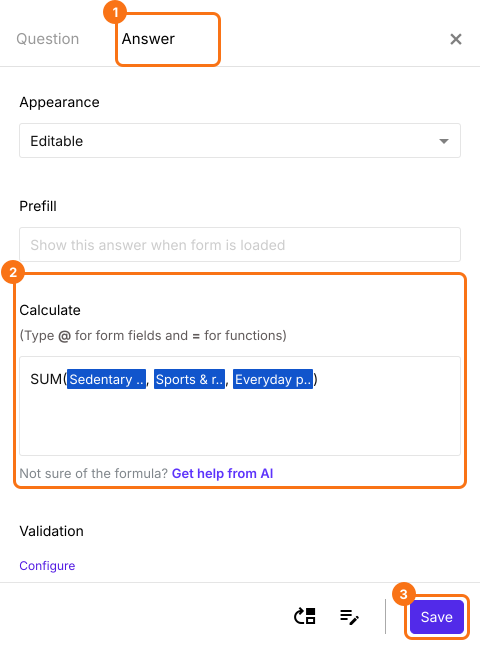
Each section gets its own score as users answer the questions and the Score question shows the overall score.
Summary
A Google Forms quiz gives one total, so it can't show where someone did well and where they fell short. With Formfacade, you add a score question in each section with the POINTS(SECTION) formula, and add the section scores into an overall score with SUM. Create your form and complete the steps above. If you have any questions, write to support.
Last updated: