How to assign points for a grid question?
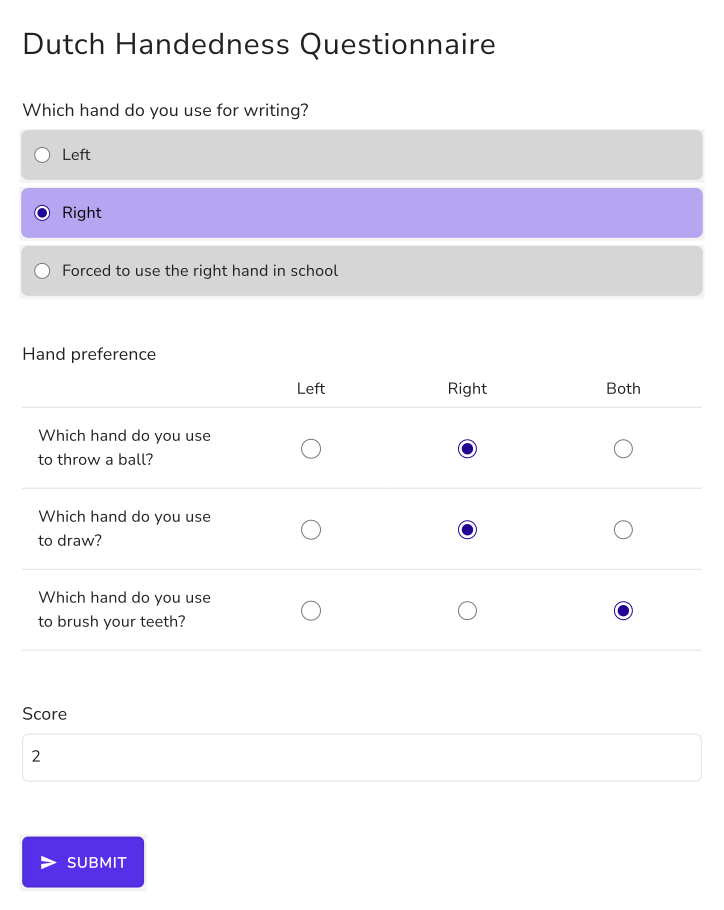
Standard questionnaires often come as a grid. The Dutch Handedness Questionnaire asks about ten activities, each answered Left, Right or Both, scored -1, +1 and 0. A Google Forms quiz can't put points on the columns of a multiple choice grid, so the score gets counted by hand. With Formfacade, one SCORE function in the Score question lists the points for each column, SCORE(entry#id, -1, 1, 0), and applies them to every row of the grid. Each person gets their score on the form, from -10 for fully left-handed to +10 for fully right-handed. When some rows score differently from others, use GRIDSCORE instead.
Let's start. Create your form and follow the steps below.
How to assign points using the SCORE function?
- On the page that opens, name your form, click Create form and click Proceed.

- In the Assign points dialog, AI score setup is picked under "How do you want to set up scoring?". Click Proceed.
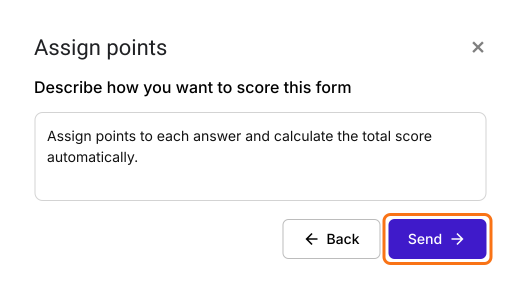
- "Describe how you want to score this form" is filled in. Click Send and click Next.
- Click the × on "You're all set" to go back to the "Edit" tab.
Let's change this form into the Dutch Handedness Questionnaire to measure the extent of left or right handedness. This questionnaire contains one question about the hand you preferentially use for writing and ten questions about your hand preference for other activities.
We will use the multiple choice question to record the hand preference for writing and a multiple choice grid question with ten statements about the hand preference for other activities. Please follow the instructions below to assign points and calculate the score.
- Click on a question and change it to Multiple choice grid in the list of question types. Enter the statements under Rows and Left, Right and Both under Columns. Delete the questions you do not need.
- Your form already has a Score question, which may be named Total Score. Click on the score question, then click the ⚙️ icon.
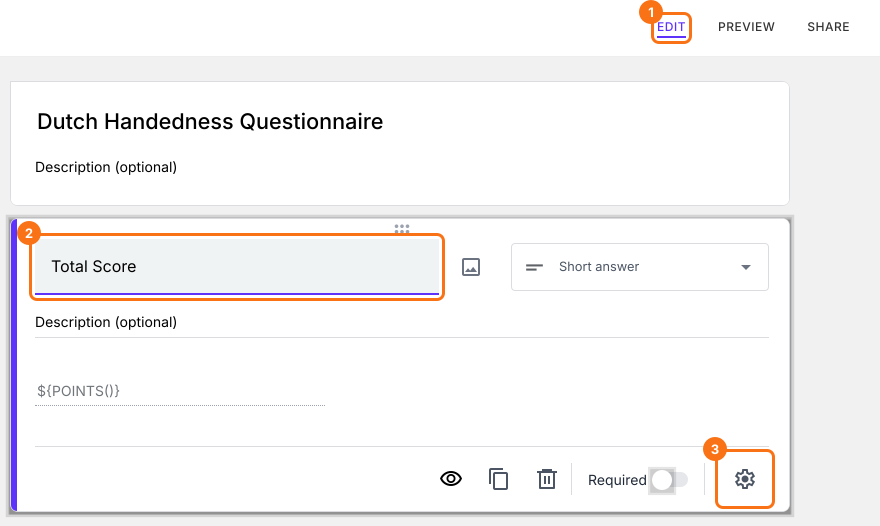
- Select the "Answer" tab and write the formula to assign points and calculate the score.
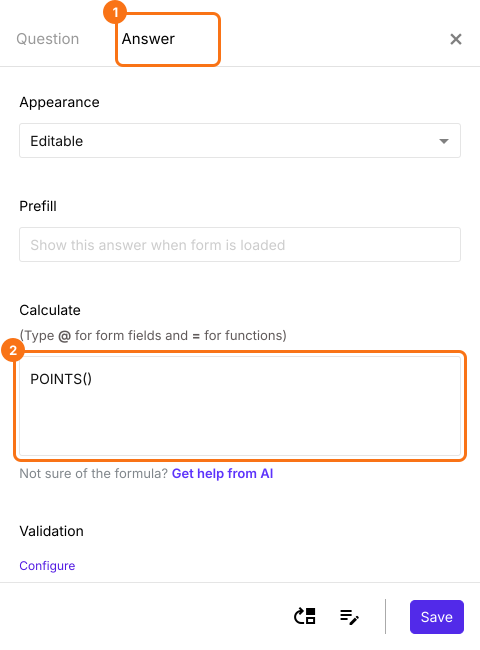
SCORE function
Left, Right and Both are the three answer choices for the statements in multiple choice grid question. The points must be assigned as follows: Left = -1, Right = +1, Both = 0. You can assign points to the answer choices in multiple choice grid question using SCORE function.
SCORE(entry#id, -1, 1, 0)
Note: Type @ and select the required multiple choice grid question from the list to add its entry #id in the above formula.
- The Calculate option already has POINTS(). Delete it and write the SCORE function in the Calculate option as shown below and click Save. The score varies from -10 for extreme left-handedness to + 10 for extreme right handedness.
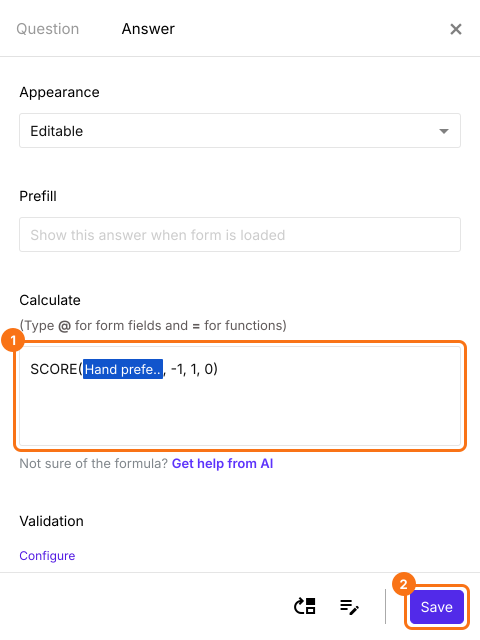
The score is calculated as users answer the question.
Summary
Google Forms can't give points to the columns of a grid question, so a grid questionnaire has to be scored by hand. With Formfacade, you write the SCORE function with a value for each column and every row of the grid is scored with it. Create your form and complete the steps above. If you have any questions, write to support.
Last updated: