How to send Google Forms email notifications to multiple collaborators?
"the email only goes out to the form creator, not the collaborators with admin access"- Google Docs Editors Community
When a team shares a form, everyone who acts on it needs to know about each new response. Google Forms sends the notification only to whoever turned it on, usually the form creator, and 163 people on Google's forum have asked how to get it to the collaborators too, which makes this a common question. Each person can turn notifications on for themselves, but then it reaches some of the team and misses the rest. With Formfacade, you enter the list once and everyone on it gets each new response, with the answers, at the same time. A group address works too, so one entry covers the whole team.
Below are three ways to get a Google Forms notification to everyone on your team, and where each one falls short.
1. Each collaborator turns on notifications
Add each person as a collaborator on the form. Each of them opens Responses, clicks the ⋮ icon and turns on Get email notifications for new responses. Every person has to do it, it only works for editors of the form, and the email has no answers in it.
2. Forward the owner's notifications
Set a filter in Gmail that forwards the form's notification emails to your team. The link in those emails opens the response only for the form owner, so the people you forward to still can't read it.
3. Send to a list with Formfacade
Formfacade emails each new response, with the answers, to every address you enter.
- Click Create your form, name it, click Create form and click Proceed.
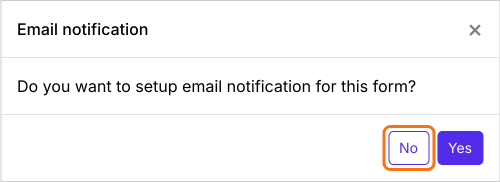
- When it asks "Do you want to setup email notification for this form?", click No.
- Click Responses.

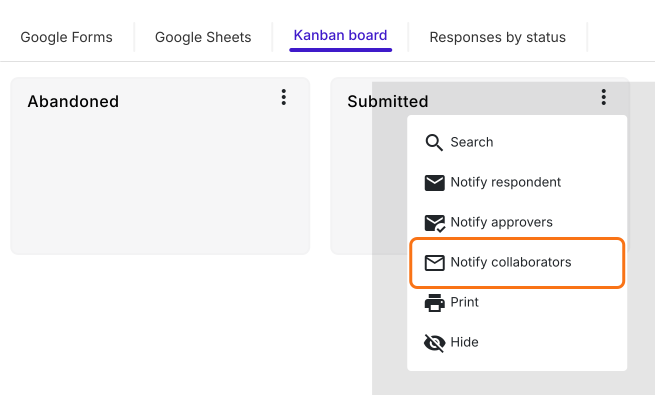
- Click Kanban board, click the three dots ⋮ on Submitted and click Notify collaborators.
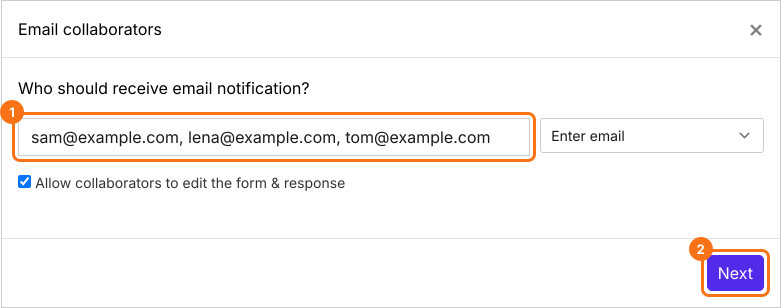
- Enter the email addresses, or a group address, separated by commas, and click Next.
- Type a subject and click Next, then click Next on the message.
- Click "Click here", fill in the form and submit it. When the email arrives, click YES.
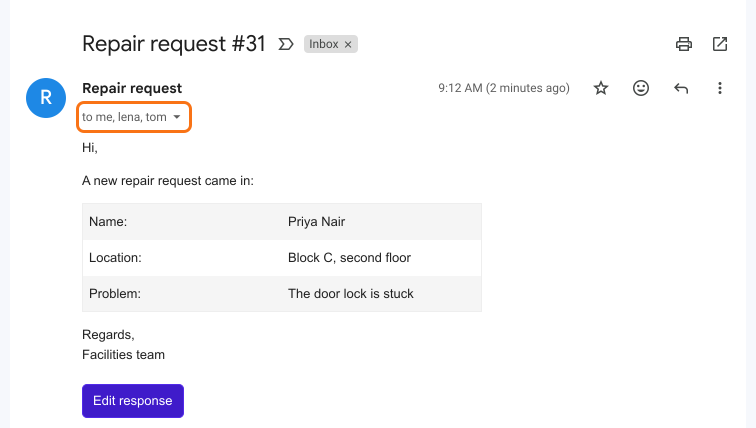
Each new response goes to everyone on the list at the same time. Nobody has to turn on notifications for themselves.
Summary
When a whole team needs to know about each new response, Google Forms falls short: each person turns on notifications for themselves, and forwarded emails don't open for them. With Formfacade, you enter a list of addresses once and everyone on it gets each new response at the same time. Create your form and complete the steps above. If you have any questions, write to support.
Last updated: