How to Embed Google Forms in Squarespace?
Squarespace users who build their form in Google Forms have two ways to put it on a page. A plain link sends visitors off your site. Google's Embed HTML goes in a Code Block, but the form stays in a fixed box with Google's look, and you can only change its width and height. With Formfacade, you paste one embed code in a Code Block and the form shows on your page with no iframe and no Google branding. If you want it to match your site more closely, send us your page and our team helps you with it.
Below are two ways to embed a Google Form in Squarespace, and where each one falls short.
Google Forms' Embed HTML
- Open your Google Form and click on the ⋮ More icon at the top right corner
- Select Embed HTML and copy the HTML code
- In your Squarespace editor, open the page, add a Code Block and paste the code
- Save and publish the page
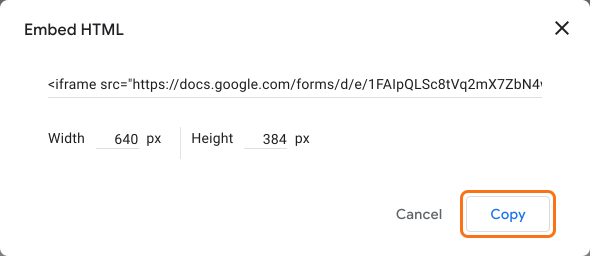
Where it falls short: you can change only the width and height. The form keeps the Google branding and the note at the bottom.
Formfacade embed code
- On the page that opens, name your form, click Embed form and click Proceed.
- On the Share tab, under Where do you want to embed this form?, select "Embed in my Squarespace site" and click Next.
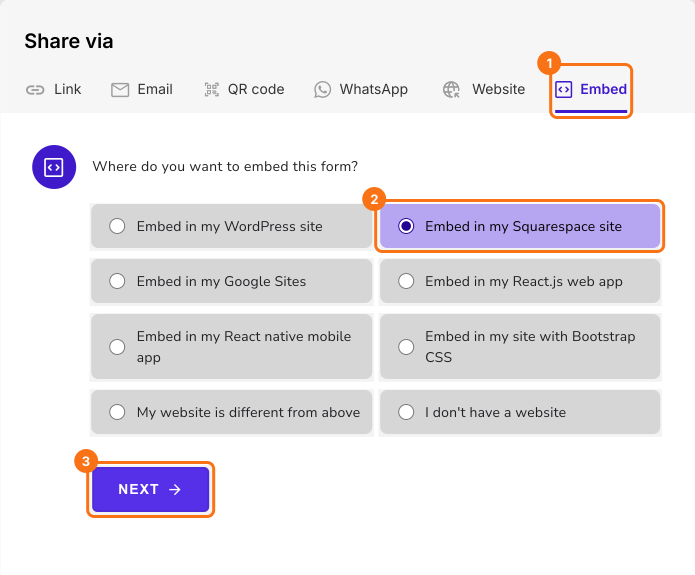
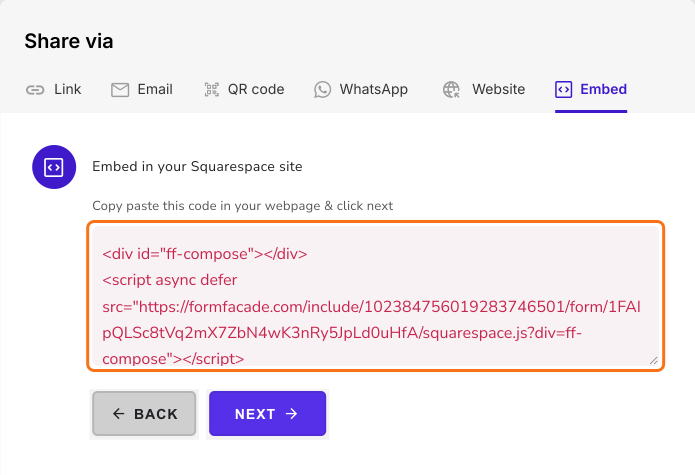
- Copy this embed code
- In your Squarespace editor, open the page, add a Code Block and paste the embed code
- Save and publish the page
Your form shows on your page with no iframe and no Google branding. Where it falls short: the free plan adds a small Formfacade attribution, and removing it needs a paid plan.
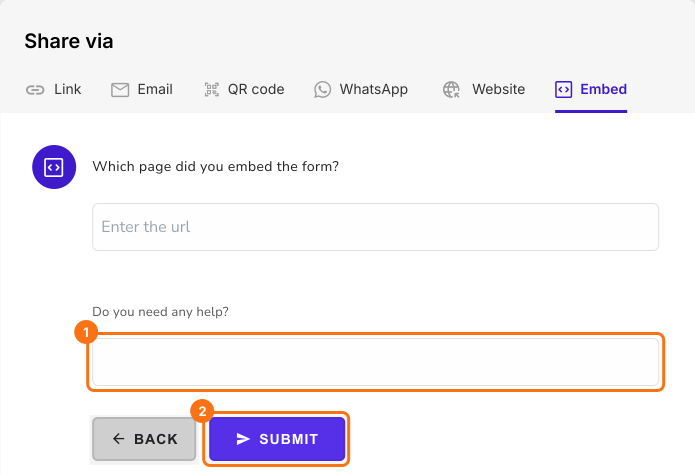
Want help matching your website?
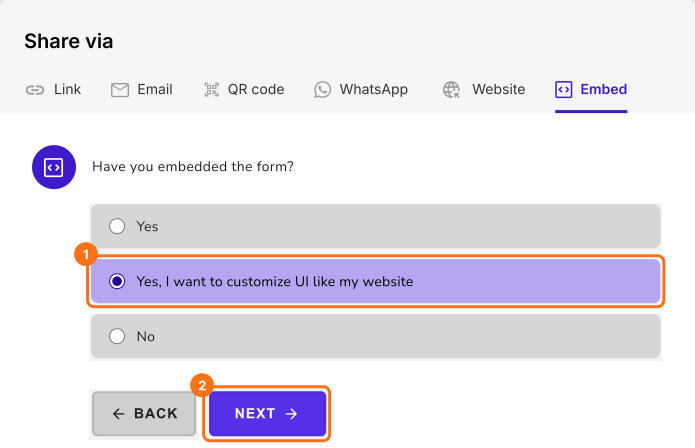
Click Next on the embed code, select "Yes, I want to customize UI like my website" and click Next.
Enter the url of your page and your message and click Submit. Our team will reach out to you and help you with your request.
Summary
If you embed a Google Form in Squarespace with Google's code, it keeps the Google branding and sits in a fixed box. With Formfacade, you paste one embed code in a Code Block and the form shows on your page with no iframe and no Google branding. Create your form and complete the steps above. If you have any questions, write to support.
Last updated: