How to add sections in Google Forms?
A long Google Form on a single page loses people before the end. Google Forms lets you split it into sections, each with a title and description, and people move through them with Next. With Formfacade, you add pages the same way: click where a page should start and the questions after it move to the new page. People see one page at a time with Next and Back, under your branding instead of Google's, and you can also put a title and description over a group of questions within a page.
Create your form, or open one you have in Formfacade, and follow the steps below.
Create a multi-page form
- On the page that opens, name your form, click Embed form and click Proceed. If you already have a form in Formfacade, open it instead.
- Click on "Edit" tab

- Click on the question after which the new page must begin
- Click on Add page icon in the toolbar on the right
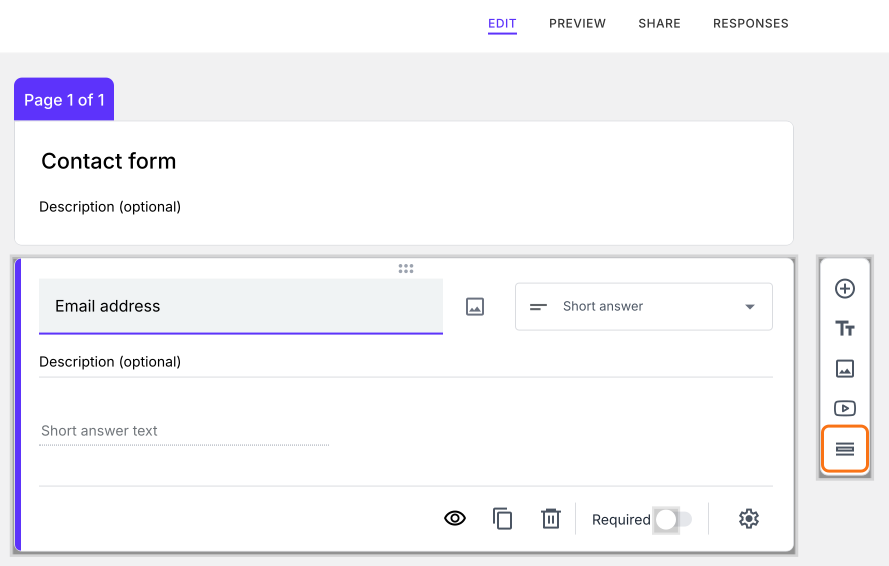
- The new page starts with the questions below the one you clicked
- Replace "Untitled Section" with the page title
- Add questions or contents in that page
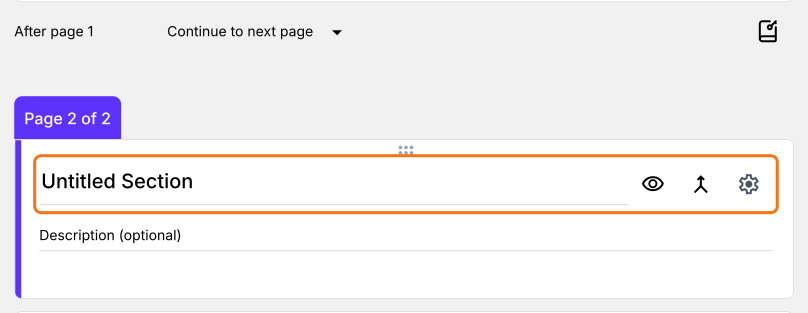
Users see one page at a time, with Next and Back.
Group questions within a page
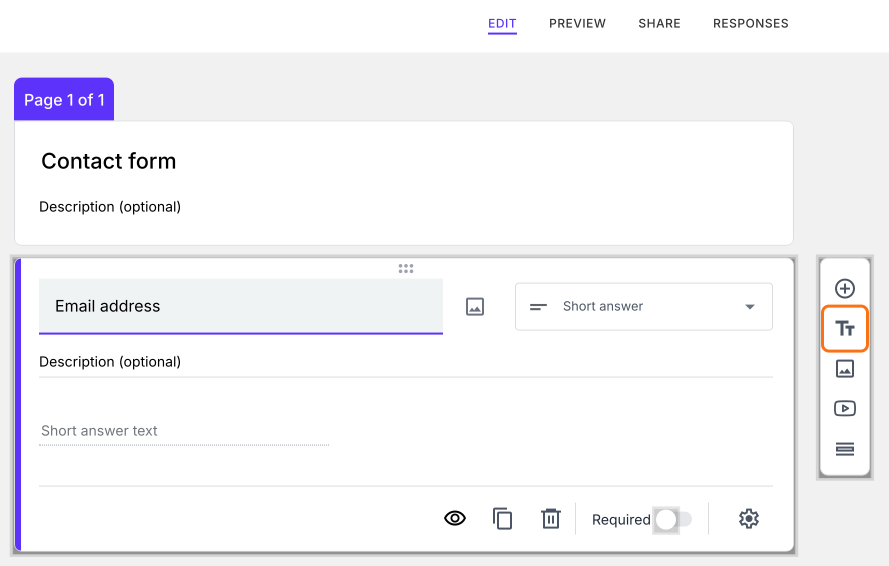
- Click on the question after which the new title and description must be added
- Click on Add title & description icon in the toolbar on the right
- A card will be added right after the question. Add the title and description
Summary
If your form is long, a single page of questions is hard to get through. With Formfacade, you click on Add page icon to split it into pages, or Add title & description icon to group questions within a page. Create your form and complete the steps above. If you have any questions, write to support.
Last updated: