How to sync Google Forms changes with Formfacade?
"The link I sent out for registration is still accessing the prior form"- Google Docs Editors Community
If you keep your questions in Google Forms and show the form on your website with Formfacade, a change you make in Google Forms doesn't reach your page by itself. There's no Sync button, and your page doesn't go back to Google Forms each time someone opens it. Importing the form again isn't the answer either: it makes a new copy with its own embed code and its own responses. The sync happens when you open the form in Formfacade's editor, which reads your Google Form again. Reload your page after that and the change is there.
1. Make your change in Google Forms
Open the Google Form your page uses and make your change. For example, add a Best time to call question to your Request a call back form. If you imported your form, your page uses Formfacade's copy of your form, not your original. To open the form your page uses, open your form in Formfacade and click EDIT. Click the form's title, click the ⚙️ icon on the title card, click the Advanced tab and click Launch next to Edit this form with Google Forms.
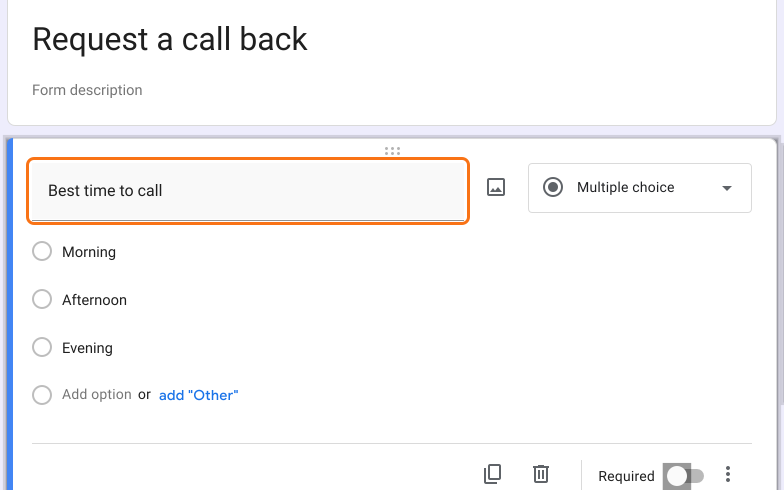
2. Open the form in Formfacade's editor
In Formfacade, click EDIT, or reload the page if it is already open. Formfacade reads your Google Form again each time you open the form here, so this is the sync. Your new question is now on the screen. Reload your page to see it there too.
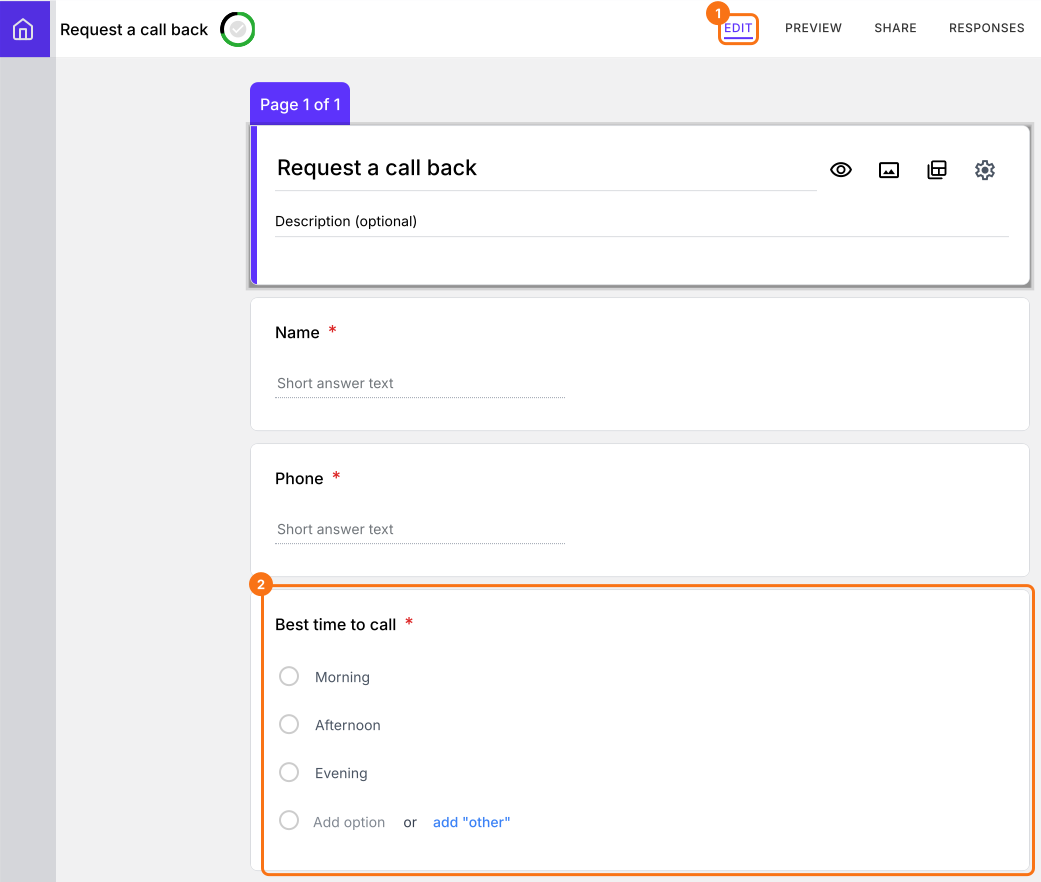
3. Next time, make your change in Formfacade's editor
A change you make here is saved to your Google Form and reaches your page when you reload it, so there is nothing to sync. Click EDIT, click the question and change it.
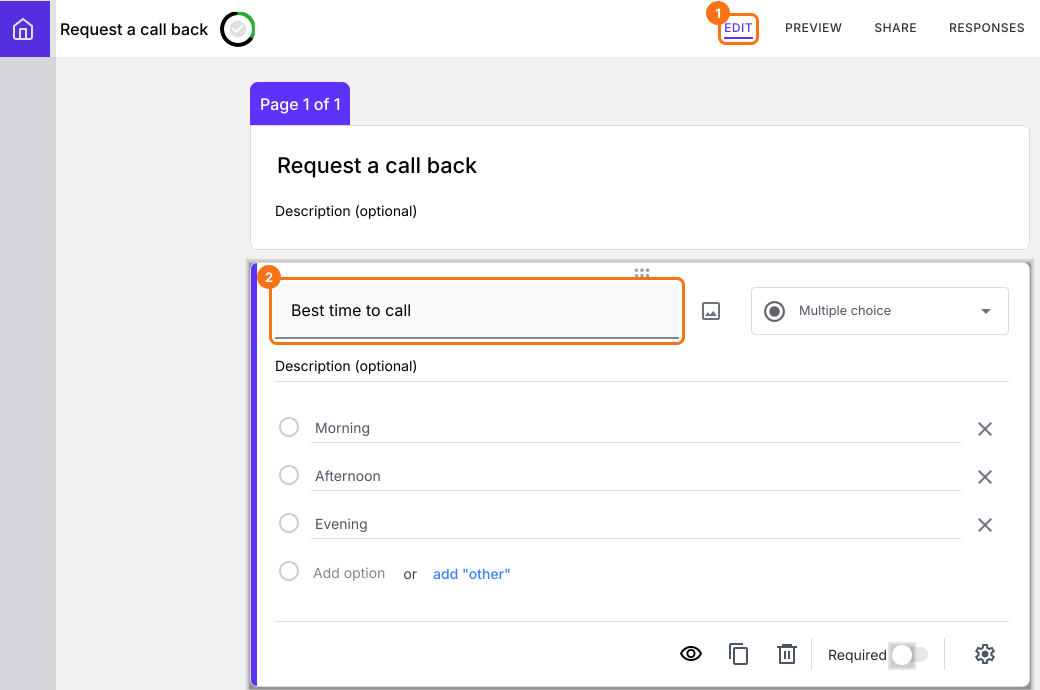
Summary
If you keep your questions in Google Forms and show them on your website, each change has to reach your page and importing the form again gives you a new copy with its own embed code. With Formfacade, open the form in its editor after you change your Google Form and reload your page. If you make your change in Formfacade's editor, there is nothing to sync. If you have any questions, write to support.
Last updated: