How to add collaborators and enable permissions to access the uploaded files?
"Can't open files uploaded by respondents in Google Form"- Google Docs Editors Community
292 people on Google's forum have the same problem: they can't open the files uploaded to a Google Form they work on. The files go to the form owner's Drive, so a colleague who clicks the link in the responses is asked to request access, and someone has to approve each file. Downloading the files and emailing them around works until the next upload comes in. With Formfacade, you add your colleagues as collaborators on the form, and they open the uploaded files from the link in each response. If you'd rather anyone with the link could open a file without signing in, you can turn on unlisted links for the upload question.
Let's start. Create your form and follow the steps below.
How to add collaborators and give permissions to view uploaded files?
- On the page that opens, name your form, click Create form and click Proceed.
- If it asks "Do you want to preview this form?", click No.
- Click on "Share" tab

- Click Add collaborators under More options
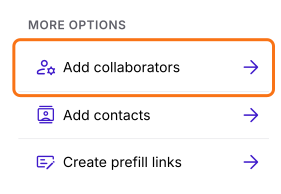
- Click Add collaborators.
- Enter the email addresses and click on the Share button to add them as collaborators
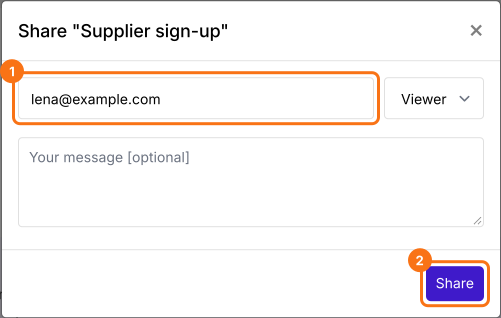
They will get an email inviting them to the form. They can click on the Accept invite button in the email.
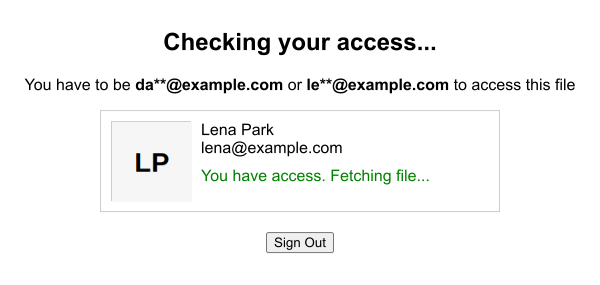
The collaborators will be able to view and download the uploaded files using the link.
How to allow anyone with the link to view the uploaded files?
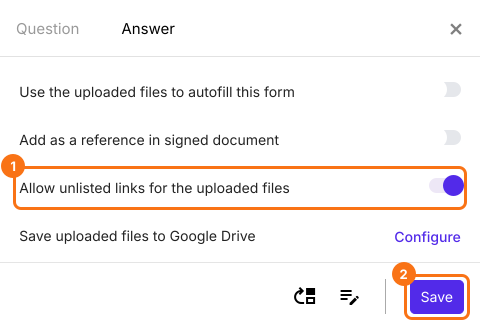
To allow anyone with the link to view the uploaded files without signing in, click on "Edit" tab, click on the file upload question, then click on the gear icon. Select the answer tab. Enable Allow unlisted links for the uploaded files and click on the Save button.
Who can access the uploaded files?
By default, the user who creates the form or uses the SHARE link to collect responses will have access to view and download the uploaded files.
When a user uploads a file and submits the form, you can access the uploaded files using the link in RESPONSES.
Summary
When files are uploaded through a form, the people who need them often can't open them without asking for access each time. With Formfacade, you add them as collaborators, or allow unlisted links for the uploaded files, and they open each file from its link. Create your form and complete the steps above. If you have any questions, write to support.
Last updated: