How to upload files to Google Forms without a sign in?
"Google Form is required to sign in due to file upload (photo/pdf)"- Google Docs Editors Community
Anyone who fills in a Google Form with a file upload question has to sign in to Google first, and 8 people on Google's forum have asked for a way around it on the thread above. Customers, parents and applicants without a Google account give up, and the ones who sign in have their name and photo recorded with the upload. Asking for the file by email instead means matching each one to its response by hand. With Formfacade, the upload question on your form takes files with no sign-in: people click the upload button, add their file and submit. The response reaches your Google Form with a link to the file.
Below are three ways to collect a file with a Google Form, and where each one falls short.
3 ways to collect a file with a Google Form
- Google Forms' own file upload question
- Ask people to email the file
- Formfacade's file upload
1. Google Forms' file upload question
Google Form's file upload question requires your users to be signed in to a Google account to upload their file and submit their response. The files are uploaded to the form creator's Google Drive.
Where it falls short: people without a Google account can't respond at all, and every file uses your own Drive storage.
2. Ask people to email the file
Leave the upload out of the form and ask people to email the file. Nobody has to sign in, but each file arrives apart from its response, so you match them by hand, and some people forget to send it.
3. Formfacade's file upload
Formfacade converts the Google Drive file upload into an HTML file upload. The users will be able to upload a file using the upload file button and submit the form without having to sign in with a Google account. In the Google form, the file upload question will be converted into a short answer question, where the url location of file uploaded by the user will be displayed.
Watch this video to learn how to add a file upload question without login.
How to add a file upload question to your forms?
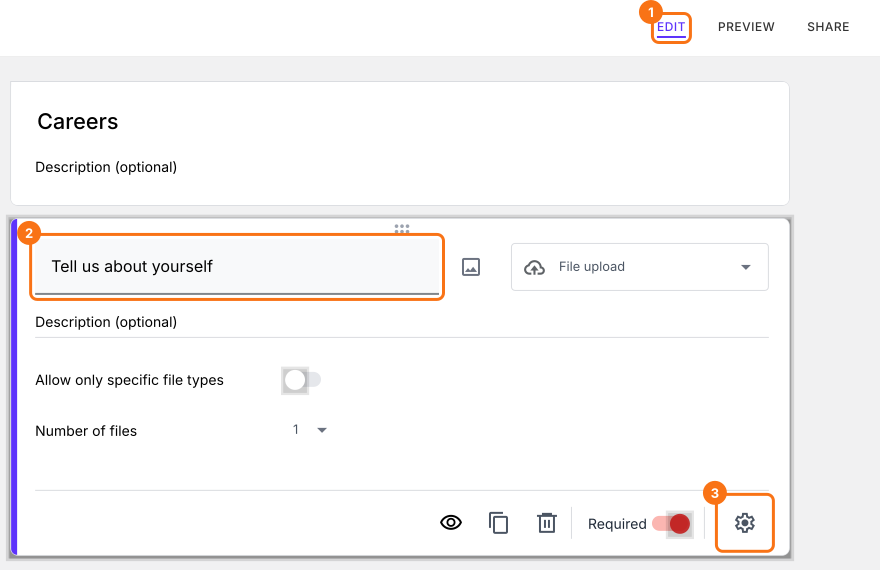
- On the page that opens, name your form, click Create form and click Proceed.
- If it asks "Do you want to preview this form?", click No.

- Your new form already has a file upload question. Click on it and enter your question. The gear icon at the bottom of its card opens its settings.
How to enable file upload without Google signin?
There is nothing more to enable. The file upload question on this form does not ask for a sign in.
- Click on "Share" tab

- Click Copy and send the link to your users
Using Formfacade form to collect responses
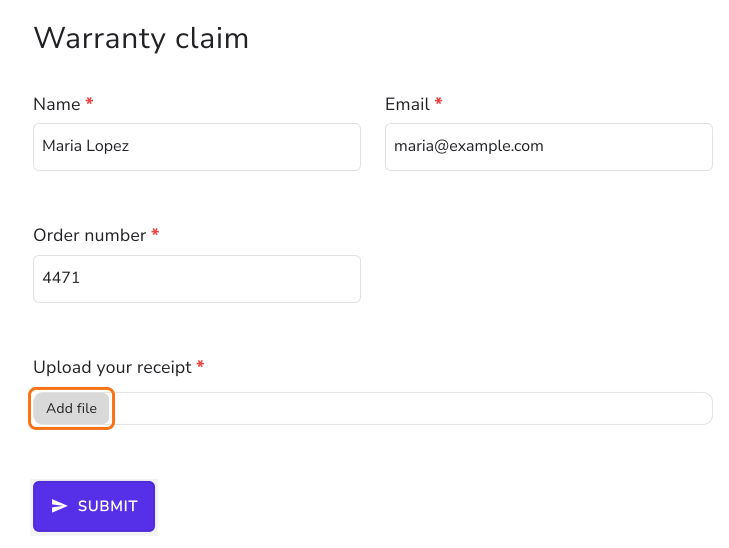
When you share this form using Formfacade, your users will see a file upload button as shown below. Users can upload a file (max size 10MB) using this file upload option. If you want to provide your users with the option to upload multiple files, you can change the max files for that file upload question in the Answer tab of its settings.
If you are using the file upload to collect signature, use Formesign that lets you add signature field in Google Forms.
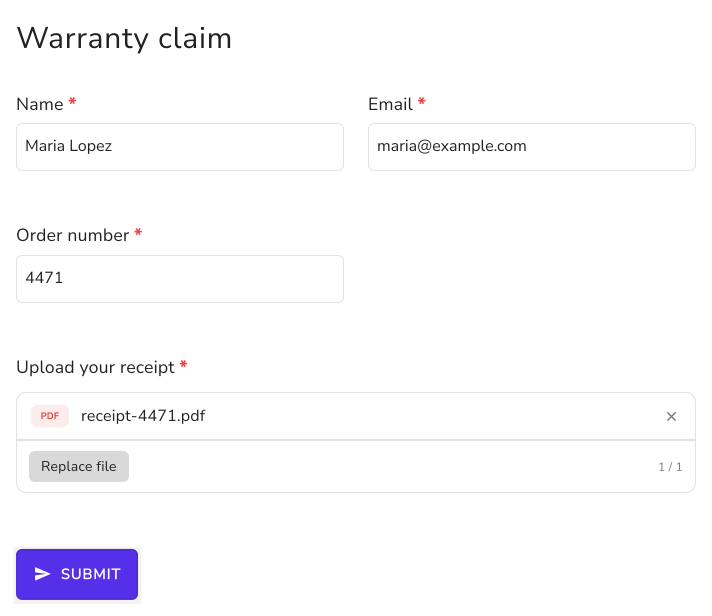
Your users fill the form, add their file and submit it without a sign in.
Viewing form responses with file upload questions
- Click on "Responses" tab

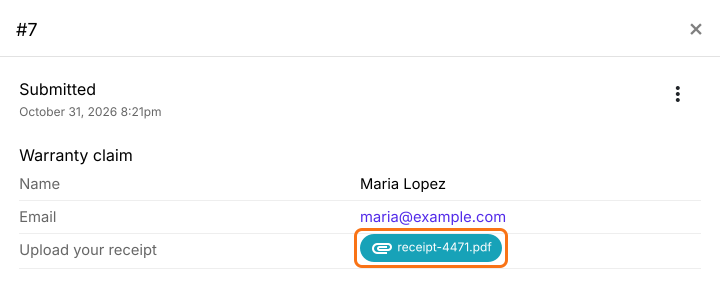
- Select Kanban board and click on the response in Submitted
- URL link of the uploaded file will be shown as a response to that question. You can use this link to view and download the file.
Key points to remember
- Formfacade converts the Google Drive file upload into an html file upload. In Google Forms, you will see a short answer question, but in the Formfacade form, you will see the file upload option.
- To make file upload mandatory, you can check Mark this as required field in the Question tab of that file upload question's settings.
- To accept multiple files, you can change the max files in the Answer tab of that file upload question's settings.
- To restrict the types of files that users can upload, you can add the valid file types in the Answer tab of that file upload question's settings.
- When a user uploads a file and submits a response, the url link of the uploaded file will be shown in RESPONSES.
- The files are uploaded on our servers. You can use the link to view and download the files. We do not upload the files directly to Google Drive as Google Drive does not allow anonymous users to upload files. You can copy them to Google Drive using the Save uploaded files to Google Drive option for that file upload question.
Summary
Google Forms' upload question makes everyone sign in to Google, and files sent by email have to be matched to their responses by hand. With Formfacade, your users can upload files without sign in. Create your form and complete the steps above. If you have any questions, write to support.
Last updated: