How to hide sold out products in your order form?
"some items to become unavailable once a certain amount of the item has been ordered"- Google Docs Editors Community
Google Forms keeps taking orders for something you've run out of. It has no stock count, so you add up the responses yourself, delete the choice when you hit your limit and apologise to whoever ordered too late. A choice-limit add-on can close an option after a number of picks, but it counts responses, not how many each person ordered. With Neartail, each product on your Google Form can have its own stock count. Every order takes its quantity off the count, and at zero the product stops selling while the rest stay on sale.
Let's start. Create your order form and follow the steps below.
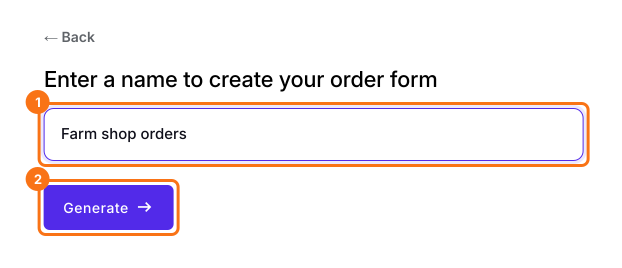
1. Name your order form
On the page that opens, click Enter your form name, type your form's name and click Generate. Check the outline it suggests and click Proceed. Your form opens on the Edit tab.
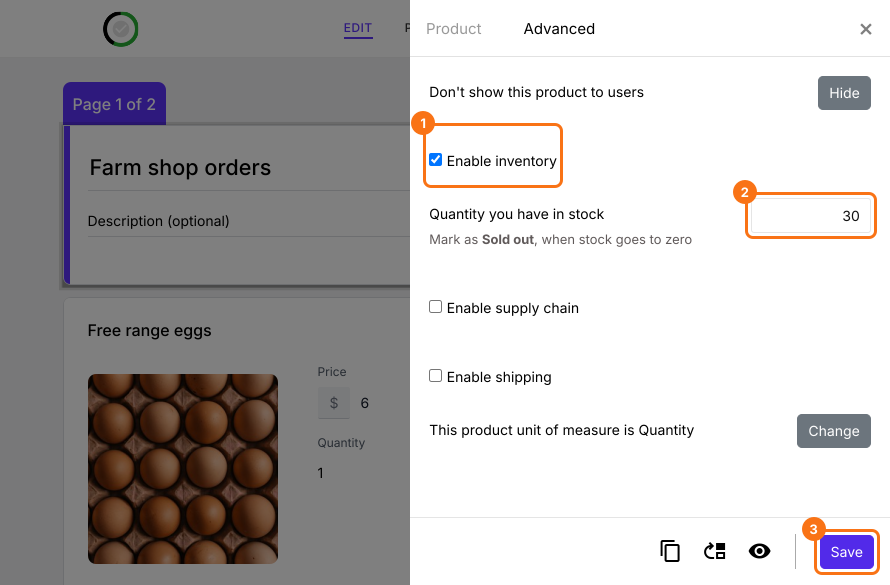
2. Set your stock count
In the EDIT tab, click the product, click the gear at the bottom of its card and open Advanced. Tick Enable inventory, type how many you have and click Save.
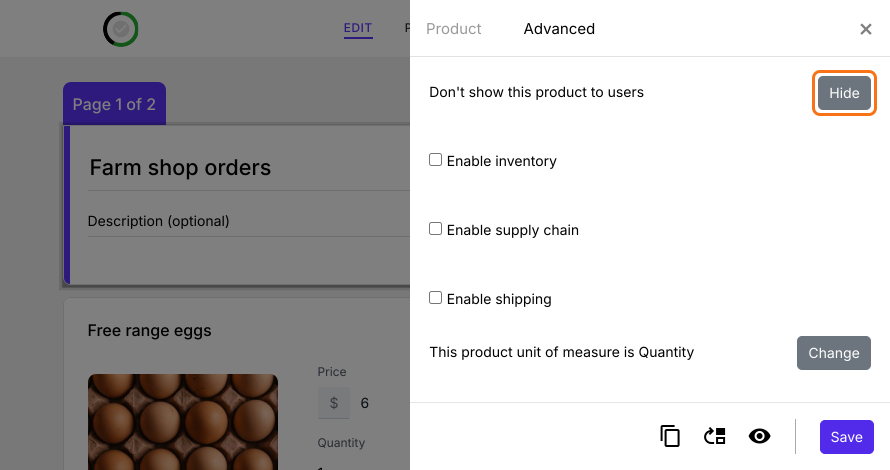
3. Hide a product before it sells out
To take a product off your form at any time, click Hide on the same tab. Click Show there to bring it back.
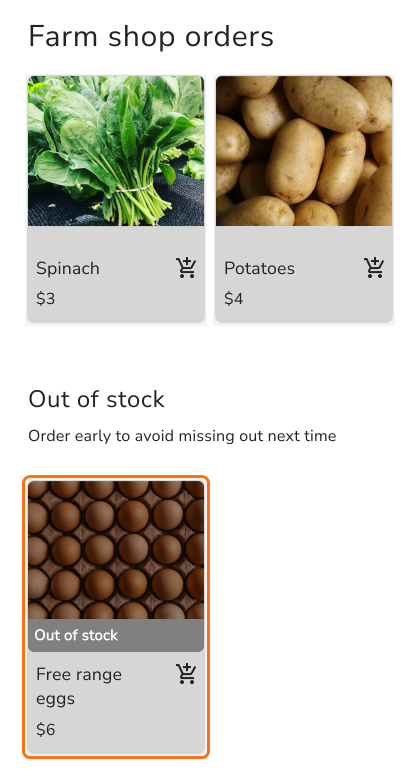
4. Sold out products stop selling
Your customers can only order what you have in stock. Each order comes off your count and at zero the product moves to an Out of stock list at the end of your products. When you restock, type the new count on the Advanced tab.
Summary
A Google Form doesn't know how much you have left, so it keeps taking orders after you've sold out. With Neartail, you set a stock count on each product, each order comes off it and the product stops selling at zero. Create your order form and complete the steps above.
Last updated: