How to create a branded share link for your payment form?
"My logo is the wrong dimensions to upload into google forms header"- Google Docs Editors Community
When you take payments with a form, the page people pay on should look like your business. Google Forms lets you add a header image, but there's no place for your logo in the page header and footer, and Google's own line stays in the footer. With Neartail, you pick a theme, upload your logo and write your own header and footer. People who open your share link see your business name and logo, and the responses are still collected on your Google Forms.
Let's start. Create your form and follow the steps below.
Brand your share link
- On the page that opens, click Enter your form name, type a name and click Generate.
- Check the outline it suggests and click Proceed. Your form opens on the Edit tab.
- If it asks "Do you want to collect payment on form submit?", click No.
- Click Preview.

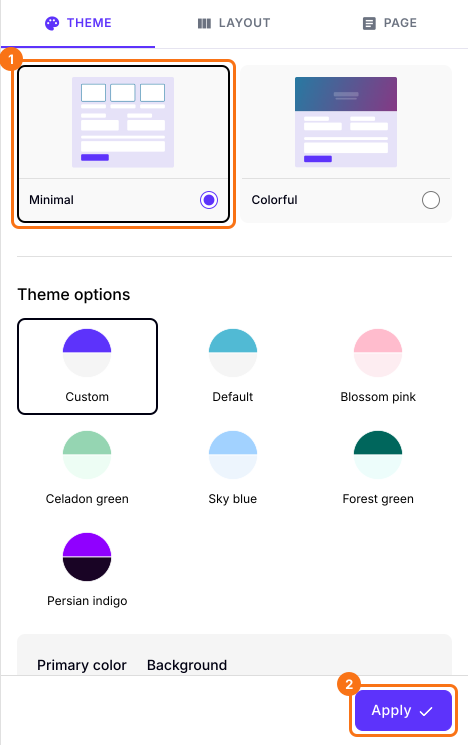
- Under Theme, select Minimal and change the colors, fonts and font size. The preview shows the look as you go. Click Apply to save it. Once you change something, the button reads Apply to all forms, because a theme restyles every live form on your account, not only this one.
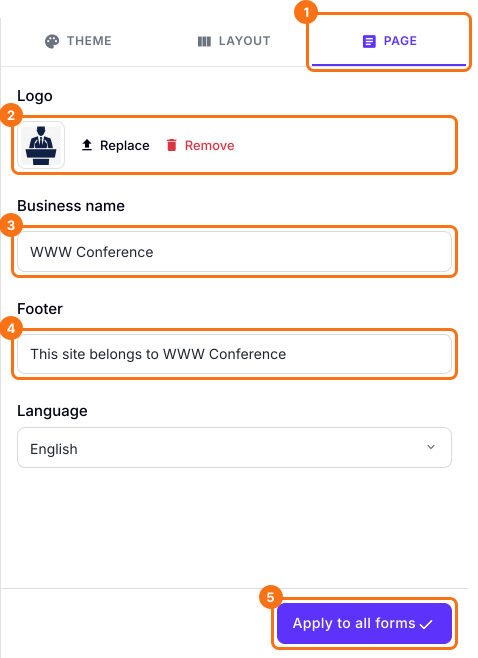
- Click Page. Enter your Business name for the header and your footer text, upload your logo and click Apply to all forms. The logo and these words change on every live form on your account.
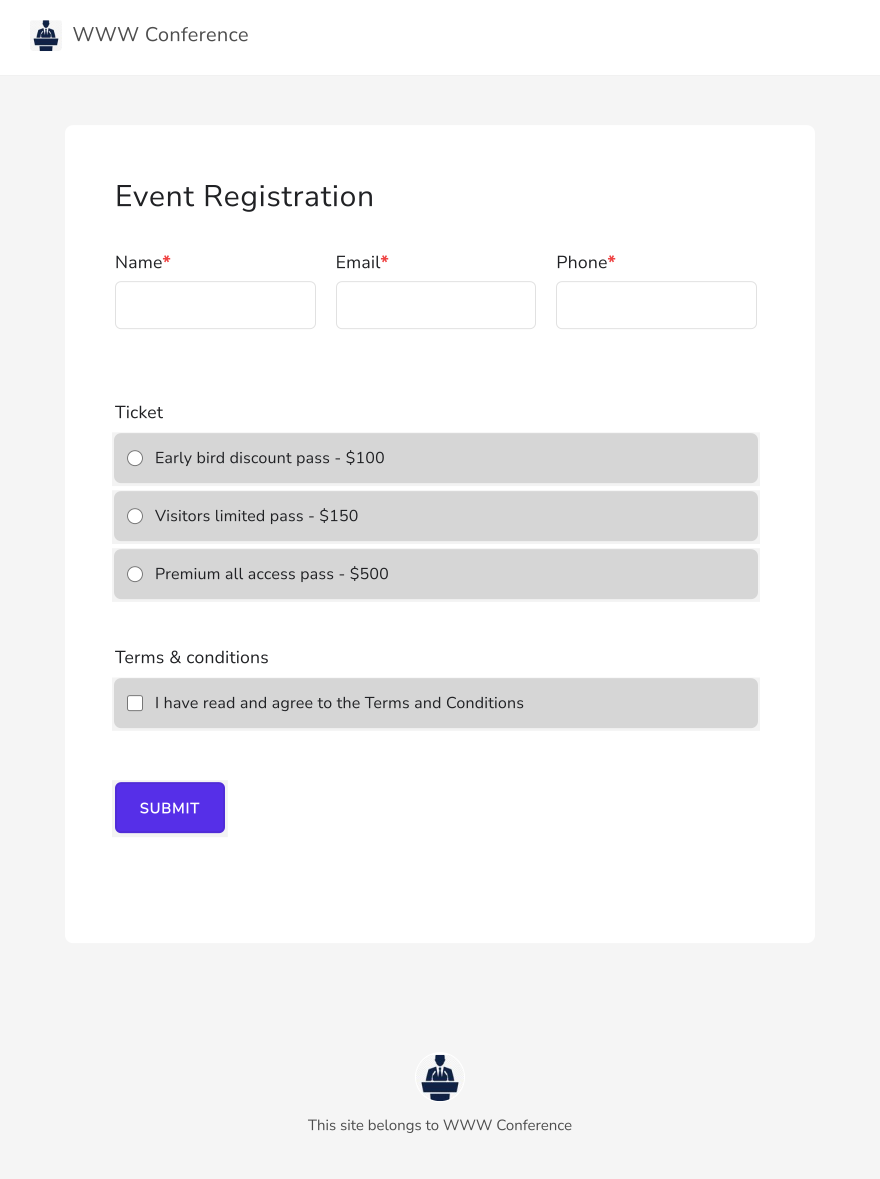
Your logo shows in the header and the footer of the Minimal theme.
Summary
If your payment form should look like your own page, Google Forms has no place for your logo in the header and footer. With Neartail, you select a theme, upload your logo and write your header and footer, and your share link opens your branded page. Create your form and complete the steps above.
Last updated: