How to create an email template with prefilled link?
"a form with pre-fill fields; need this hyperlink to show up on mail merge"- Google Docs Editors Community
You send the same form to many customers and write nearly the same email each time, with a different prefilled link in each. Getting that link into a mail merge is a question 33 people on Google's forum have asked. Google Forms can make a prefilled link but can't send it, so the link goes into a mail merge or into each email by hand. In Formfacade, the subject and message you send are saved as a template. The next time, you pick it from Mail template and your message is ready.
Let's start. Create your form and follow the steps below.
How to set up an email template?
- On the page that opens, name your form, click Create form and click Proceed.
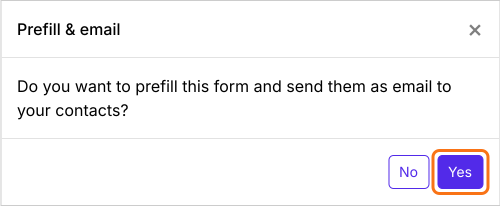
- In the Prefill & email dialog that asks "Do you want to prefill this form and send them as email to your contacts?", click Yes.
- On the Email page of the Share tab, enter the email address in To
- Edit the subject and message
- Click Send email. The subject and message are saved as a template under Mail template.
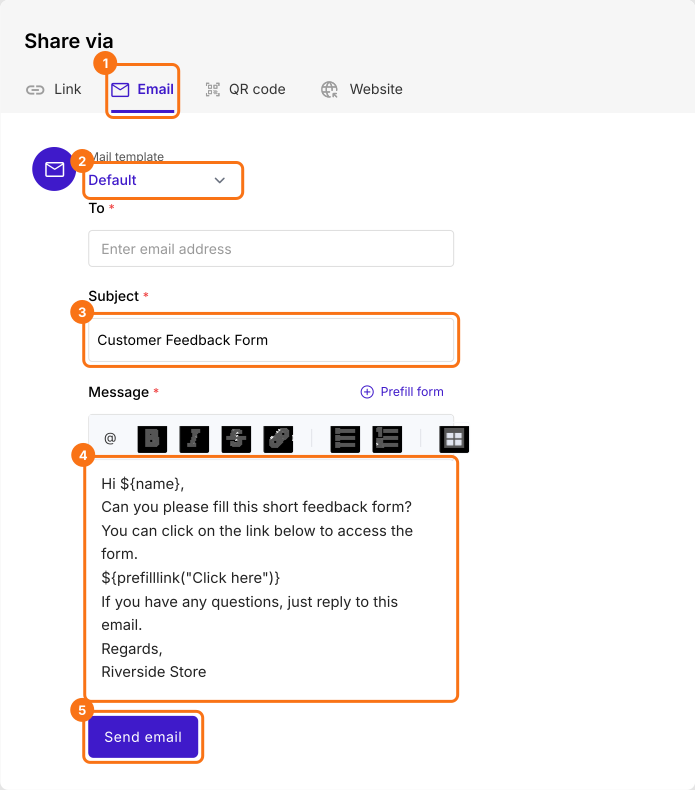
The next time you open this page, select it from Mail template. Each new subject you send is saved as a new template.
Summary
Writing the same email around every prefilled link takes time, and Google Forms can't send the link for you. With Formfacade, the subject and message you send are saved as a template, so the next time you pick it from Mail template. Create your form and complete the steps above.
Last updated: