How to send Google Forms with prefilled answers?
"tedious for me to remember to send it out to every client"- Google Docs Editors Community
Sending a form to each customer before an appointment or after an order gets tedious, and 24 people on Google's forum have asked about it. Each email also needs a line for that person. Google Forms can't email a prefilled link, so you copy it into an email and write the message yourself every time. With Formfacade, the email is written from your template and you edit it for this customer before you send it. They get your message with their own link, and the form opens with their answers filled in.
Let's start. Create your form and follow the steps below.
How to create a prefill link?
- On the page that opens, name your form, click Create form and click Proceed.
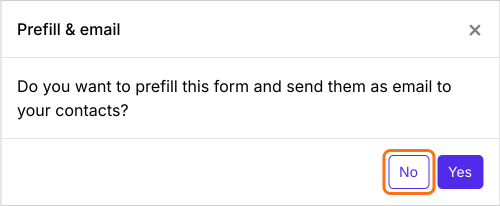
- In the Prefill & email dialog that asks "Do you want to prefill this form and send them as email to your contacts?", click No.
- Click the Share tab

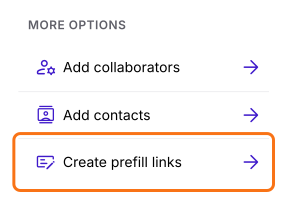
- Under More options, click Create prefill links
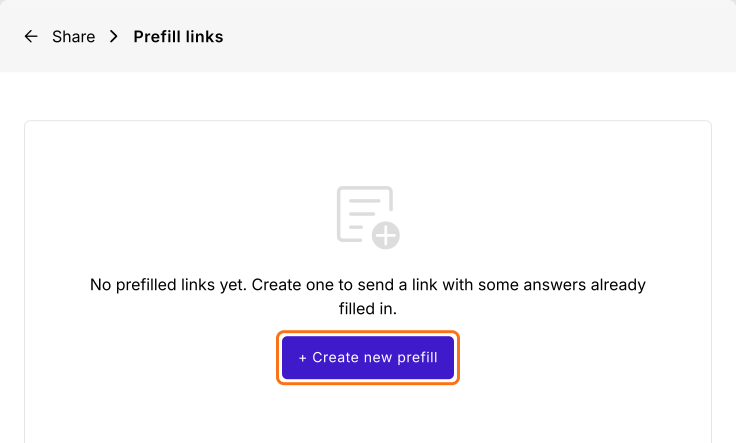
- Click + Create new prefill
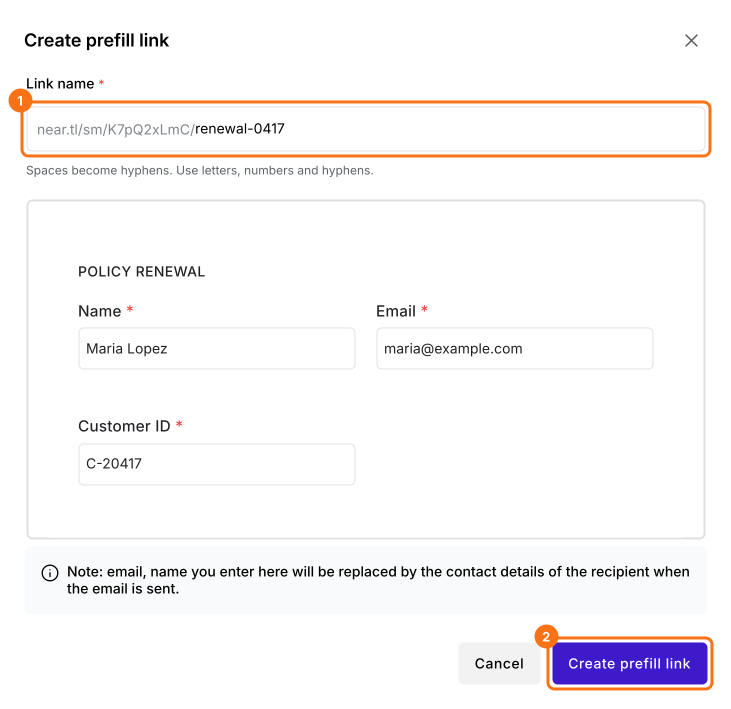
- Enter a unique name for the link
- Fill in the answers to prefill
- Click Create prefill link
How to edit the message for this customer?
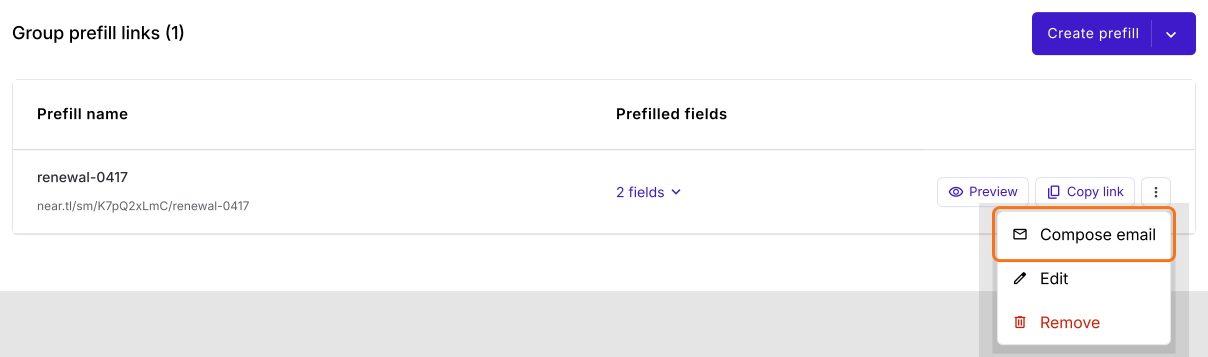
- Click the ⋮ More icon next to the prefill link
- Click Compose email
- Check your customer's email address in To
- The subject and message come from your template. Edit them for this customer
- Click Send email
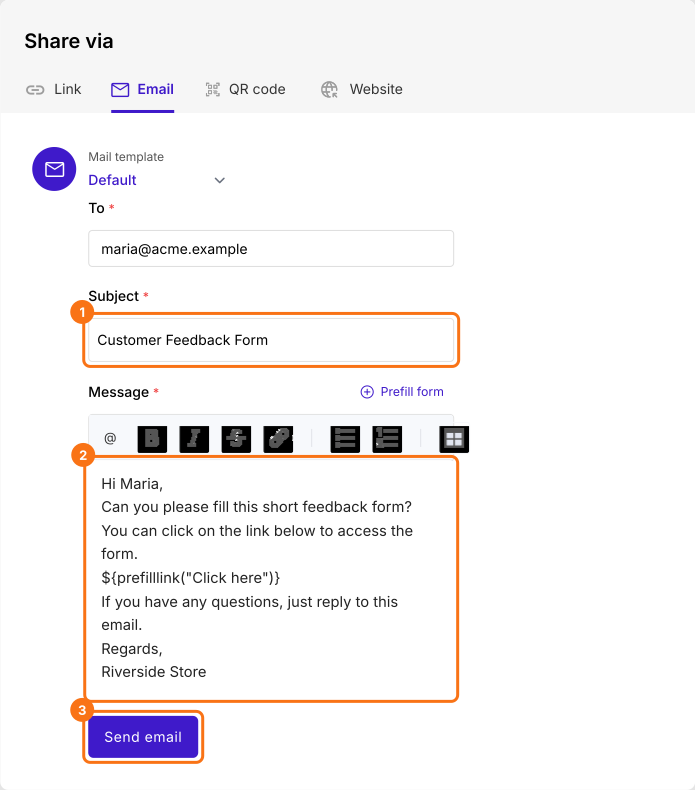
Your customer gets your message with their own link. When they open it, the form has their answers filled in. The name and email you typed in the link are replaced by your customer's contact details.
You can use this along with HIPAA form to avoid showing PII information in plain text in email or prefill links
Summary
Google Forms can't email a prefilled link, so a personal message for each customer means writing every email yourself. With Formfacade, the subject and message come from your template and you edit them for this customer before you send the link. Create your form and complete the steps above. If you have any questions, write to support.
Last updated: