How to create a contact us page?
"add google forms as a contact form on a contact page in my website"- Google Docs Editors Community
Embedding a Google Form is the usual way to put a contact form on a website, and 18 people on Google's forum have asked how to do it on a contact page. The form takes messages, but your address, opening hours and phone still need a place, and a line in the form's description is easy to miss, so customers message you to ask. The website Neartail makes from your order form has a Contact page. You type your address and pick it from the list, put your hours in the title, add your phone and email and choose a contact form. Your details show on the right, the form on the left, and the page goes in your menu.
Let's start. Create your site and follow the steps below.
How to set up your Contact page?
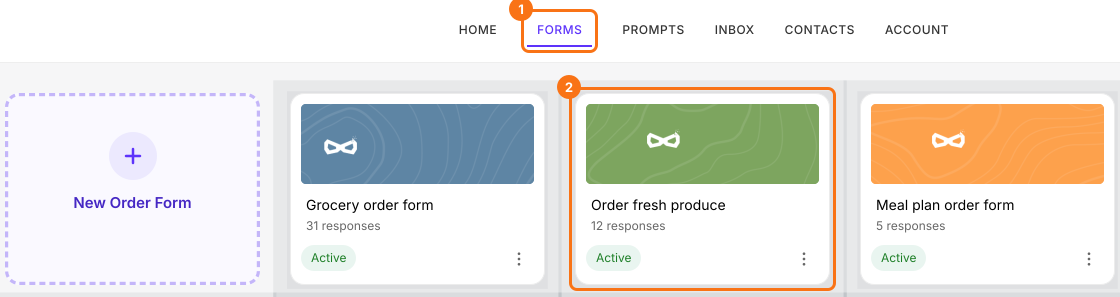
- If you just created your site and it says "Your website is live", click Edit site and skip the next two steps. Otherwise log in to Neartail, click Forms and click your form.
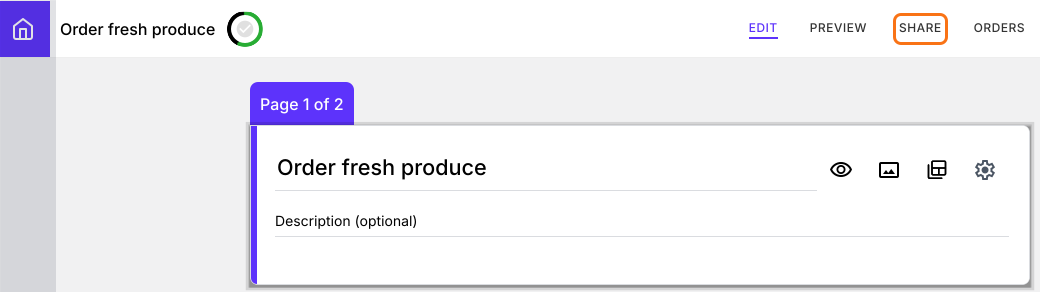
- Click SHARE.
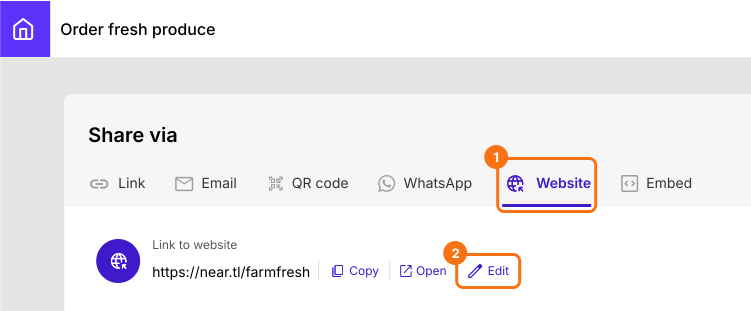
- Click Website, then click Edit.
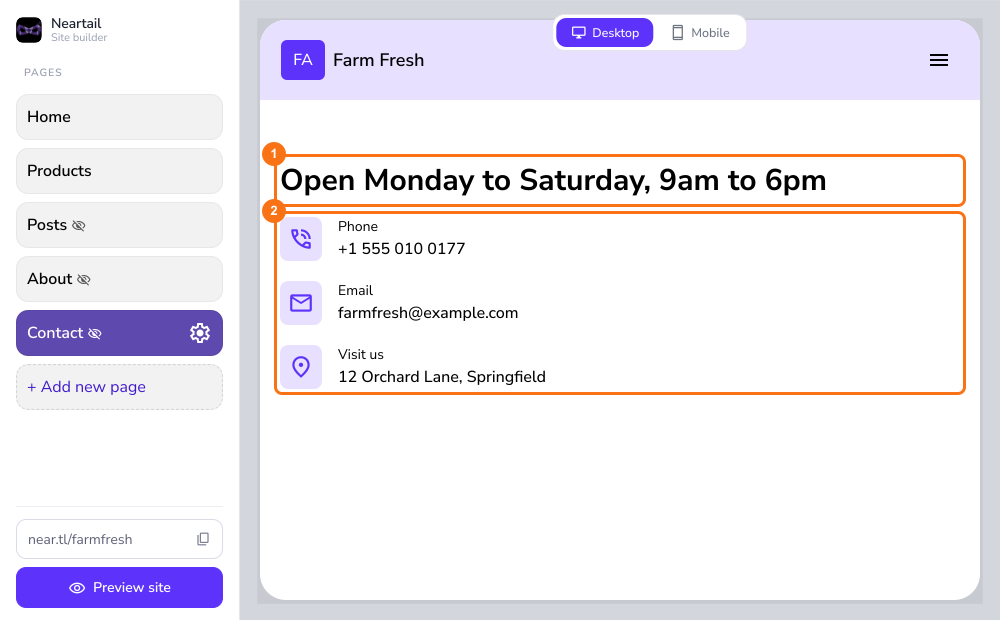
- In your website's editor, click Contact in the left menu.

- Click the text you want to change.
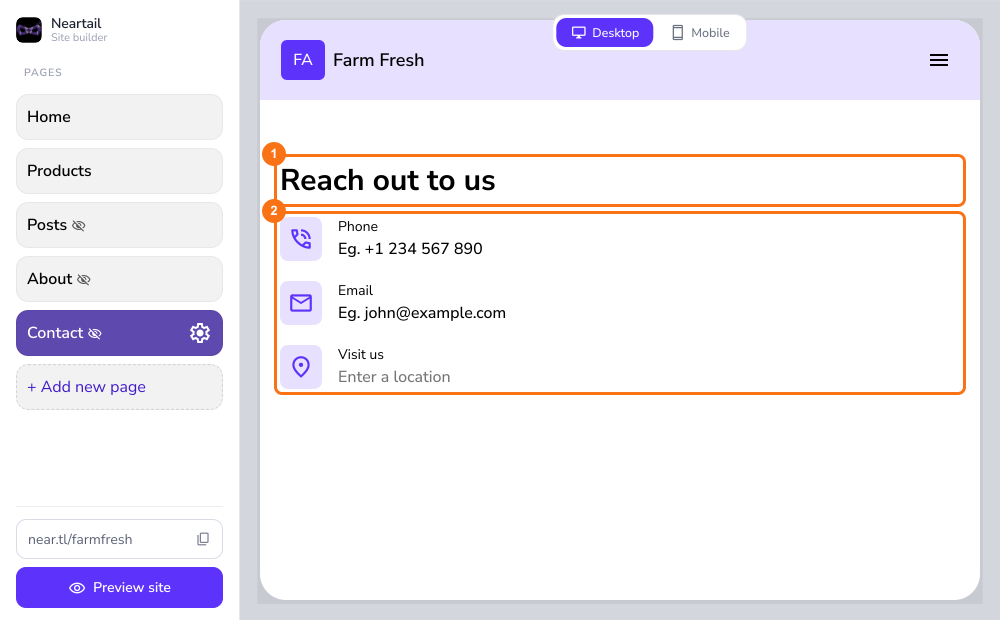
- Type your business address in Visit us and pick it from the list. Put your working hours in the title and add your phone and email.
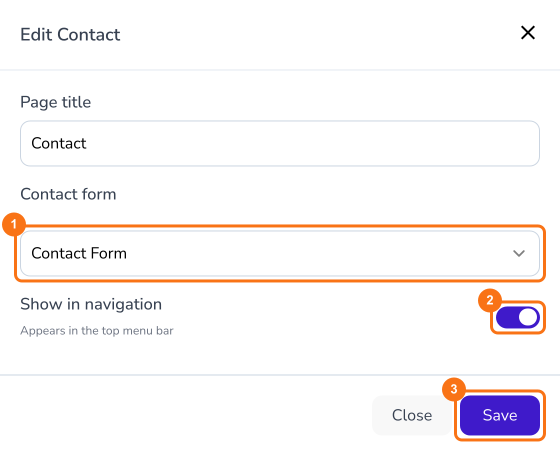
- Click the gear beside Contact in the left menu. Select the contact form, turn on Show in navigation and click Save.
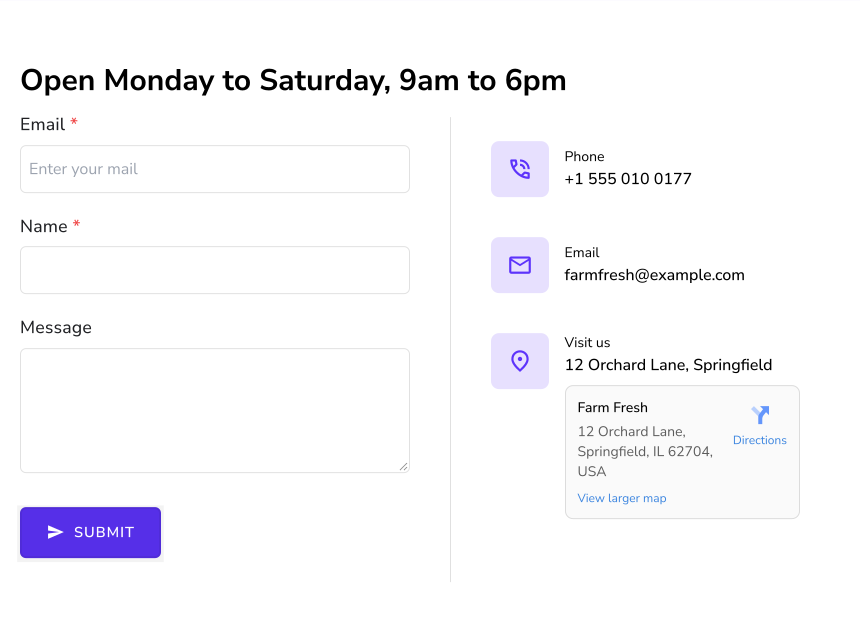
Your Contact page shows the contact form on the left and your details on the right.
Summary
Customers look for your address, hours and a way to reach you before they order, and a Google Form alone has no page for them. With Neartail, your website's Contact page holds your address, hours, phone, email and a contact form, and it shows in your menu. Create your site and complete the steps above. If you have any questions, write to support.
Last updated: