How can I change the layout of my Google Forms?
"How to make google form more compact?"- Google Docs Editors Community
In Google Forms, every question sits on its own card in one narrow column, with space around each one. On a long order or registration form, people scroll a long way to reach Submit. Google Forms lets you change the theme but not how the questions are laid out, and its embed code only sets the width and height. With Formfacade, you choose a Default, Comfortable or Compact layout for each form, so your users see more questions at a glance. The responses are still collected in your Google Form.
Create your form and follow the steps below.
How to change the form layout?
- On the page that opens, name your form, click Build form and click Proceed. Your form opens on the "Preview" tab.

- Click on the LAYOUT tab.
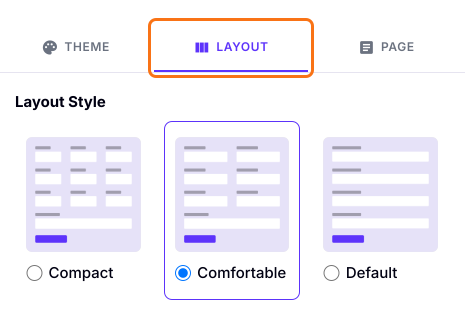
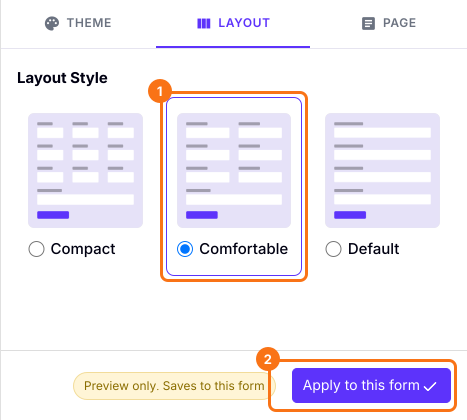
- Select the desired layout. A form built with AI opens as Comfortable.
- Click on the "Apply to this form" button. A layout applies only to this form.
Customized form with a Comfortable layout
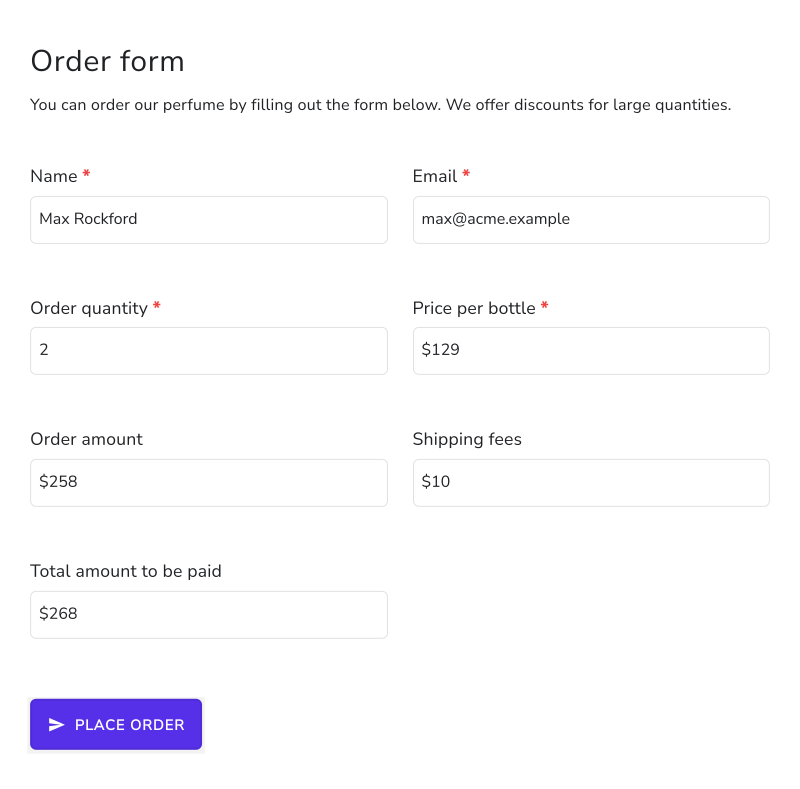
Summary
Google Forms lays out every form in the same single column, and its embed code only changes the width and height. With Formfacade, you choose the Default, Comfortable or Compact layout for each form. Create your form and complete the steps above.
Last updated: