Email address
"Google Form collects invalid / broken email addresses"- Google Docs Editors Community
If you reply to everyone who fills in your form, one mistyped email address means a message that bounces and a person you can't reach. Google Forms has a Collect email addresses setting, but it always puts Email first, can't be made optional and can't be renamed. In a Formfacade form you can add the email question anywhere instead: a short answer with Email validation, labelled your way, required or optional. People see your error message until the address is in a valid format.
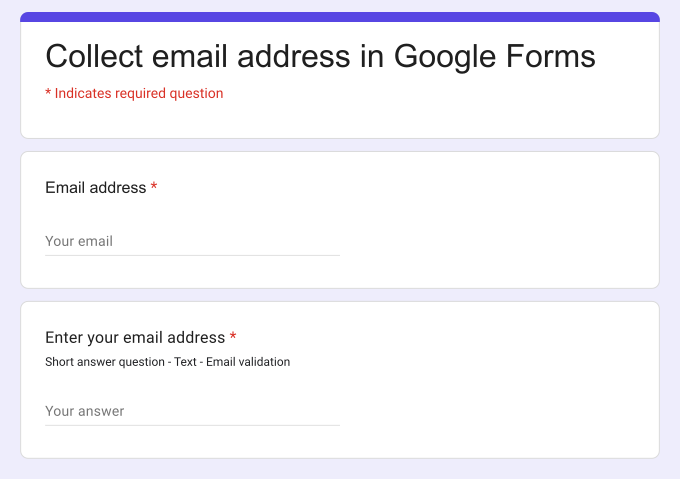
Below are two ways to collect email addresses in your form, and where the first one falls short.
There are two ways to collect email address in Google Forms. You can enable the "Collect email addresses" option in the Settings or add a short answer question with email address response validation.
- Click on Create your form, name your form, click Build form and click Proceed.
- Click on the "Edit" tab

Your new form may already have an Email question or one in each section. If you do not want it asked twice, click on that question and click on the trash icon.
Option #1: Enable collect email addresses
You can enable the "Collect email addresses" option in form settings to add email address field in your Google Forms. Please follow the instructions below.
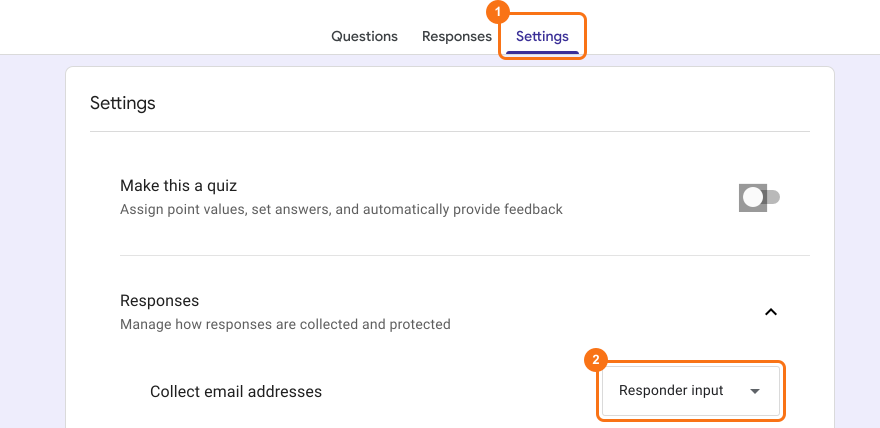
This option is only in Google Forms. Click on the form's title, click on the ⚙️ icon, select the "Advanced" tab and click Launch next to "Edit this form with Google Forms". In Google Forms, click on the Settings tab. Click on Responses and select "Responder input" for "Collect email addresses" option as shown below.
Google Form automatically adds email address as the first field in the form as shown below.
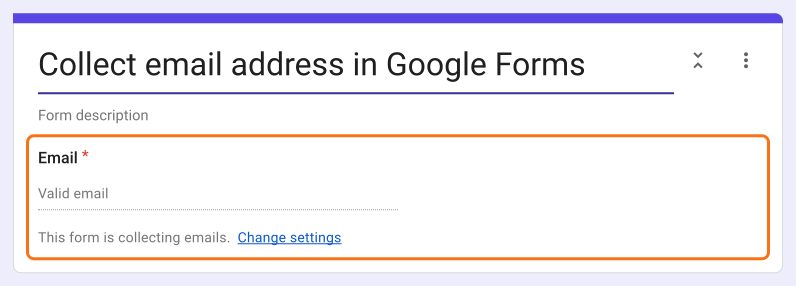
- Reload the form's "Edit" tab in Formfacade, so that your form picks up the change. It shows as Email Address at the top of the form.
Limitations
- Email will always be the first field in the form.
- You cannot make Email as an optional field.
- You cannot change the field label. It will always be displayed as Email address.
Important
- If you are using Google Forms and want to send a copy of the response to the form respondent by email, you must use Collect email addresses option with "Send responders a copy of their response" enabled.
- If you are using Formfacade to customize your Google Forms, you must not enable "Send responders a copy of their response" to send confirmation emails (Learn why). You can use our Formfacade - Email notification add-on to send confirmation emails.
Option #2: Short answer question with response validation
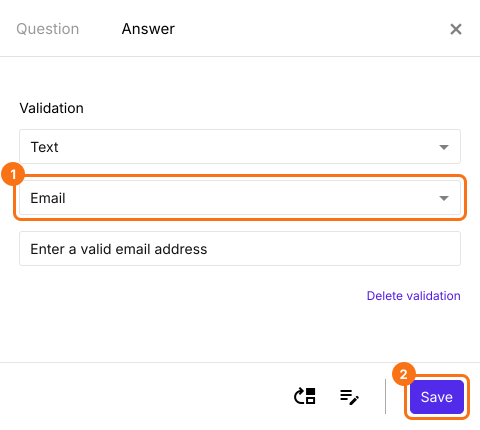
You can add a short answer question with email address response validation to accept valid email address. This gives you more flexibility than the collect email address option. You can add this question anywhere in the form, enter the desired field label and make this as an optional or required question. Please follow the instructions below.
Add a short answer question by clicking on the + icon in the toolbar on the right and enter your question. Click on the ⚙️ icon at the bottom right of the question, select the "Answer" tab and click Configure under Validation.
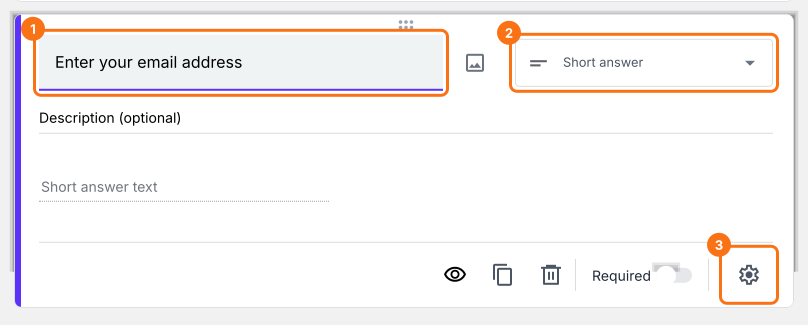
Select Text and Email to add the validation to check the email address format. If required, add a custom error message. To make this a mandatory question, tick Mark this as required field on the Question tab. Click Save.
Summary
If you need a valid email address from your users, a plain question will accept whatever they type. With Formfacade, you can add a short answer question with email response validation or enable the "Collect email addresses" option in Google Forms. Create your form and complete the steps above.
Last updated: