How to automatically send email notifications in Google Forms?
"How to change the wording from auto response on a google form."- Google Docs Editors Community
People who fill your Google Form often expect an email back: a thank you, and what happens next. Google Forms can send them a copy of their response, but you can't change a word of it, so there's no room for your message. 18 people on Google's forum have asked how to change that wording. With Formfacade, you write your own email and each person gets it when they submit, with your words above their answers. The form carries your branding instead of Google's, and the responses are still collected on your Google Forms.
Below are two ways to email people automatically when they submit a Google Form, and where each one falls short.
1. Send responders a copy from Google Forms
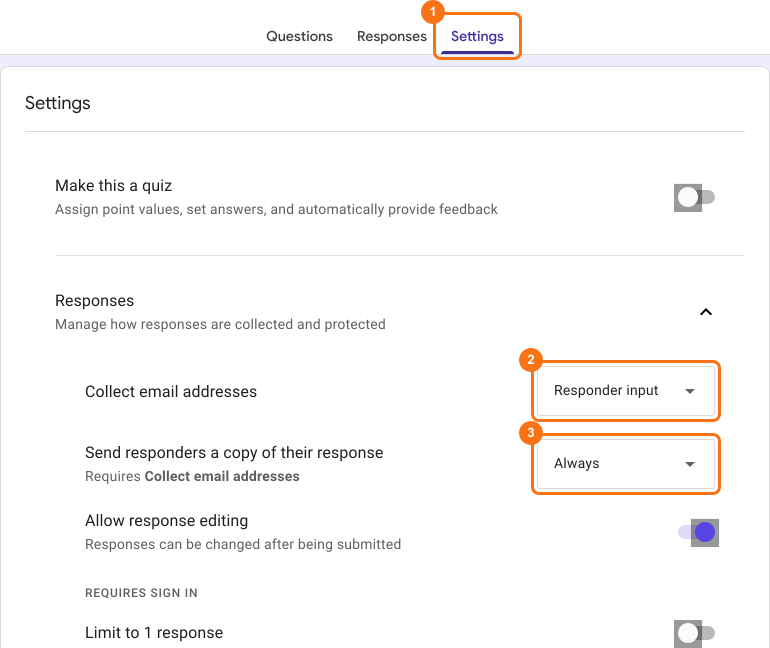
- Open your form in Google Forms and click Settings.
- Open Responses with its arrow.
- Set Collect email addresses to Responder input.
- Set Send responders a copy of their response to Always.
Where it falls short
- You can't change the email. It only holds a copy of their answers.
- The email address question becomes the first question on the form.
- Owners on Google's forum report copies that reach Gmail addresses but not others.
2. Write your own email with Formfacade
Below, the top email is the copy Google Forms sends: the questions and their answers. The bottom one is a confirmation email from Formfacade, with your own message above the answers telling people what to expect next.
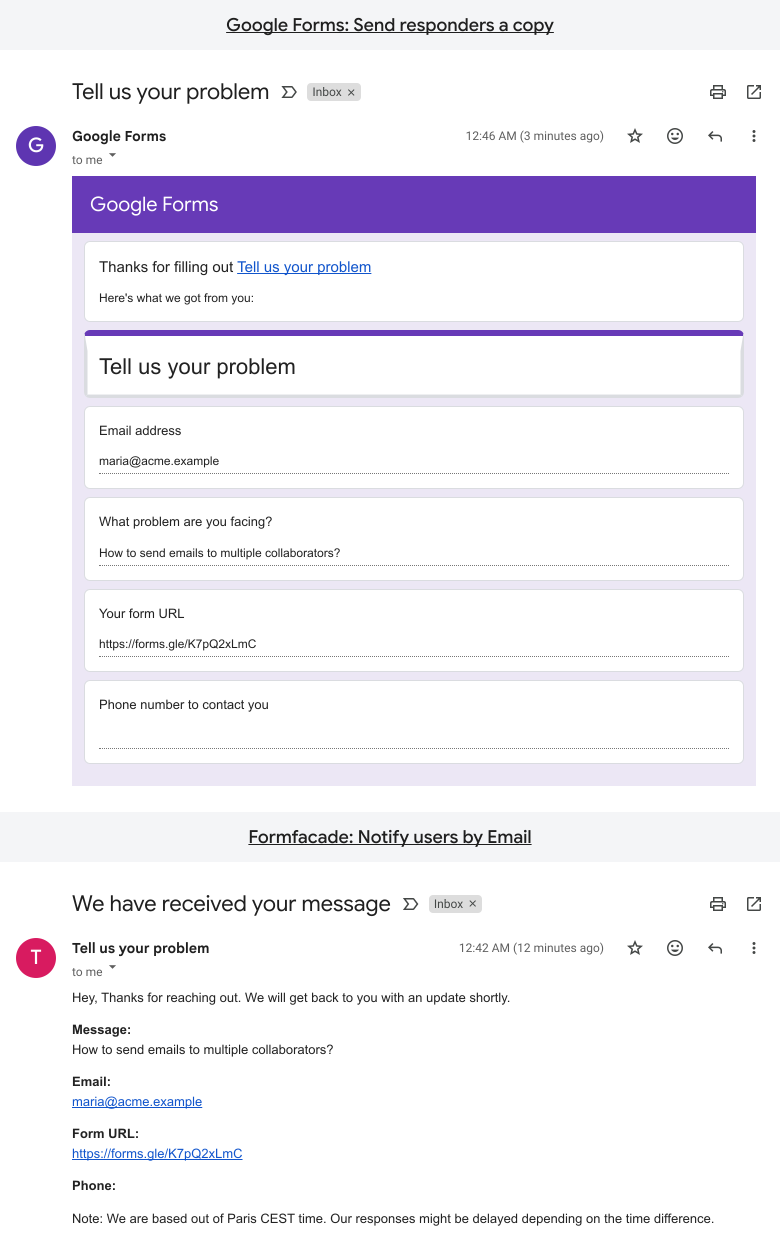
To set it up, read How to send a confirmation email with a copy of the form response.
Summary
Google Forms can email people a copy of their response, but you can't add a word of your own to it. With Formfacade, you write your own message and each person gets it with their answers when they submit. Create your form and write your own message.
Last updated: