How to edit google forms responses after submit?
"She said she never got an email with an edit form link."- Google Docs Editors Community
Respondents often spot a mistake right after they submit. With no way to fix it, they write to you, or fill the form again and leave you with two responses. Google Forms lets them change a response only if you turned on Allow response editing before they submitted. With it on, the confirmation page and the copy sent to their email both carry an edit link. Your collaborators still can't correct a response themselves. With Formfacade, they can, from the notification email.
Let's start. Open your form in Google Forms and turn on the option using the steps below. If your collaborators need to make updates too, create your form with Formfacade.
How to enable the option to edit after submit?
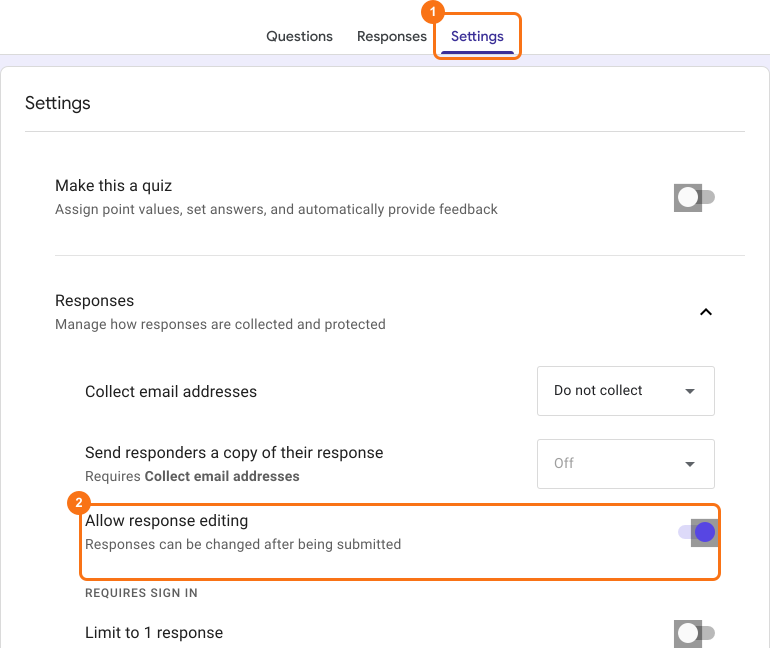
- Open your form in Google Forms.
- Click Settings.
- Open Responses with its arrow.
- Turn on Allow response editing.
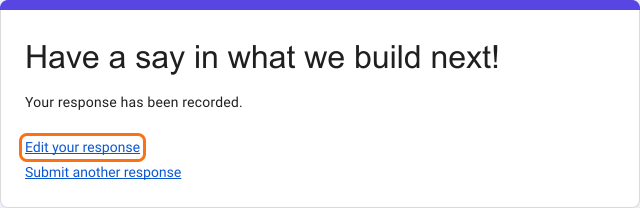
After someone submits, the confirmation page shows an Edit your response link. They click it to change their response.
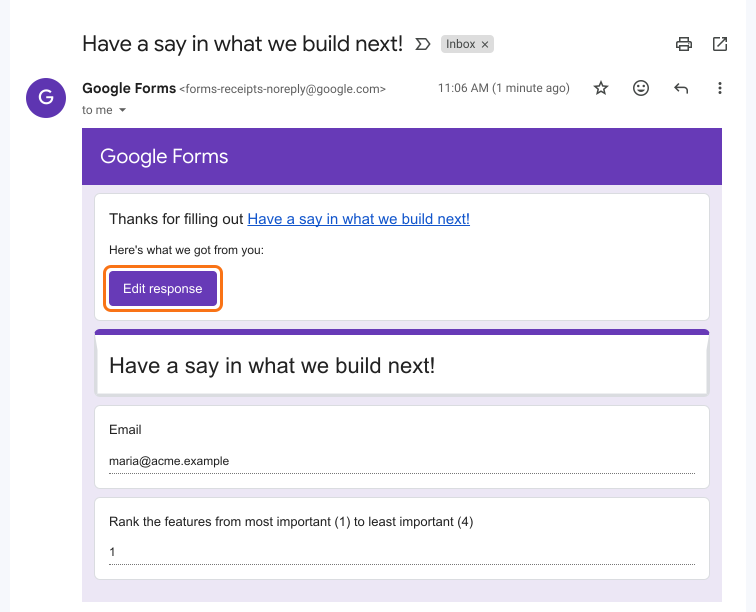
If you collect email addresses and turned on Send responders a copy of their response, the copy in their email has an Edit response button too, and they can use it at any time.
⚠️ Limitations
- Respondents can change their response at any time. You can't stop edits after a certain stage, which matters for applications and orders.
- Collaborators can't correct a submitted response.
If your collaborators need to make updates or you want more control over the edit option, create your form with Formfacade and read how to allow collaborators to edit responses.
Summary
If your users need to change a response they have submitted, you can enable the Allow response editing option in Google Forms. An edit link will be included in the confirmation message and in the response receipt sent to their email. If your collaborators need to make updates too, create your form with Formfacade.
Last updated: