How to add products sold by weight?
Grocers, butchers and produce sellers don't sell in fixed units: one customer wants 8 oz and the next wants 2 lb. A Google Form can list those weights as choices, but it can't price each one or add up the total, so every order gets worked out by hand. Neartail has a product type for this. You mark a product as sold by weight and type the weights you sell, and customers pick one when they add the product to the cart. The cart works out the price for that weight and adds up the order.
Let's start. Create your order form and follow the steps below.
How to add a product sold by weight?
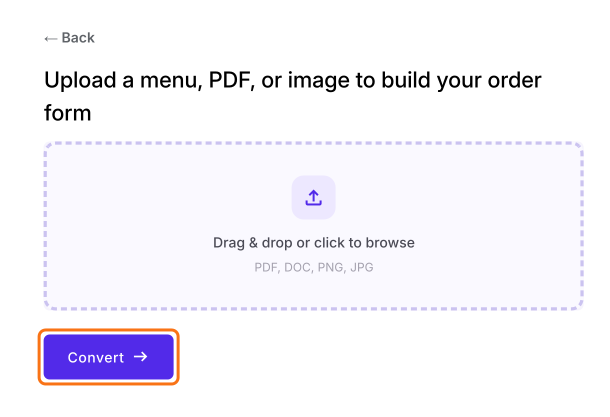
- On the page that opens, upload your menu, a PDF or an image and click Convert. If you don't have one, click Back, click "Enter your form name", type your form's name, click Generate and then Proceed.
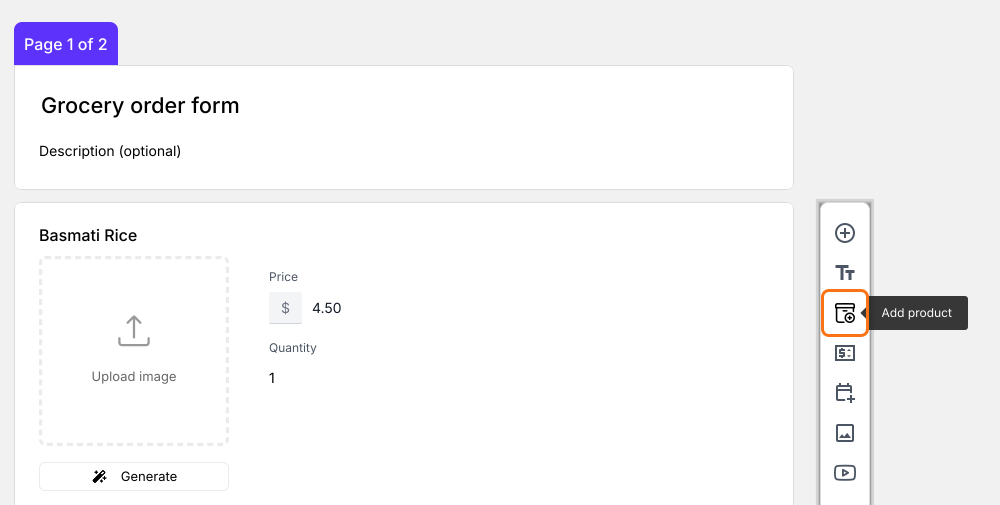
- You land on the form's "Edit" tab. If it asks "Do you want to preview this form?", click No.

Click Add product. The new product goes after the question you clicked last.
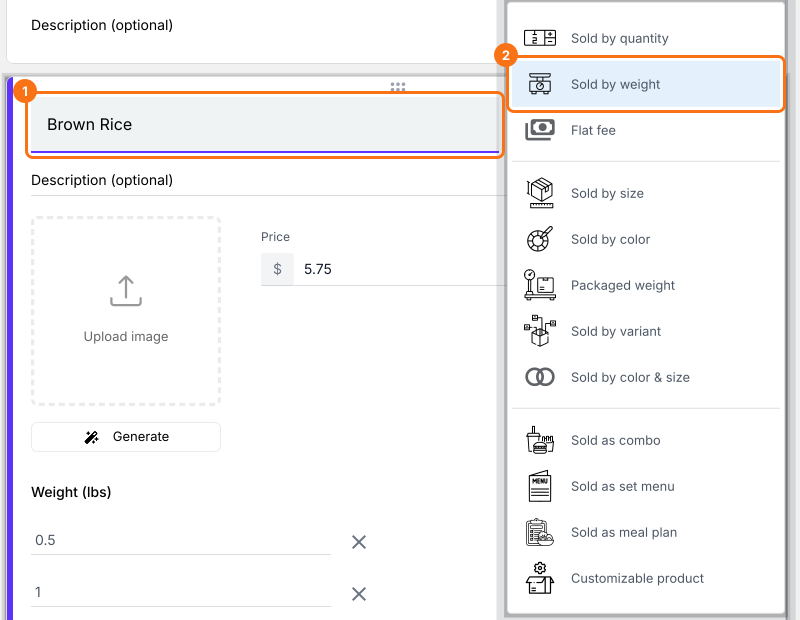
Enter the product name and select Sold by weight.
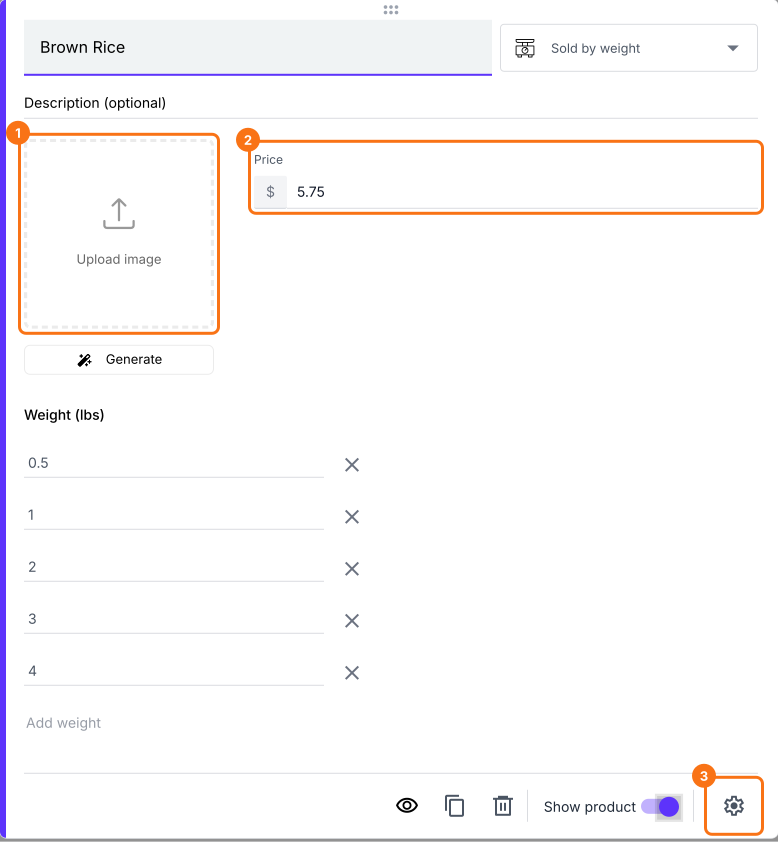
Enter the product price and upload an image. With USD the weights are in lbs and with other currencies in kg. Type your own weights over them or click Add weight. You can also update the product description or click Advanced setting to add a full price for promotional products.
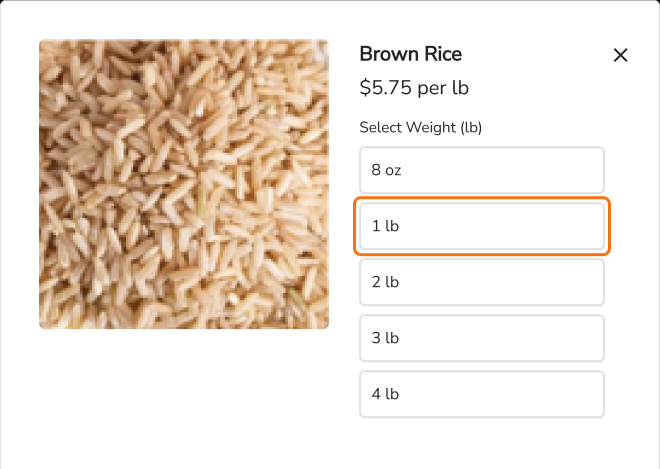
When customers add a product sold by weight to the cart, they select the weight they want.
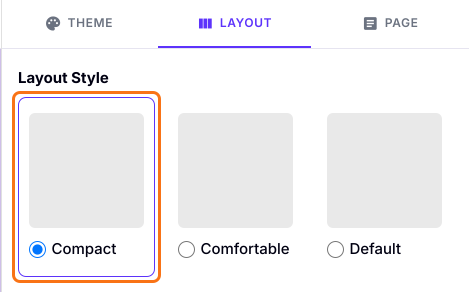
Product descriptions don't show in the Comfortable layout. To show them, click the "Preview" tab, click LAYOUT, choose the Compact layout and click Apply to this form.
Summary
When customers buy by weight, a Google Form can't price each weight or add up the total. With Neartail, you add the product as sold by weight with the weights you sell, and customers pick one as they add it to the cart. Create your order form and complete the steps above.
Last updated: